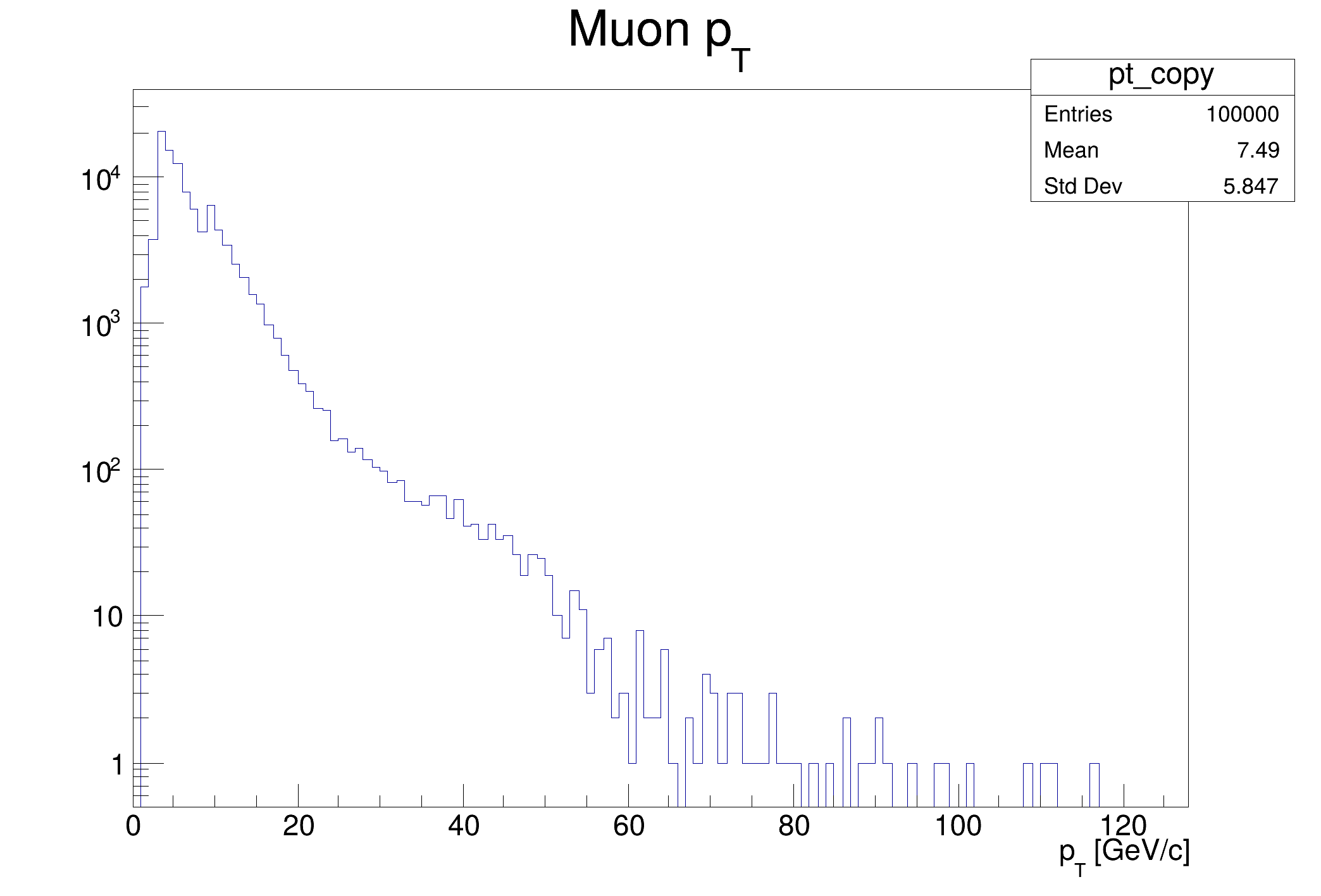
Use the lazy RDataFrame data source to concatenate computation graphs.
This tutorial illustrates how to take advantage of a lazy data source creating a data frame from columns of one or multiple parent dataframe(s), delaying the creation of the columns to the actual usage of the daughter data frame. Dataset Reference: McCauley, T. (2014). Dimuon event information derived from the Run2010B public Mu dataset. CERN Open Data Portal. DOI: 10.7483/OPENDATA.CMS.CB8H.MFFA. From the ROOT website: https://root.cern/files/tutorials/tdf014_CsvDataSource_MuRun2010B.csv
int df015_LazyDataSource()
{
auto fileNameUrl = "http://root.cern/files/tutorials/df014_CsvDataSource_MuRun2010B.csv";
auto fileName = "CsvDataSource_MuRun2010B.csv";
if(
gSystem->AccessPathName(fileName))
std::string px1Name = "px1";
auto px1 = csv_rdf.Take<double>(px1Name);
std::string py1Name = "py1";
auto py1 = csv_rdf.Take<double>(py1Name);
auto df =
MakeLazyDataFrame(std::make_pair(px1Name, px1), std::make_pair(py1Name, py1));
auto ptFormula = [](
double px,
double py) {
return sqrt(px * px +
py *
py); };
auto pt_h = df.Define("pt", ptFormula, {"px1", "py1"})
can->SetLogy();
pt_h->DrawCopy();
return 0;
}
R__EXTERN TSystem * gSystem
virtual Bool_t Cp(const char *dst, Bool_t progressbar=kTRUE, UInt_t buffersize=1000000)
Allows to copy this file to the dst URL.
RDataFrame MakeLazyDataFrame(std::pair< std::string, RResultPtr< std::vector< ColumnTypes > > > &&... colNameProxyPairs)
Factory method to create a Lazy RDataFrame.
RDataFrame FromCSV(std::string_view fileName, bool readHeaders=true, char delimiter=',', Long64_t linesChunkSize=-1LL, std::unordered_map< std::string, char > &&colTypes={})
Factory method to create a CSV RDataFrame.
RResultPtr<::TH1D > Histo1D(const TH1DModel &model={"", "", 128u, 0., 0.}, std::string_view vName="")
Fill and return a one-dimensional histogram with the values of a column (lazy action).
- Date
- February 2018
- Author
- Danilo Piparo (CERN)
Definition in file df015_LazyDataSource.C.