Use TProfiles with RDataFrame.
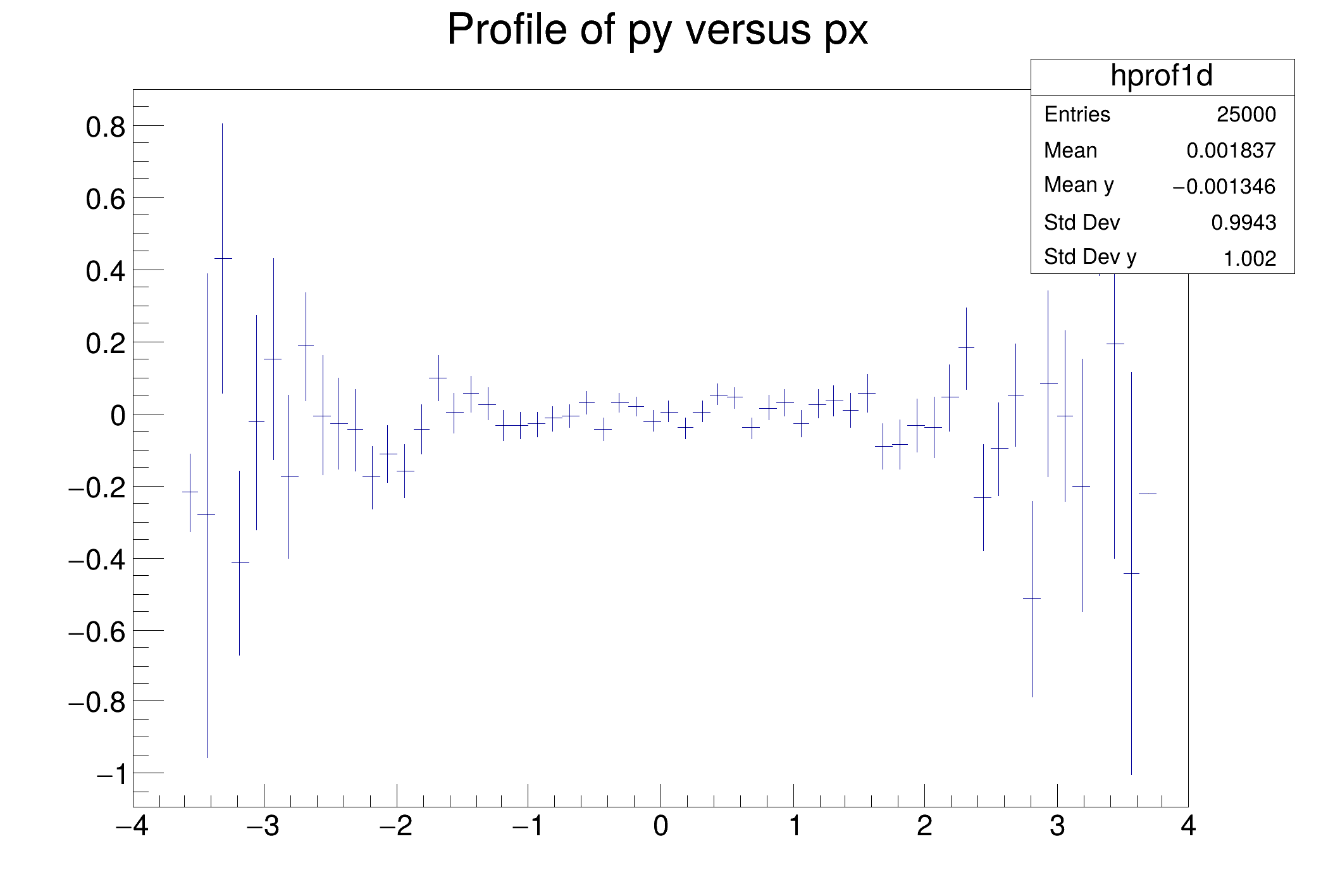
This tutorial illustrates how to use TProfiles in combination with the RDataFrame. See the documentation of TProfile and TProfile2D to better understand the analogy of this code with the example one.

void fill_tree(const char *treeName, const char *fileName)
{
d.Define(
"px", []() {
return gRandom->Gaus(); })
.
Define(
"pz", [](
double px,
double py) {
return sqrt(px * px +
py *
py); }, {
"px",
"py"})
}
{
auto fileName = "df003_profiles.root";
auto treeName = "myTree";
fill_tree(treeName, fileName);
auto hprof1d =
d.Profile1D({
"hprof1d",
"Profile of py versus px", 64, -4, 4},
"px",
"py");
auto hprof2d =
d.Profile2D({
"hprof2d",
"Profile of pz versus px and py", 40, -4, 4, 40, -4, 4, 0, 20},
"px",
"py",
"pz");
auto c1 =
new TCanvas(
"c1",
"Profile histogram example", 200, 10, 700, 500);
hprof1d->DrawClone();
auto c2 =
new TCanvas(
"c2",
"Profile2D histogram example", 200, 10, 700, 500);
hprof2d->DrawClone("BOX");
}
RInterface< Proxied, DS_t > Define(std::string_view name, F expression, const ColumnNames_t &columns={})
Define a new column.
R__EXTERN TRandom * gRandom
ROOT's RDataFrame offers a modern, high-level interface for analysis of data stored in TTree ,...
VecExpr< UnaryOp< Sqrt< T >, VecExpr< A, T, D >, T >, T, D > sqrt(const VecExpr< A, T, D > &rhs)
RResultPtr< RInterface< RLoopManager > > Snapshot(std::string_view treename, std::string_view filename, const ColumnNames_t &columnList, const RSnapshotOptions &options=RSnapshotOptions())
Save selected columns to disk, in a new TTree treename in file filename.
- Date
- February 2017
- Author
- Danilo Piparo (CERN)
Definition in file df003_profiles.C.