Logo ROOT  
Reference Guide
 
Loading...
Searching...
No Matches
ROOT::RFile Class Referencefinal

An interface to read from, or write to, a ROOT file, as well as performing other common operations.

Python interface

RFile is a modern, minimal interface to ROOT files with a focus on simplicity. It allows to perform the basic actions of getting objects from a file, putting objects into it and query the file for metadata.

Here is a typical use of RFile:

# Reading an object from a file. Note that Get will return None if no object is stored under the given path.
with ROOT.RFile.Open("myfile.root") as file:
myHisto = file.Get("myHisto")
# file will be closed upon exiting the with statement, but all objects retrieved from it remain valid.
print(f"{myHisto.GetName()} has {myHisto.GetNbins()} bins.")
# Writing an object to a new file
with ROOT.RFile.Recreate("myfile2.root") as file:
file.Put("myHisto", myHisto)
# file will be written upon exiting the with statement, or explicitly with:
# file.Flush()
static std::unique_ptr< RFile > Open(std::string_view path, const ROpenOptions &opts=ROpenOptions())
Opens the file for reading.
Definition RFile.cxx:204
static std::unique_ptr< RFile > Recreate(std::string_view path, const RRecreateOptions &opts=RRecreateOptions())
Opens the file for reading/writing, overwriting it if it already exists.
Definition RFile.cxx:226

The Put method will raise an error if an object is already present at the given path; if you want to overwrite an existing object use the Overwrite method instead:

file.Overwrite("myHisto", myOtherHisto)

When overwriting, you may specify a title and whether to keep a backup cycle of a potentially-overwritten object. Note that Overwrite will work just like Put if there is no object to overwrite.

# Overwrite object without preserving it as a backup cycle
file.Overwrite("myHisto", myOtherHisto, "my new histo", createNewCycle = False)

You can iterate the metadata of all objects inside an RFile using the ListKeys method:

for key in file.ListKeys():
print(key.GetBaseName())
# We can use the key to get information about the object without loading it from storage
if key.GetClassName() == "TH1D":
histo = file.Get(key.GetPath())
histos.append(histo)

ListKeys is recursive by default. If you want non-recursive behavior, you can specify it with a keyword argument:

for key in file.ListKeys("", recursive=False):
# this will only print the top-level objects.
print(key.GetBaseName())

See the documentation of ListKeys for more options.

Directories and paths

Objects in an RFile are organized in a hierarchical structure represented by their "path". A path is the string you pass to Get or Put (like in the examples above) and it uses '/' as the directory separator. A directory is useful to group multiple related objects and it can be used alongside ListKeys:

# lists all objects under the "myDir" directory.
for key in file.ListKeys("myDir"):
# will print something like "myDir/myObjName"
print(key.GetPath())

RNTuple

RNTuple may be read from and written to RFile via the appropriate RNTupleReader/RNTupleWriter methods. See the RFile tutorials for examples. For most use cases, however, we recommend the use of RDataFrame to deal with RNTuple (and TTree) data.

TTree

TTree may be read from RFile but not written through it. To write TTree, keep using TFile (or, better if possible, RDataFrame).

Please refer to the documentation of TFile for the details related to how data and executable code can be stored in ROOT files.

When and why should you use RFile

RFile is a modern and minimalistic interface to ROOT files, both local and remote, that can be used instead of TFile when you only need basic Put/Get operations and don't need the more advanced TFile/TDirectory functionalities. It provides:

  • a simple interface that makes it easy to do things right and hard to do things wrong;
  • more robustness and better error reporting for those operations;
  • clearer ownership semantics expressed through the type system.

RFile doesn't cover the entirety of use cases covered by TFile/TDirectory/TDirectoryFile and is not a 1:1 replacement for them. It is meant to simplify the most common use cases by following newer standard C++ practices.

Ownership model

RFile handles ownership via smart pointers, typically std::unique_ptr.

When getting an object from the file (via RFile::Get) you get back a unique copy of the object. Calling Get on the same object twice produces two independent clones of the object. The ownership over that object is solely on the caller and not shared with the RFile. Therefore, the object will remain valid after closing or destroying the RFile that generated it. This also means that any modification done to the object are not reflected to the file automatically: to update the object in the file you need to write it again (via RFile::Overwrite).

RFile::Put and RFile::Overwrite are the way to write objects to the file. Both methods take a const reference to the object to write and don't change the ownership of the object in any way. Calling Put or Overwrite doesn't guarantee that the object is immediately written to the underlying storage: to ensure that, you need to call RFile::Flush (or close the file).

Directories

Even though there is no equivalent of TDirectory in the RFile API, directories are still an existing concept in RFile (since they are a concept in the ROOT binary format). However they are for now only interacted with indirectly, via the use of filesystem-like string-based paths. If you Put an object in an RFile under the path "path/to/object", "object" will be stored under directory "to" which is in turn stored under directory "path". This hierarchy is encoded in the ROOT file itself and it can provide some optimization and/or conveniences when querying objects.

For the most part, it is convenient to think about RFile in terms of a key-value storage where string-based paths are used to refer to arbitrary objects. However, given the hierarchical nature of ROOT files, certain filesystem-like properties are applied to paths, for ease of use: the '/' character is treated specially as the directory separator; multiple '/' in a row are collapsed into one (since RFile doesn't allow directories with empty names).

At the moment, RFile doesn't allow getting directories via Get, nor writing ones via Put (this may change in the future).

Sample usage

Opening an RFile (for writing) and writing an object to it:

auto rfile = ROOT::RFile::Recreate("my_file.root");
auto myObj = TH1D("h", "h", 10, 0, 1);
rfile->Put(myObj.GetName(), myObj);
1-D histogram with a double per channel (see TH1 documentation)
Definition TH1.h:926

Opening an RFile (for reading) and reading an object from it:

auto rfile = ROOT::RFile::Open("my_file.root");
auto myObj = file->Get<TH1D>("h");

Definition at line 254 of file RFile.hxx.

Classes

struct  ROpenOptions
 
struct  RRecreateOptions
 
struct  RUpdateOptions
 

Public Types

enum  EListKeyFlags { kListObjects = (1ULL << ( 0 )) , kListDirs = (1ULL << ( 1 )) , kListRecursive = (1ULL << ( 2 )) }
 
enum  EOverwriteFlags { kOverwrite_NoNewCycle = (1ULL << ( 0 )) }
 

Public Member Functions

 ~RFile ()
 
void Close ()
 Flushes the RFile if needed and closes it, disallowing any further reading or writing.
 
size_t Flush ()
 Writes all objects and the file structure to disk.
 
template<typename T >
std::unique_ptr< T > Get (std::string_view path) const
 Retrieves an object from the file.
 
std::optional< RKeyInfo > GetKeyInfo (std::string_view path) const
 Retrieves information about the key of object at path, if one exists.
 
RFileKeyIterable ListKeys (std::string_view basePath="", std::uint32_t flags=kListObjects|kListRecursive) const
 Returns an iterable over all keys of objects and/or directories written into this RFile starting at path basePath (defaulting to include the content of all subdirectories).
 
template<typename T >
void Overwrite (std::string_view path, const T &obj, std::string_view title, std::uint32_t overwriteFlags=0)
 Like Overwrite(std::string_view, const T&, bool) but allows giving a title to the object.
 
template<typename T >
void Overwrite (std::string_view path, const T &obj, std::uint32_t overwriteFlags=0)
 Puts an object into the file, overwriting any previously-existing object at that path.
 
void Print (std::ostream &out=std::cout) const
 Prints the internal structure of this RFile to the given stream.
 
template<typename T >
void Put (std::string_view path, const T &obj, std::string_view title="")
 Puts object obj into the file, optionally giving it a title.
 

Static Public Member Functions

static std::unique_ptr< RFile > Open (std::string_view path, const ROpenOptions &opts=ROpenOptions())
 Opens the file for reading.
 
static std::unique_ptr< RFile > Recreate (std::string_view path, const RRecreateOptions &opts=RRecreateOptions())
 Opens the file for reading/writing, overwriting it if it already exists.
 
static std::unique_ptr< RFile > Update (std::string_view path, const RUpdateOptions &opts=RUpdateOptions())
 Opens the file for updating, creating a new one if it doesn't exist.
 

Static Public Attributes

static constexpr int kMaxPathNesting = 1000
 

Private Types

enum  EPutFlags { kPutFlag_AllowOverwrite = 0x1 , kPutFlag_OverwriteKeepCycle = 0x2 }
 Flags used in PutInternal() More...
 

Private Member Functions

 RFile (std::unique_ptr< TFile > file)
 
TKey * GetTKey (std::string_view path) const
 Given path, returns the TKey corresponding to the object at that path (assuming the path is fully split, i.e.
 
void * GetUntyped (std::string_view path, std::variant< const char *, std::reference_wrapper< const std::type_info > > type) const
 Gets object path from the file and returns an owning pointer to it.
 
template<typename T >
void PutInternal (std::string_view path, const T &obj, std::uint32_t flags, std::string_view title="")
 
void PutUntyped (std::string_view path, const std::type_info &type, const void *obj, std::uint32_t flags, std::string_view title)
 Writes obj to file, without taking its ownership.
 

Private Attributes

std::unique_ptr< TFile > fFile
 

Friends

TFile * Internal::GetRFileTFile (RFile &rfile)
 
void * Internal::RFile_GetObjectFromKey (RFile &file, const RKeyInfo &key)
 

#include <ROOT/RFile.hxx>

Member Enumeration Documentation

◆ EListKeyFlags

Enumerator
kListObjects 
kListDirs 
kListRecursive 

Definition at line 293 of file RFile.hxx.

◆ EOverwriteFlags

Enumerator
kOverwrite_NoNewCycle 

Definition at line 298 of file RFile.hxx.

◆ EPutFlags

enum ROOT::RFile::EPutFlags
private

Flags used in PutInternal()

Enumerator
kPutFlag_AllowOverwrite 

When encountering an object at the specified path, overwrite it with the new one instead of erroring out.

kPutFlag_OverwriteKeepCycle 

When overwriting an object, preserve the existing one and create a new cycle, rather than removing it.

Definition at line 259 of file RFile.hxx.

Constructor & Destructor Documentation

◆ RFile()

RFile::RFile ( std::unique_ptr< TFile > file)
explicitprivate

Definition at line 237 of file RFile.cxx.

◆ ~RFile()

RFile::~RFile ( )
default

Member Function Documentation

◆ Close()

void RFile::Close ( )

Flushes the RFile if needed and closes it, disallowing any further reading or writing.

Definition at line 548 of file RFile.cxx.

◆ Flush()

size_t RFile::Flush ( )

Writes all objects and the file structure to disk.

Returns
the number of bytes written.

Definition at line 543 of file RFile.cxx.

◆ Get()

template<typename T >
std::unique_ptr< T > ROOT::RFile::Get ( std::string_view path) const
inline

Retrieves an object from the file.

path should be a string such that IsValidPath(path) == true, otherwise an exception will be thrown. See ValidateAndNormalizePath() for info about valid path names.

Returns
A copy of the object at path, or nullptr if there is no object of type T at the specified path.

Definition at line 358 of file RFile.hxx.

◆ GetKeyInfo()

std::optional< ROOT::RKeyInfo > RFile::GetKeyInfo ( std::string_view path) const

Retrieves information about the key of object at path, if one exists.

Definition at line 567 of file RFile.cxx.

◆ GetTKey()

TKey * RFile::GetTKey ( std::string_view path) const
private

Given path, returns the TKey corresponding to the object at that path (assuming the path is fully split, i.e.

"a/b/c" always means "object 'c' inside directory 'b' inside directory 'a'"). IMPORTANT: path must have been validated/normalized via ValidateAndNormalizePath() (see RFile.cxx).

Definition at line 241 of file RFile.cxx.

◆ GetUntyped()

void * RFile::GetUntyped ( std::string_view path,
std::variant< const char *, std::reference_wrapper< const std::type_info > > type ) const
private

Gets object path from the file and returns an owning pointer to it.

The caller should immediately wrap it into a unique_ptr of the type described by type.

Definition at line 286 of file RFile.cxx.

◆ ListKeys()

RFileKeyIterable ROOT::RFile::ListKeys ( std::string_view basePath = "",
std::uint32_t flags = kListObjects | kListRecursive ) const
inline

Returns an iterable over all keys of objects and/or directories written into this RFile starting at path basePath (defaulting to include the content of all subdirectories).

The iterable yields values of type ROOT::Experimental::RKeyInfo.

By default, keys referring to directories are not returned: only those referring to leaf objects are. If basePath is the path of a leaf object, only basePath itself will be returned. If basePath is the path of a directory, it won't appear in the listing. flags is a bitmask specifying the listing mode. If (flags & kListObjects) != 0, the listing will include keys of non-directory objects (default); If (flags & kListDirs) != 0, the listing will include keys of directory objects; If (flags & kListRecursive) != 0, the listing will recurse on all subdirectories of basePath (default), otherwise it will only list immediate children of basePath.

Example usage:

for (RKeyInfo key : file->ListKeys()) {
// iterate over all objects in the RFile
cout << key.GetPath() << ";" << key.GetCycle() << " of type " << key.GetClassName() << "\n";
}
// iterate over all objects and directories in the RFile
}
for (RKeyInfo key : file->ListKeys("a/b", kListObjects)) {
// iterate over all objects that are immediate children of directory "a/b"
}
for (RKeyInfo key : file->ListKeys("foo", kListDirs|kListRecursive)) {
// iterate over all directories under directory "foo", recursively
}
RFileKeyIterable ListKeys(std::string_view basePath="", std::uint32_t flags=kListObjects|kListRecursive) const
Returns an iterable over all keys of objects and/or directories written into this RFile starting at p...
Definition RFile.hxx:445
@ kListRecursive
Definition RFile.hxx:296
Information about an RFile object's Key.
Definition RFile.hxx:71

Definition at line 445 of file RFile.hxx.

◆ Open()

std::unique_ptr< RFile > RFile::Open ( std::string_view path,
const ROpenOptions & opts = ROpenOptions() )
static

Opens the file for reading.

path may be a regular file path or a remote URL.

Exceptions
ROOT::RExceptionif the file at path could not be opened.

Definition at line 204 of file RFile.cxx.

◆ Overwrite() [1/2]

template<typename T >
void ROOT::RFile::Overwrite ( std::string_view path,
const T & obj,
std::string_view title,
std::uint32_t overwriteFlags = 0 )
inline

Like Overwrite(std::string_view, const T&, bool) but allows giving a title to the object.

Definition at line 401 of file RFile.hxx.

◆ Overwrite() [2/2]

template<typename T >
void ROOT::RFile::Overwrite ( std::string_view path,
const T & obj,
std::uint32_t overwriteFlags = 0 )
inline

Puts an object into the file, overwriting any previously-existing object at that path.

See Put for more details.

overwriteFlags must contain values from the EOverwriteFlags enum. If an object already exists at that path AND it has type T, it is kept as a backup cycle unless overwriteFlags contains kOverwrite_NoNewCycle. If the existing object's type differs from T, an exception is thrown. Note that even if no new cycle is created, only the latest cycle will be deleted.

Exceptions
ROOT::RExceptionif path is already the path of a directory.
ROOT::RExceptionif the file was opened in read-only mode.

Definition at line 393 of file RFile.hxx.

◆ Print()

void RFile::Print ( std::ostream & out = std::cout) const

Prints the internal structure of this RFile to the given stream.

Definition at line 529 of file RFile.cxx.

◆ Put()

template<typename T >
void ROOT::RFile::Put ( std::string_view path,
const T & obj,
std::string_view title = "" )
inline

Puts object obj into the file, optionally giving it a title.

The object will be effectively copied into the file, so any further modifications won't be seen by the object inside the file. Note that the object is not necessarily written to storage until the RFile is closed or Flush() is called.

path should be a string such that IsValidPath(path) == true, otherwise an exception will be thrown. See ValidateAndNormalizePath() for info about valid path names.

Exceptions
ROOT::RExceptionif path already identifies a valid object or directory.
ROOT::RExceptionif the file was opened in read-only mode.

Definition at line 375 of file RFile.hxx.

◆ PutInternal()

template<typename T >
void ROOT::RFile::PutInternal ( std::string_view path,
const T & obj,
std::uint32_t flags,
std::string_view title = "" )
inlineprivate
See also
Put

Definition at line 282 of file RFile.hxx.

◆ PutUntyped()

void RFile::PutUntyped ( std::string_view path,
const std::type_info & type,
const void * obj,
std::uint32_t flags,
std::string_view title )
private

Writes obj to file, without taking its ownership.

Definition at line 331 of file RFile.cxx.

◆ Recreate()

std::unique_ptr< RFile > RFile::Recreate ( std::string_view path,
const RRecreateOptions & opts = RRecreateOptions() )
static

Opens the file for reading/writing, overwriting it if it already exists.

Exceptions
ROOT::RExceptionif a file could not be created at path (e.g. if the specified directory tree does not exist).

Definition at line 226 of file RFile.cxx.

◆ Update()

std::unique_ptr< RFile > RFile::Update ( std::string_view path,
const RUpdateOptions & opts = RUpdateOptions() )
static

Opens the file for updating, creating a new one if it doesn't exist.

Exceptions
ROOT::RExceptionif the file at path could neither be read nor created (e.g. if the specified directory tree does not exist).

Definition at line 215 of file RFile.cxx.

Friends And Related Symbol Documentation

◆ Internal::GetRFileTFile

TFile * Internal::GetRFileTFile ( RFile & rfile)
friend

◆ Internal::RFile_GetObjectFromKey

void * Internal::RFile_GetObjectFromKey ( RFile & file,
const RKeyInfo & key )
friend

Member Data Documentation

◆ fFile

std::unique_ptr<TFile> ROOT::RFile::fFile
private

Definition at line 266 of file RFile.hxx.

◆ kMaxPathNesting

constexpr int ROOT::RFile::kMaxPathNesting = 1000
staticconstexpr

Definition at line 330 of file RFile.hxx.

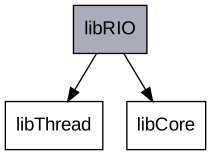
Libraries for ROOT::RFile:

The documentation for this class was generated from the following files: