It is done by specifying the alpha value of a given color. For instance
changes the ellipse fill color to the index 9 with an alpha value of 0.571.
void transparency()
{
auto c1 =
new TCanvas(
"c1",
"c1", 224, 330, 700, 527);
c1->Range(-0.125, -0.125, 1.125, 1.125);
auto tex =
new TLatex(0.06303724, 0.0194223,
"This text is opaque and this line is transparent");
tex->SetLineWidth(2);
tex->Draw();
auto arrow =
new TArrow(0.5555158, 0.07171314, 0.8939828, 0.6195219, 0.05,
"|>");
Double_t x[10] = {0.5232808, 0.8724928, 0.9280086, 0.7059456, 0.7399714,
0.4659742, 0.8241404, 0.4838825, 0.7936963, 0.743553};
Double_t y[10] = {0.7290837, 0.9631474, 0.4775896, 0.6494024, 0.3555777,
0.622012, 0.7938247, 0.9482072, 0.3904382, 0.2410359};
graph->SetLineColorAlpha(46, 0.1);
graph->SetLineWidth(7);
graph->Draw("l");
auto ellipse =
new TEllipse(0.1740688, 0.8352632, 0.1518625, 0.1010526, 0, 360, 0);
ellipse->SetFillColor(30);
ellipse->SetLineColor(51);
ellipse->SetLineWidth(3);
ellipse->Draw();
ellipse =
new TEllipse(0.2985315, 0.7092105, 0.1566977, 0.1868421, 0, 360, 0);
ellipse->SetFillColorAlpha(9, 0.571);
ellipse->SetLineColorAlpha(8, 0.464);
ellipse->SetLineWidth(3);
ellipse->Draw();
tex =
new TLatex(0.04871059, 0.1837649,
"This text is transparent");
tex->SetTextColorAlpha(9, 0.476);
tex->SetTextSize(0.125);
tex->SetTextAngle(26.0);
tex->Draw();
auto marker =
new TMarker(0.03080229, 0.998008, 20);
marker->SetMarkerColorAlpha(2, .3);
marker->SetMarkerStyle(20);
marker->SetMarkerSize(1.7);
marker->Draw();
marker =
new TMarker(0.1239255, 0.8635458, 20);
marker->SetMarkerColorAlpha(2, .2);
marker->SetMarkerStyle(20);
marker->SetMarkerSize(1.7);
marker->Draw();
marker =
new TMarker(0.3047994, 0.6344622, 20);
marker->SetMarkerColor(2);
marker->SetMarkerStyle(20);
marker->SetMarkerSize(1.7);
marker->Draw();
}
double Double_t
Double 8 bytes.


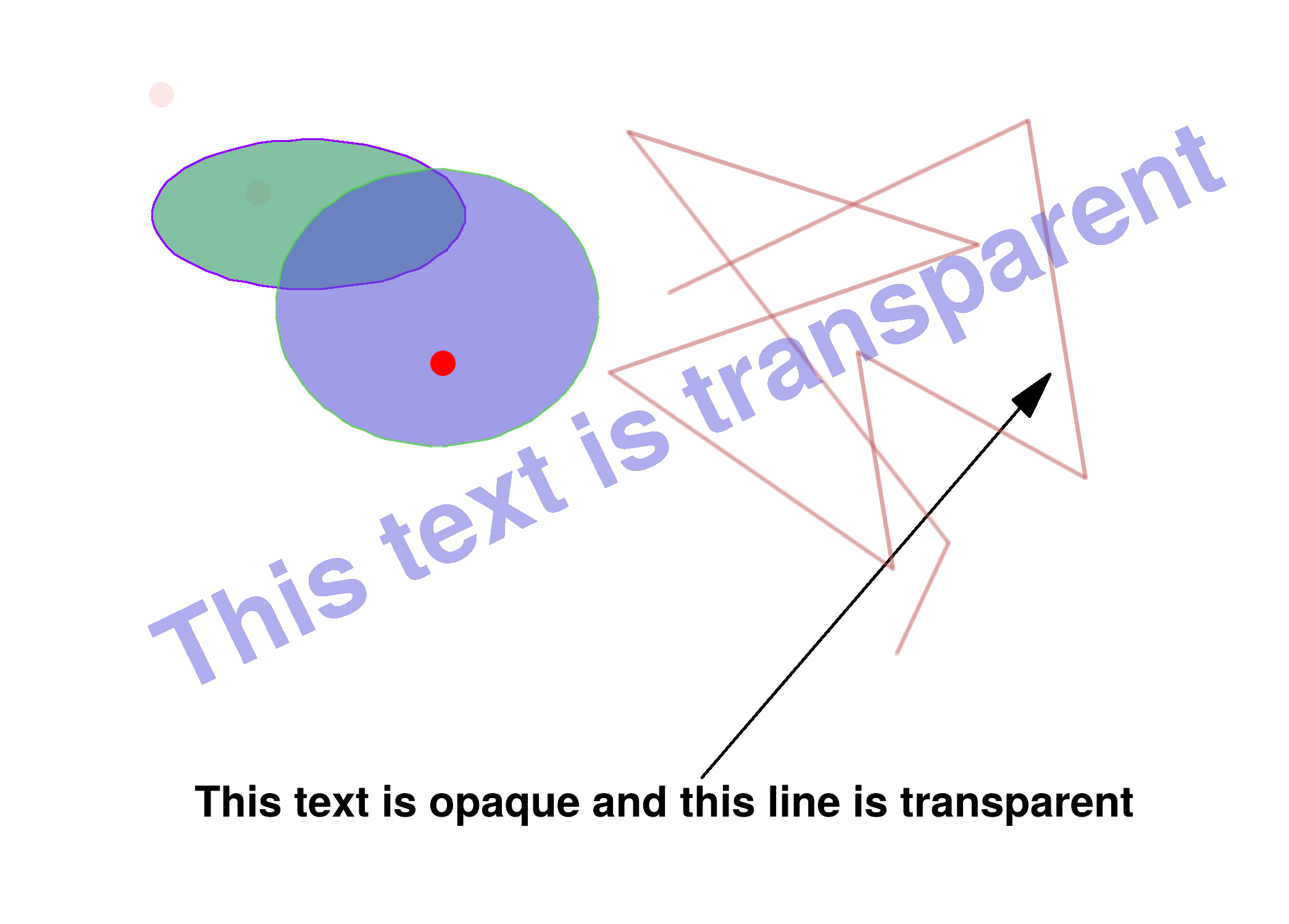 This macro demonstrates the use of color transparency.
