

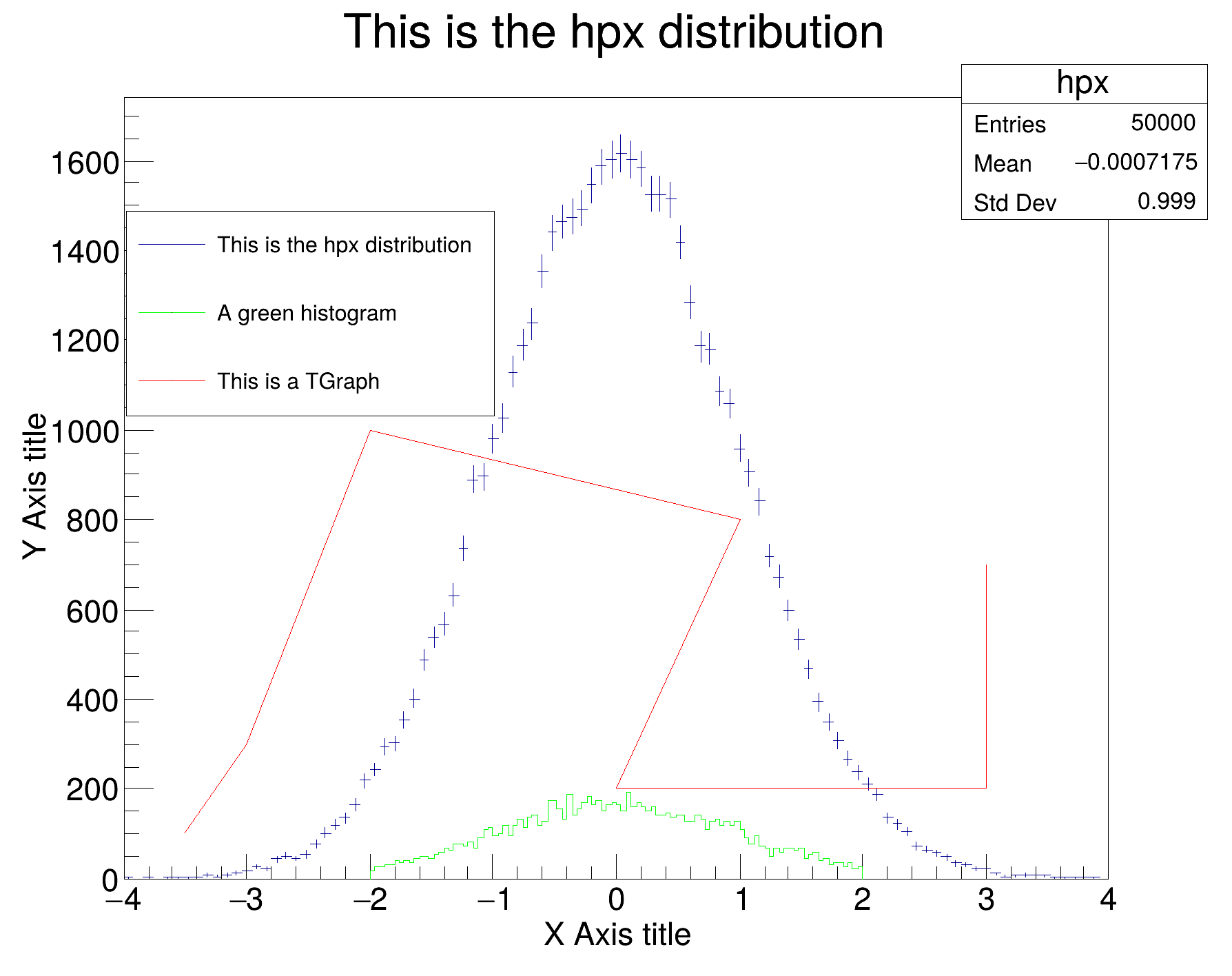
 The legend can be placed automatically in the current pad in an empty space found at painting time.
The following example illustrate this facility. Only the width and height of the legend is specified in percentage of the pad size.
ÅÓq ¥U
void hist011_TH1_legend_autoplaced()
{
auto *c4 =
new TCanvas(
"c",
"c", 600, 500);
auto *hpx =
new TH1D(
"hpx",
"This is the hpx distribution", 100, -4., 4.);
hpx->FillRandom("gaus", 50000);
hpx->Draw("E");
hpx->GetYaxis()->SetTitle("Y Axis title");
hpx->GetYaxis()->SetTitleOffset(1.3);
hpx->GetYaxis()->CenterTitle(true);
hpx->GetXaxis()->SetTitle("X Axis title");
hpx->GetXaxis()->CenterTitle(true);
auto *
h1 =
new TH1D(
"h1",
"A green histogram", 100, -2., 2.);
h1->FillRandom(
"gaus", 10000);
g->SetPoint(0, -3.5, 100);
g->SetPoint(1, -3.0, 300);
g->SetPoint(2, -2.0, 1000);
g->SetPoint(3, 1.0, 800);
g->SetPoint(4, 0.0, 200);
g->SetPoint(5, 3.0, 200);
g->SetPoint(6, 3.0, 700);
g->SetTitle(
"This is a TGraph");
c4->BuildLegend();
}
1-D histogram with a double per channel (see TH1 documentation)
- Date
- November 2024
- Author
- Olivier Couet
Definition in file hist011_TH1_legend_autoplaced.C.

