

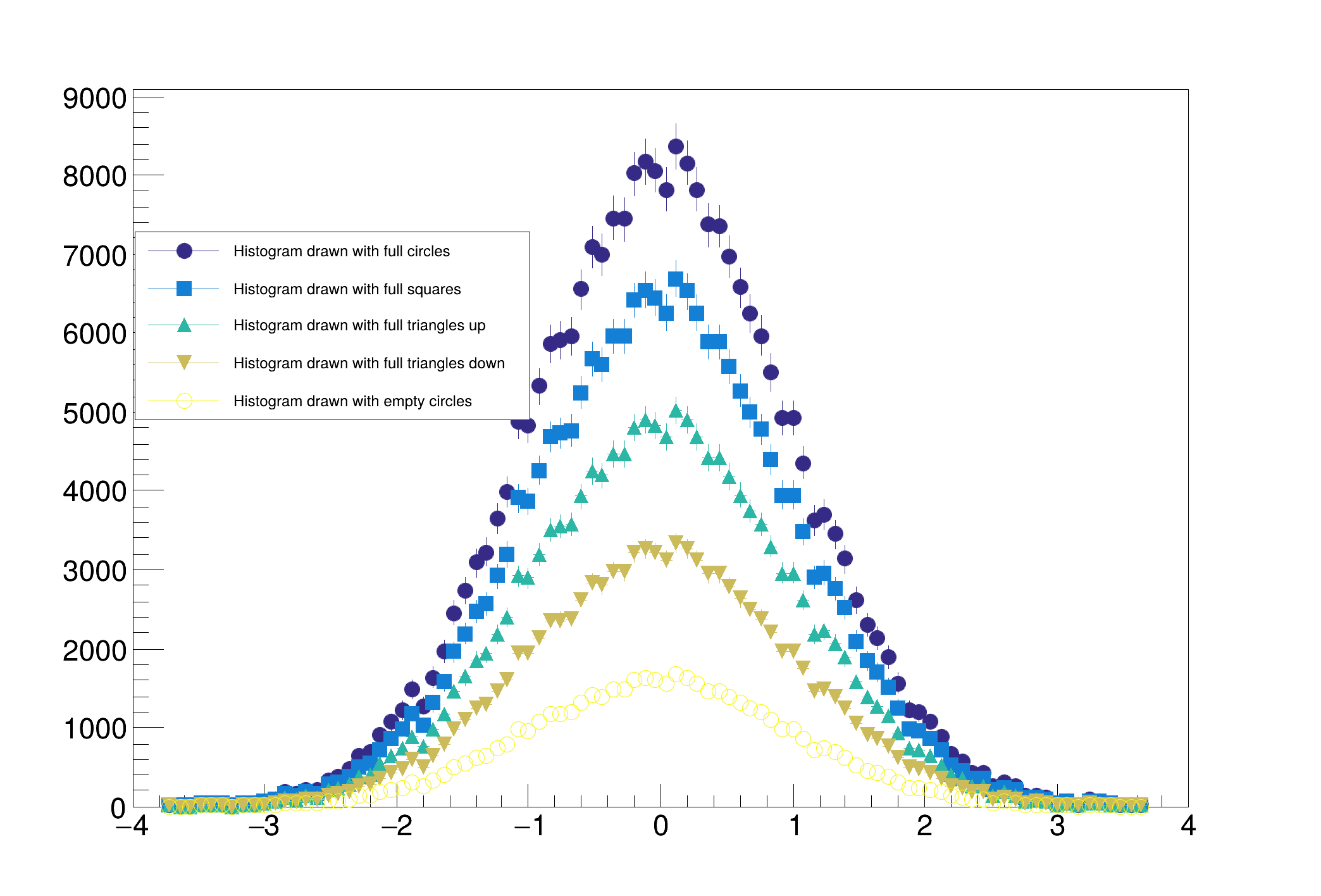
 Palette coloring for TH1.
Palette coloring for histogram is activated thanks to the options PFC (Palette Fill Color), PLC (Palette Line Color) and PMC (Palette Marker Color). When one of these options is given to TH1::Draw the histogram gets its color from the current color palette defined by gStyle->SetPalette(...). The color is determined according to the number of objects having palette coloring in the current pad.
In this example five histograms are displayed with palette coloring for lines and and marker. The histograms are drawn with markers and error bars and one can see the color of each histogram is picked inside the default palette kBird.
EešU␅
void hist005_TH1_palettecolor()
{
auto *
h1 =
new TH1D(
"h1",
"Histogram drawn with full circles", 100, -4, 4);
auto *h2 =
new TH1D(
"h2",
"Histogram drawn with full squares", 100, -4, 4);
auto *h3 =
new TH1D(
"h3",
"Histogram drawn with full triangles up", 100, -4, 4);
auto *h4 =
new TH1D(
"h4",
"Histogram drawn with full triangles down", 100, -4, 4);
auto *h5 =
new TH1D(
"h5",
"Histogram drawn with empty circles", 100, -4, 4);
for (int i = 0; i < 25000; i++) {
double val, ignored;
h2->Fill(val, 8.);
h3->Fill(val, 6.);
h4->Fill(val, 4.);
h5->Fill(val, 2.);
}
h2->Draw("SAME PLC PMC");
h3->Draw("SAME PLC PMC");
h4->Draw("SAME PLC PMC");
h5->Draw("SAME PLC PMC");
}
1-D histogram with a double per channel (see TH1 documentation)
Random number generator class based on M.
virtual void Rannor(Float_t &a, Float_t &b)
Return 2 numbers distributed following a gaussian with mean=0 and sigma=1.
- Date
- November 2024
- Author
- Olivier Couet
Definition in file hist005_TH1_palettecolor.C.

