<?xml version="1.0" encoding="utf-8"?><feed xmlns="http://www.w3.org/2005/Atom" ><generator uri="https://jekyllrb.com/" version="4.4.1">Jekyll</generator><link href="https://root.cern/feed.xml" rel="self" type="application/atom+xml" /><link href="https://root.cern/" rel="alternate" type="text/html" /><updated>2026-04-09T12:53:56+00:00</updated><id>https://root.cern/feed.xml</id><title type="html">ROOT</title><subtitle>Data Analysis Framework</subtitle><author><name>ROOT team</name></author><entry><title type="html">🚀 3rd ROOT Hackathon: The Fixathon 2.0</title><link href="https://root.cern/blog/root-hackathon-3/" rel="alternate" type="text/html" title="🚀 3rd ROOT Hackathon: The Fixathon 2.0" /><published>2026-03-25T00:00:00+00:00</published><updated>2026-03-25T00:00:00+00:00</updated><id>https://root.cern/blog/root-hackathon-3</id><content type="html" xml:base="https://root.cern/blog/root-hackathon-3/"><![CDATA[<h1 id="-11-12-may-2026---cern-ideasquare">📅 11-12 May 2026 | 📍 CERN, IdeaSquare</h1>

<p>We’re excited to announce the <strong>3rd ROOT Hackathon</strong>, taking place at CERN’s <a href="https://ideasquare.cern/">IdeaSquare: the Innovation Space of the lab</a>!</p>

<p>This edition -The Fixathon 2.0 - is a <strong>2-day hands-on</strong> event focused on refining ROOT through small but impactful improvements.</p>

<h2 id="-what-will-we-work-on">🔧 What will we work on?</h2>

<ul>
  <li>Small Bug Density issues: addressing well-scoped issues that improve the everyday ROOT experience</li>
  <li>Documentation improvements: writing or improving tutorials, examples, and documentation pages</li>
</ul>

<h2 id="-how-to-participate">🤝 How to participate?</h2>

<p>Do you have a small ROOT issue that has been on your mind?</p>

<p><strong>Report it ➡️ Tag it <code class="language-plaintext highlighter-rouge">Small Bug Density</code> on GitHub ➡️ Join us to work on it!</strong></p>

<h2 id="-logistics">🍝 Logistics</h2>
<ul>
  <li>In-person at CERN IdeaSquare (no remote participation)</li>
  <li>Coffee and home-cooked lunches provided</li>
  <li>Social dinner organised nearby (not covered)</li>
  <li>Limited spots available</li>
</ul>

<h3 id="registration">Registration</h3>

<p>👉 <a href="https://indico.cern.ch/e/root-hackathon-3">More details &amp; registration</a></p>

<center>
    <img src="/assets/images/blog/posts/2026-03-25-root-hackathon-3/hackathon-poster.png" style="width: 100%" />
</center>

<p>Looking forward to hacking together!</p>

<p>#ROOT #CERN #Hackathon #OpenSource #HEP #SoftwareDevelopment #IdeaSquare</p>]]></content><author><name>Silia Taider</name><email>silia.taider@cern.ch</email></author><category term="blog" /><summary type="html"><![CDATA[📅 11-12 May 2026 | 📍 CERN, IdeaSquare]]></summary></entry><entry><title type="html">Recent Common Vulnerabilities: does ROOT need to be updated?</title><link href="https://root.cern/blog/recent-common-vulnerabilities-when-does-ROOT-need-to-be-updated/" rel="alternate" type="text/html" title="Recent Common Vulnerabilities: does ROOT need to be updated?" /><published>2026-02-11T00:00:00+00:00</published><updated>2026-02-11T00:00:00+00:00</updated><id>https://root.cern/blog/recent-common-vulnerabilities-when-does-ROOT-need-to-be-updated</id><content type="html" xml:base="https://root.cern/blog/recent-common-vulnerabilities-when-does-ROOT-need-to-be-updated/"><![CDATA[<p>Let’s start with ROOT’s official statement - below you can find more <a href="#explanations">explanations</a>.</p>

<h2 id="roots-official-statement">ROOT’s official statement</h2>
<p>Two vulnerabilities, <a href="https://nvd.nist.gov/vuln/detail/CVE-2026-24811">CVE-2026-24811</a> and <a href="https://nvd.nist.gov/vuln/detail/CVE-2026-24812">CVE-2026-24812</a>, have been identified in the zlib code distributed with the ROOT framework. Under certain circumstances, a maliciously crafted <code class="language-plaintext highlighter-rouge">.root</code> file or compressed data packet can be used to exploit these two bugs during the decompression of data in the files <code class="language-plaintext highlighter-rouge">inffast.c</code> (pointer arithmetic error) and <code class="language-plaintext highlighter-rouge">inftrees.c</code> (buffer overflow), respectively, in the local zlib library. As a consequence this might lead to a buffer overflow, and, subsequently, to obtaining service user privileges (but not root privileges). A proof-of-concept, however, is still pending. Also, for successful exploitation, ROOT versions up to and including 6.36.00-rc1 must have been compiled with explicitly specifying (i.e. opting-in) the usage of the “built-in” zlib. When using external zlib libraries, these vulnerabilities cannot be exploited. Users of the ROOT package are advised to upgrade to the officially supported versions 6.32.22, 6.30.10, 6.28/14, or 6.26/16, or any release of the 6.36 or 6.38 series (all ROOT releases <a href="https://root.cern/install/all_releases/">here</a>).</p>

<h2 id="more-explanations-">More explanations <a name="explanations"></a></h2>

<h3 id="what-happened">What happened?</h3>
<p>Two vulnerabilities, <a href="https://nvd.nist.gov/vuln/detail/CVE-2026-24811">CVE-2026-24811</a> and <a href="https://nvd.nist.gov/vuln/detail/CVE-2026-24812">CVE-2026-24812</a>, have been identified in the zlib source code distributed with ROOT.</p>

<h3 id="what-does-that-mean-for-me">What does that mean for me?</h3>
<p><em>No proof-of-concept exploit has been made publicly available so far.</em></p>

<p>However, under certain circumstances, a maliciously crafted ROOT file or compressed data packet could be used to exploit these two bugs during the decompression of data generating a so-called <a href="https://en.wikipedia.org/wiki/Buffer_overflow">buffer overflow</a> or some pointer arithmetic error.
As a consequence this might potentially lead to a buffer overflow, and, subsequently, to obtaining service user privileges (but not administrator privileges).</p>

<h3 id="is-my-root-release-affected">Is my ROOT release affected?</h3>
<p><em>Most users are not affected.</em></p>

<p>You are only affected if you are using a release older than <a href="https://root.cern/releases/release-63600/">6.36.00</a> and you configured it to use the built-in zlib.
In other words, release <a href="https://root.cern/releases/release-63600/">6.36.00</a> and newer are not affected. Releases older than <a href="https://root.cern/releases/release-63600/">6.36.00</a> compiled with the <code class="language-plaintext highlighter-rouge">builtin-zlib</code> option set to <code class="language-plaintext highlighter-rouge">OFF</code> (the default) are also not affected. It is worth noting that HEP experiments typically have control of every single package of their software stacks and typically do not rely on ROOT’s builtins’ code or packages.</p>

<h3 id="how-can-i-check-if-i-am-affected-by-the-problem">How can I check if I am affected by the problem?</h3>
<p><em>That is very simple, just one command.</em></p>

<p>If you are using a release older than <a href="https://root.cern/releases/release-63600/">6.36.00</a>, just type</p>
<div class="language-bash highlighter-rouge"><div class="highlight"><pre class="highlight"><code>root-config <span class="nt">--features</span>|grep builtin_zlib
</code></pre></div></div>
<p>If no output is printed, the build is not affected by the problem.</p>

<h3 id="what-if-i-need-to-use-an-active-but-older-release-series">What if I need to use an active but older release series?</h3>
<p><em>Also in this case, there are solutions for you.</em></p>

<p>If ROOT is not configured with the built-in zlib (the <code class="language-plaintext highlighter-rouge">builtin-zlib</code> configure option set to <code class="language-plaintext highlighter-rouge">OFF</code>) any release can be safely used: the vulnerabilities are about ROOT’s built-in zlib.
If you are using one of the four actively supported release series, with builtin-zlib set to ON, we recommend upgrading to the latest patch release of your branch:</p>

<ul>
  <li><a href="https://root.cern/releases/release-63222/">6.32.22</a></li>
  <li><a href="https://root.cern/releases/release-63010/">6.30.10</a></li>
  <li><a href="https://root.cern/releases/release-62814/">6.28/14</a></li>
  <li><a href="https://root.cern/releases/release-62618/">6.26/18</a></li>
</ul>

<p>To know more about actively supported releases, see the <a href="https://root.cern/install/all_releases/">Release and Support Plan</a>.</p>

<p>Best,
    Danilo for the ROOT Project</p>]]></content><author><name>Danilo Piparo</name></author><category term="blog" /><summary type="html"><![CDATA[Let’s start with ROOT’s official statement - below you can find more explanations.]]></summary></entry><entry><title type="html">ROOT Users Workshop 2025: a Success 🚀!</title><link href="https://root.cern/blog/ROOT_Users_Workshop_2025/" rel="alternate" type="text/html" title="ROOT Users Workshop 2025: a Success 🚀!" /><published>2025-11-24T00:00:00+00:00</published><updated>2025-11-24T00:00:00+00:00</updated><id>https://root.cern/blog/ROOT_Users_Workshop_2025</id><content type="html" xml:base="https://root.cern/blog/ROOT_Users_Workshop_2025/"><![CDATA[<p>What a week!
Last week the <a href="https://cern.ch/root2025">13th ROOT Users Workshop</a> took place in Valencia, Spain, at the Universitat Politècnica de València (UPV).</p>

<p>More than 80 scientists and students from institutes in 16 countries convened together to discuss ROOT and shape its future. The programme consisted of a number of contributions - 56 talks, 19 posters, 1 training, 1 VR booth - making it an innovative agenda, padded with generous discussion slots. We subdivided the week in four tracks: experiments and large initiatives presentations, data analysis, statistical inference and language interoperability.
Of course, <a href="https://indico.cern.ch/event/1505384/sessions/588473/#20251117">LHC experiments were present</a>, however, we also had great talks by other large communities such as <a href="https://indico.cern.ch/event/1505384/contributions/6782093/">Belle II</a>, <a href="https://indico.cern.ch/event/1505384/contributions/6706603/">BES III</a>, <a href="https://indico.cern.ch/event/1505384/contributions/6706597/">Gravitational Waves</a> or <a href="https://indico.cern.ch/event/1505384/contributions/6706607/">Future Linear Collider</a>. The event was not even only about particle physics: we enjoyed presentations about <a href="https://indico.cern.ch/event/1505384/contributions/6779508/">compiler technology</a>, <a href="https://indico.cern.ch/event/1505384/contributions/6728231/">finance</a> and <a href="https://indico.cern.ch/event/1505384/contributions/6706598/">medical physics</a>.</p>

<p>The workshop was a very rewarding experience for the ROOT Project, and we are thankful to all the participants for making it a success. Stay tuned for the next one 😉😉!</p>

<center>
    <img src="/assets/images/ROOT_2025_Group_Picture.jpg" alt="ROOT Users Workshop 2025 Group Picture" style="width: 90%" />
</center>]]></content><author><name>Danilo Piparo</name></author><category term="blog" /><summary type="html"><![CDATA[What a week! Last week the 13th ROOT Users Workshop took place in Valencia, Spain, at the Universitat Politècnica de València (UPV).]]></summary></entry><entry><title type="html">ROOT Summer Student Course 2025 Recap and New Video Recording</title><link href="https://root.cern/blog/summer-student-course-2025/" rel="alternate" type="text/html" title="ROOT Summer Student Course 2025 Recap and New Video Recording" /><published>2025-07-29T00:00:00+00:00</published><updated>2025-07-29T00:00:00+00:00</updated><id>https://root.cern/blog/summer-student-course-2025</id><content type="html" xml:base="https://root.cern/blog/summer-student-course-2025/"><![CDATA[<p>As every summer, we organized a number of ROOT courses for a few groups of summer students - we held five sessions with around 30 to 40 participants each, including one session during the HSF/IRIS-HEP Python for Analysis Trainings and one as part of the CERN Openlab Workshops.</p>

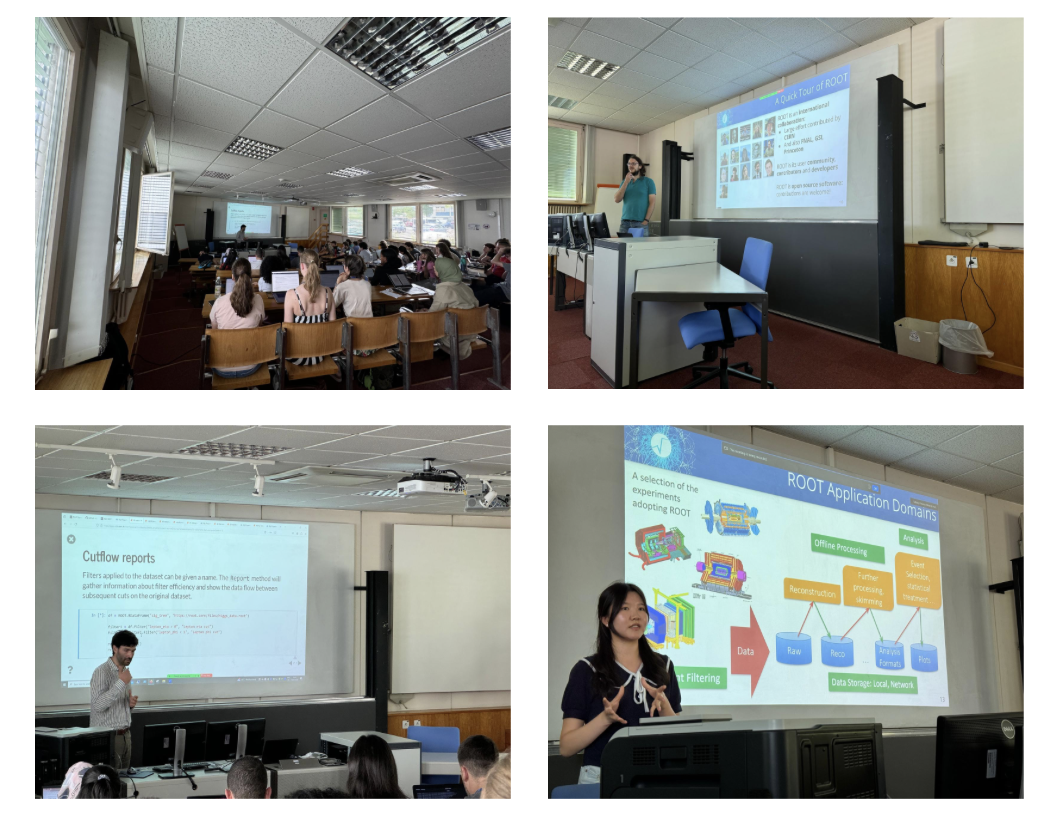
<center>
    <img src="/assets/images/summer-student-course-2025-trainers.png" alt="2025 Summer Student Course at CERN." style="width: 80%" width="1600" height="749" />
</center>

<p>The sessions were held in person at CERN. Students were learning about the basics of HEP computing with ROOT. We introduced topics like histograms, graphs and functions, including an example of using the functionalities provided by the <a href="https://root.cern/blog/uhi-for-root/">Unified Histogram Interface</a>, recently implemented in ROOT. We discussed the basics of parameter estimation and showed how to interact with the ROOT files. During the last part of the course, we introduced the RDataFrame analysis interface and discussed many useful functions and features any particle physics analyst should know.</p>

<p>For those of you who couldn’t make it to the courses in person, we prepared a video recording, which is available <a href="https://videos.cern.ch/record/2301866">here</a>. As the whole course is taught in Python using the Jupyter notebooks, we recommend that you follow along while watching the video. The course material is available <a href="https://github.com/root-project/student-course/tree/25.07">in this GitHub repository</a> and all instructions are given in the README at the bottom of the page. For the best possible experience, we recommend that you use ROOT version 6.36 or higher.</p>

<p>We hope the video can be of use to anyone starting with ROOT. If you have any feedback on what could be improved or added in a more advanced course, please don’t hesitate to comment below or contact us otherwise. If you are teaching ROOT at your institution, please feel free to use this training material in your course. We would extremely appreciate your feedback on the course and we would be happy to discuss further collaboration, so do not hesitate to reach out to us!</p>

<center>
    <img src="/assets/images/summer-student-course-2025-room.jpg" alt="2025 Summer Student Course at CERN." style="width: 80%" width="1600" height="749" />
</center>]]></content><author><name>Marta Czurylo</name><email>marta.maja.czurylo@cern.ch</email></author><category term="blog" /><summary type="html"><![CDATA[As every summer, we organized a number of ROOT courses for a few groups of summer students - we held five sessions with around 30 to 40 participants each, including one session during the HSF/IRIS-HEP Python for Analysis Trainings and one as part of the CERN Openlab Workshops.]]></summary></entry><entry><title type="html">Level Up Your Histogram Analysis Using ROOT’s UHI</title><link href="https://root.cern/blog/uhi-for-root/" rel="alternate" type="text/html" title="Level Up Your Histogram Analysis Using ROOT’s UHI" /><published>2025-06-06T00:00:00+00:00</published><updated>2025-06-06T00:00:00+00:00</updated><id>https://root.cern/blog/uhi-for-root</id><content type="html" xml:base="https://root.cern/blog/uhi-for-root/"><![CDATA[<p>What if you could intuitively manipulate your ROOT histograms, create stunning plots with your favorite Python libraries, and perform advanced operations–all with <strong>Pythonic ease</strong>?</p>

<p>Starting from <strong>ROOT 6.36</strong>, the Unified Histogram Interface (UHI) bridges the gap between ROOT’s powerful features and Python’s intuitive APIs, taking your data analysis workflow to the next level!</p>

<h2 id="what-is-uhi">What is UHI?</h2>

<p>The <a href="https://uhi.readthedocs.io/en/latest/index.html">Unified Histogram Interface (UHI)</a> is a modern API designed to standardize and simplify histogram operations in Python. 
Fully implemented now in ROOT, UHI ensures that all ROOT histogram classes–derived from <a href="https://root.cern/doc/master/classTH1.html">TH1</a>–can leverage a consistent <strong>intuitive</strong> interface for Python developers, enhanced with a powerful set of functionalities like <strong>slicing</strong>, <strong>indexing</strong>, as well as native integration with popular Python <strong>plotting</strong> libraries, making ROOT histograms more versatile than ever.</p>

<h2 id="how-about-a-quick-demo">How about a quick demo?</h2>

<p>Let me show you how you can fill your histograms with <a href="https://numpy.org/">NumPy</a> arrays directly:</p>

<div class="language-python highlighter-rouge"><div class="highlight"><pre class="highlight"><code><span class="kn">import</span> <span class="n">matplotlib.pyplot</span> <span class="k">as</span> <span class="n">plt</span>
<span class="kn">import</span> <span class="n">mplhep</span> <span class="k">as</span> <span class="n">hep</span>
<span class="kn">import</span> <span class="n">numpy</span> <span class="k">as</span> <span class="n">np</span>
<span class="kn">import</span> <span class="n">ROOT</span>

<span class="n">h1</span> <span class="o">=</span> <span class="n">ROOT</span><span class="p">.</span><span class="nc">TH1F</span><span class="p">(</span><span class="sh">"</span><span class="s">h1</span><span class="sh">"</span><span class="p">,</span> <span class="sh">""</span><span class="p">,</span> <span class="mi">40</span><span class="p">,</span> <span class="o">-</span><span class="mi">4</span><span class="p">,</span> <span class="mi">4</span><span class="p">)</span>
<span class="n">h1</span><span class="p">[...]</span> <span class="o">=</span> <span class="n">np</span><span class="p">.</span><span class="n">random</span><span class="p">.</span><span class="nf">uniform</span><span class="p">(</span><span class="mi">0</span><span class="p">,</span> <span class="mi">1</span><span class="p">,</span> <span class="mi">40</span><span class="p">)</span>
<span class="n">hep</span><span class="p">.</span><span class="nf">histplot</span><span class="p">(</span><span class="n">h1</span><span class="p">,</span> <span class="n">label</span><span class="o">=</span><span class="sh">"</span><span class="s">h1</span><span class="sh">"</span><span class="p">,</span> <span class="n">linewidth</span><span class="o">=</span><span class="mi">2</span><span class="p">,</span> <span class="n">yerr</span><span class="o">=</span><span class="bp">False</span><span class="p">)</span>
<span class="n">plt</span><span class="p">.</span><span class="nf">title</span><span class="p">(</span><span class="sh">"</span><span class="s">My histo</span><span class="sh">"</span><span class="p">)</span>
<span class="n">plt</span><span class="p">.</span><span class="nf">show</span><span class="p">()</span>
</code></pre></div></div>
<p>Et voilà!</p>
<center>
    <img src="/assets/images/blog/posts/2025-06-06-uhi-for-root/blog_uhi_th1.png" style="width: 100%" />
</center>

<p>You can also easily plot ROOT histograms with libraries like <a href="https://matplotlib.org/">Matplolib</a> that don’t directly support UHI yet (using a small trick–can you spot it?):</p>

<div class="language-python highlighter-rouge"><div class="highlight"><pre class="highlight"><code><span class="n">h2</span> <span class="o">=</span> <span class="n">ROOT</span><span class="p">.</span><span class="nc">TH2D</span><span class="p">(</span><span class="sh">"</span><span class="s">h2</span><span class="sh">"</span><span class="p">,</span> <span class="sh">"</span><span class="s">h2</span><span class="sh">"</span><span class="p">,</span> <span class="mi">10</span><span class="p">,</span> <span class="mi">0</span><span class="p">,</span> <span class="mi">1</span><span class="p">,</span> <span class="mi">10</span><span class="p">,</span> <span class="mi">0</span><span class="p">,</span> <span class="mi">1</span><span class="p">)</span>
<span class="n">h2</span><span class="p">[...]</span> <span class="o">=</span> <span class="n">np</span><span class="p">.</span><span class="n">random</span><span class="p">.</span><span class="nf">uniform</span><span class="p">(</span><span class="mi">0</span><span class="p">,</span> <span class="mi">1</span><span class="p">,</span> <span class="p">(</span><span class="mi">10</span><span class="p">,</span> <span class="mi">10</span><span class="p">))</span>

<span class="n">plt</span><span class="p">.</span><span class="nf">imshow</span><span class="p">(</span><span class="n">h2</span><span class="p">.</span><span class="nf">values</span><span class="p">())</span>
<span class="n">plt</span><span class="p">.</span><span class="nf">colorbar</span><span class="p">(</span><span class="n">label</span><span class="o">=</span><span class="sh">'</span><span class="s">Counts</span><span class="sh">'</span><span class="p">)</span>
<span class="n">plt</span><span class="p">.</span><span class="nf">title</span><span class="p">(</span><span class="sh">"</span><span class="s">My 2D histo</span><span class="sh">"</span><span class="p">)</span>
<span class="n">plt</span><span class="p">.</span><span class="nf">show</span><span class="p">()</span>
</code></pre></div></div>
<center>
    <img src="/assets/images/blog/posts/2025-06-06-uhi-for-root/blog_uhi_th2.png" style="width: 100%" />
</center>

<h2 id="ready-to-level-up-your-histogram-analysis">Ready to Level Up Your Histogram Analysis?</h2>
<p>With UHI, ROOT histograms now offer Python developers an intuitive, modern, and powerful API.
Check out the <a href="https://root.cern/doc/master/group__uhi__docs.html">ROOT UHI documentation</a> for more implementation details and examples!</p>]]></content><author><name>Silia Taider</name><email>silia.taider@cern.ch</email></author><category term="blog" /><summary type="html"><![CDATA[What if you could intuitively manipulate your ROOT histograms, create stunning plots with your favorite Python libraries, and perform advanced operations–all with Pythonic ease?]]></summary></entry><entry><title type="html">Make ROOT your own on macOS with Nix</title><link href="https://root.cern/blog/root-with-nix/" rel="alternate" type="text/html" title="Make ROOT your own on macOS with Nix" /><published>2025-05-01T00:00:00+00:00</published><updated>2025-05-01T00:00:00+00:00</updated><id>https://root.cern/blog/root-with-nix</id><content type="html" xml:base="https://root.cern/blog/root-with-nix/"><![CDATA[<p>In this blog post, you will learn how to reproducibly build ROOT from source with Nix on macOS or Linux, getting you started quickly with hacking the ROOT source code and participate in ROOTs open development.</p>

<h2 id="introduction-to-nix">Introduction to Nix</h2>

<p>If you’ve ever tried building a complex C++ project like ROOT on macOS, you’ve probably wrestled with dependencies that have to be installed with Homebrew, Xcode’s quirks, and subtle differences in compiler behavior.
While these tools are powerful in their own domains, they aren’t always ideal for development environments that require fine-grained control, reproducibility, and consistency across systems.</p>

<p>That’s where <a href="https://nixos.org">Nix</a> shines.</p>

<p>Nix is a cross-platform package manager that sets itself apart from e.g. Conda, Homebrew, or apt by enforcing fully <strong>reproducible environments</strong> that <strong>don’t pollute your system</strong>.
With most package managers, one can install and delete packages at will and one has to manually configure the system on top of that.
It’s easy to lose track of how the environment looks like and how it can be reproduced.
Nix solves this problem by allowing you to define <em>exactly</em> what dependencies, compilers, and configuration flags are used, all in a declarative <code class="language-plaintext highlighter-rouge">shell.nix</code> file.
When someone else enters the same nix-shell, they get the same environment.</p>

<p>Also, installing development libraries globally with Homebrew or relying on Xcode’s SDK can clutter your system and lead to conflicts.
Nix isolates your development environment in a pure sandbox shell, keeping your system unpolluted.
Packages are only loaded when you enter a given nix shell, with no trace after you exit the shell other than cached artifacts that can be garbage collected whenever you want.</p>

<p>Since Nix is cross platform, this post actually applies to <strong>any</strong> Linux distribution as well — including of course <a href="https://en.wikipedia.org/wiki/NixOS">NixOS</a>, where the whole system is declared in a single <code class="language-plaintext highlighter-rouge">configuration.nix</code> file.
Still, this post is marketed towards Mac users, because since there is no official package manager on macOS, building ROOT on that platform can be particularly challenging.</p>

<p>One downside of Nix is that it’s not compliant with Linux Standard Base (LSB), so you might often have to patch code to use the paths that Nix expects.
Fortunately, once you have figured out what the right patch is, you will never have to solve the same problem again because the solution is set in stone in your nix configuration files.
Still, in the beginning there can be a steep learning curve, and even though building individual packages like ROOT with Nix as described in this blog post is easy, things can be more complicated when you want to build more interdependent packages in the same environment.</p>

<p>On a personal note: I have transitioned to Nix for all my development work about a year ago and don’t have any reason to go back.
Especially for working on ROOTs build system, the ability to test ROOT in different environments just by changing a line in my <code class="language-plaintext highlighter-rouge">shell.nix</code> without any manual bookkeeping of what packages are installed on my system is golden.
Using Docker might also give you the reproducibility, but for development, Docker can be quite clunky because of the boundary between the host and the Docker image, and Nix gives you a faster turnaround by caching the environment at the package level and not the image level.</p>

<h2 id="installing-nix">Installing Nix</h2>

<p>Installing Nix should always be done using the <a href="https://nixos.org/download/">official download instructions</a>, performing the recommended multi-user installation.</p>

<h2 id="setting-up-your-root-development-environment">Setting up your ROOT development environment</h2>

<p>It’s good to do your ROOT development in a separate directory, for example called <code class="language-plaintext highlighter-rouge">root</code>. You can create the directory from the terminal:</p>

<div class="language-bash highlighter-rouge"><div class="highlight"><pre class="highlight"><code><span class="nb">mkdir </span>root
<span class="nb">cd </span>root
</code></pre></div></div>

<p>Now, it’s time to create the <code class="language-plaintext highlighter-rouge">shell.nix</code> file in that directory.</p>

<p>Here is a suggested <code class="language-plaintext highlighter-rouge">shell.nix</code> file for building ROOT with debug info and tests:</p>

<div class="language-nix highlighter-rouge"><div class="highlight"><pre class="highlight"><code><span class="c"># Content of root/shell.nix</span>

<span class="p">{</span>
  <span class="nv">pkgs</span> <span class="o">?</span> <span class="kr">import</span> <span class="o">&lt;</span><span class="nv">nixpkgs</span><span class="o">&gt;</span> <span class="p">{</span> <span class="p">},</span>
<span class="p">}:</span>

<span class="kd">let</span>

  <span class="c"># We want to have these Python packages in our environment to use together</span>
  <span class="c"># with ROOT and test the pythonizations.</span>
  <span class="nv">python3Packages</span> <span class="o">=</span> <span class="kn">with</span> <span class="nv">pkgs</span><span class="o">.</span><span class="nv">python3</span><span class="o">.</span><span class="nv">pkgs</span><span class="p">;</span> <span class="p">[</span>
    <span class="nv">matplotlib</span>
    <span class="nv">numba</span>
    <span class="nv">numpy</span>
    <span class="nv">pandas</span>
    <span class="nv">pytest</span>
    <span class="nv">scikit-learn</span>
    <span class="nv">xgboost</span>
  <span class="p">];</span>

<span class="kn">in</span>
<span class="nv">pkgs</span><span class="o">.</span><span class="nv">mkShell</span> <span class="p">{</span>

  <span class="c"># For all the build inputs, we inherit the package lists from the official</span>
  <span class="c"># nix ROOT package, plus adding some packages that we need for testing</span>
  <span class="c"># (gtest, etc.) and faster building (ccache).</span>

  <span class="nv">nativeBuildInputs</span> <span class="o">=</span>
    <span class="kn">with</span> <span class="nv">pkgs</span><span class="p">;</span>
    <span class="p">[</span>
      <span class="nv">ccache</span>
    <span class="p">]</span>
    <span class="o">++</span> <span class="nv">pkgs</span><span class="o">.</span><span class="nv">root</span><span class="o">.</span><span class="nv">nativeBuildInputs</span><span class="p">;</span>

  <span class="nv">propagatedBuildInputs</span> <span class="o">=</span> <span class="nv">pkgs</span><span class="o">.</span><span class="nv">root</span><span class="o">.</span><span class="nv">propagatedBuildInputs</span><span class="p">;</span>

  <span class="nv">buildInputs</span> <span class="o">=</span>
    <span class="kn">with</span> <span class="nv">pkgs</span><span class="p">;</span>
    <span class="p">[</span>
      <span class="nv">gtest</span>
      <span class="nv">libuuid</span> <span class="c"># required for testing</span>
    <span class="p">]</span>
    <span class="o">++</span> <span class="nv">python3Packages</span>
    <span class="o">++</span> <span class="nv">pkgs</span><span class="o">.</span><span class="nv">root</span><span class="o">.</span><span class="nv">buildInputs</span><span class="p">;</span>

  <span class="c"># Define aliases for quick configuration and build</span>
  <span class="nv">shellHook</span> <span class="o">=</span> <span class="s2">''</span><span class="err">
</span><span class="s2">    alias configure="cmake \</span><span class="err">
</span><span class="s2">        -DClang_DIR=</span><span class="si">${</span><span class="nv">pkgs</span><span class="o">.</span><span class="nv">root</span><span class="o">.</span><span class="nv">clang</span><span class="si">}</span><span class="s2">/lib/cmake/clang/ \</span><span class="err">
</span><span class="s2">        -DCMAKE_BUILD_TYPE=RelWithDebInfo \</span><span class="err">
</span><span class="s2">        -DCMAKE_CXX_FLAGS='-fno-omit-frame-pointer' \</span><span class="err">
</span><span class="s2">        -DCMAKE_C_FLAGS='-fno-omit-frame-pointer' \</span><span class="err">
</span><span class="s2">        -DCMAKE_INSTALL_PREFIX=../root_install \</span><span class="err">
</span><span class="s2">        -Dbuiltin_clang=OFF \</span><span class="err">
</span><span class="s2">        -Dbuiltin_llvm=OFF \</span><span class="err">
</span><span class="s2">        -Dccache=ON \</span><span class="err">
</span><span class="s2">        -Dfail-on-missing=ON \</span><span class="err">
</span><span class="s2">        -Dfftw3=ON \</span><span class="err">
</span><span class="s2">        -Dfitsio=OFF \</span><span class="err">
</span><span class="s2">        -Dgnuinstall=ON \</span><span class="err">
</span><span class="s2">        -Dmathmore=ON \</span><span class="err">
</span><span class="s2">        -Droottest=ON \</span><span class="err">
</span><span class="s2">        -Druntime_cxxmodules=</span><span class="si">${</span><span class="k">if</span> <span class="nv">pkgs</span><span class="o">.</span><span class="nv">stdenv</span><span class="o">.</span><span class="nv">isDarwin</span> <span class="k">then</span> <span class="s2">"OFF"</span> <span class="k">else</span> <span class="s2">"ON"</span><span class="si">}</span><span class="s2"> \</span><span class="err">
</span><span class="s2">        -Dsqlite=OFF \</span><span class="err">
</span><span class="s2">        -Dtesting=ON \</span><span class="err">
</span><span class="s2">        -Dvdt=OFF \</span><span class="err">
</span><span class="s2">        -Dwebgui=OFF \</span><span class="err">
</span><span class="s2">        ../root_src"</span><span class="err">

</span><span class="s2">    alias build-and-install="cmake --build . --target install -j12"</span><span class="err">
</span><span class="s2">  ''</span><span class="p">;</span>
<span class="p">}</span>
</code></pre></div></div>

<p>A few more explanations:</p>

<ul>
  <li>In several places, we refer to <code class="language-plaintext highlighter-rouge">pkgs.root</code>. This points to the <a href="https://github.com/NixOS/nixpkgs/blob/master/pkgs/by-name/ro/root/package.nix">official ROOT package in the nixpkgs repository</a>. Think of <code class="language-plaintext highlighter-rouge">nixpkgs</code> of a single huge data structure that declares how to build any package, and your <code class="language-plaintext highlighter-rouge">shell.nix</code> environments are querying this huge data structure to instantiate specific environments. That means we can re-use any variables that are declared in the <code class="language-plaintext highlighter-rouge">nixpkgs</code> world at any time! In our <code class="language-plaintext highlighter-rouge">shell.nix</code>, we reuse the variables from <code class="language-plaintext highlighter-rouge">pkgs.root</code> that list the dependencies, also including <code class="language-plaintext highlighter-rouge">pkgs.root.clang</code>, which is the patched Clang version that ROOT requires. This means we don’t have to rebuild the patched Clang ourselves, as it’s already in the Nix cache.
    <ul>
      <li><em>Side note</em>: the fact that all package recipes are in a single repository, written in the common domain-specific Nix language that is basically JSON on steroids is one of the great strengths of Nix.</li>
    </ul>
  </li>
  <li>The <code class="language-plaintext highlighter-rouge">nativeBuildInputs</code>, <code class="language-plaintext highlighter-rouge">propagatedBuildInputs</code>, and <code class="language-plaintext highlighter-rouge">buildInputs</code> serve slightly different purposes:
    <ul>
      <li><code class="language-plaintext highlighter-rouge">nativeBuildInputs</code> lists the build-time dependencies</li>
      <li><code class="language-plaintext highlighter-rouge">buildInputs</code> lists the runtime dependencies</li>
      <li><code class="language-plaintext highlighter-rouge">propagatedBuildInputs</code> declares runtime dependencies that should automatically be passed to anything that depends on your package</li>
    </ul>

    <p>If you just use the <code class="language-plaintext highlighter-rouge">nix-shell</code> environment to build, test and use ROOT all in one, then there is not a practical difference, but it becomes important if you want to write <code class="language-plaintext highlighter-rouge">package.nix</code> files that declare individual packages that you plan to re-use.</p>
  </li>
  <li>The Python packages in the environment are not strictly needed for building ROOT, but these are the packages that are commonly used together with ROOT, also in the unit tests and tutorials. So it’s good to have them.</li>
  <li>The <code class="language-plaintext highlighter-rouge">shellHook</code> variable contains bash code that is run when opening the <code class="language-plaintext highlighter-rouge">nix-shell</code>. We use it to define aliases for configuring ROOT with the desired CMake configuration flags, and then later to build and install ROOT with the desired number of threads (12 threads in our example).</li>
  <li>In the CMake command, we set <code class="language-plaintext highlighter-rouge">-DCMAKE_INSTALL_PREFIX=../root_install</code> such that the install directory sits nicely next to the <code class="language-plaintext highlighter-rouge">root_src</code> and <code class="language-plaintext highlighter-rouge">root_build</code> directories.</li>
  <li>See the page about <a href="http://127.0.0.1:4000/base/install/build_from_source/#all-build-options">installing ROOT from source</a> for more info on the ROOT-specific CMake flags. Depending on what ROOT feature you want to develop, you have to toggle, add, or remove flags.</li>
  <li>This blog post is not updated. So if the environment doesn’t work anymore, please reach out to us, optimally by opening a <a href="https://github.com/root-project/root/issues">GitHub issue</a> requesting a working <code class="language-plaintext highlighter-rouge">shell.nix</code> example for ROOT development.</li>
</ul>

<p>If your <code class="language-plaintext highlighter-rouge">shell.nix</code> file is in the <code class="language-plaintext highlighter-rouge">root</code> directory and you changed to that directory in your terminal,
you activate the environment by running:</p>
<div class="language-bash highlighter-rouge"><div class="highlight"><pre class="highlight"><code>nix-shell
</code></pre></div></div>
<p>It will take some time to download the dependencies to the Nix cache if you enter the environment for the first time.
To exit the environment later, run the <code class="language-plaintext highlighter-rouge">exit</code> command in the shell.</p>

<h2 id="building-root">Building ROOT</h2>

<p>Have you entered the <code class="language-plaintext highlighter-rouge">nix-shell</code> environment with the configuration file above? Very good! If successful, you should now have the green <code class="language-plaintext highlighter-rouge">nix-shell</code> prompt in your terminal.</p>

<p>Time to clone the ROOT repository:</p>
<div class="language-bash highlighter-rouge"><div class="highlight"><pre class="highlight"><code>git clone https://github.com/root-project/root.git root_src
</code></pre></div></div>
<p>Create and enter the build directory:</p>
<div class="language-bash highlighter-rouge"><div class="highlight"><pre class="highlight"><code><span class="nb">mkdir </span>root_build
<span class="nb">cd </span>root_build
</code></pre></div></div>
<p>Configure the build with the command defined in the <code class="language-plaintext highlighter-rouge">shellHook</code>, which takes about half a minute:</p>
<div class="language-bash highlighter-rouge"><div class="highlight"><pre class="highlight"><code>configure
</code></pre></div></div>
<p>Finally, build and install ROOT, which takes about 15 minutes running the first time on my Mac Mini M1 with 16 GB:</p>
<div class="language-bash highlighter-rouge"><div class="highlight"><pre class="highlight"><code>build-and-install
</code></pre></div></div>
<p>Are you still in the build directory? Then you can source the ROOT installation as follows:</p>
<div class="language-bash highlighter-rouge"><div class="highlight"><pre class="highlight"><code><span class="nb">source</span> ../root_install/bin/thisroot.sh
</code></pre></div></div>
<p>If you want to test the installation, you can try to start the <code class="language-plaintext highlighter-rouge">root</code> prompt, or maybe open a <code class="language-plaintext highlighter-rouge">python</code> interpreter and try to <code class="language-plaintext highlighter-rouge">import ROOT</code>. Or, if you are adventurous, maybe run a ROOT Python tutorial:</p>
<div class="language-bash highlighter-rouge"><div class="highlight"><pre class="highlight"><code>python <span class="nt">-i</span> ../root_src/tutorials/roofit/roofit/rf101_basics.py
</code></pre></div></div>
<p>The <code class="language-plaintext highlighter-rouge">-i</code> flag means that the Python interpreter will keep running at the end of the script such that the plot remains opened, but it also means you have to manually quit the Python interpreter with <code class="language-plaintext highlighter-rouge">Ctrl+D</code>.</p>

<h2 id="make-root-your-own-by-changing-the-source-code">Make ROOT your own by changing the source code</h2>

<p>You have now a clean directory structure for ROOT development. The content of your ROOT directory should look like this:</p>
<div class="language-plaintext highlighter-rouge"><div class="highlight"><pre class="highlight"><code>root_src
root_build
root_install
shell.nix
</code></pre></div></div>

<p>We have spent quite some time in the <code class="language-plaintext highlighter-rouge">root_build</code>, but it’s time to change the ROOT source code and see if you can rebuild ROOT after doing some modifications!</p>

<p>As an example, let’s modify the <a href="https://github.com/root-project/root/blob/master/core/rint/src/TRint.cxx#L519">core/rint/src/TRint.cxx</a> file in the source code (which is in <code class="language-plaintext highlighter-rouge">root_src</code>).
You can use your preferred code editor, for example Visual Studio Code or Neovim.
The file has a line that contains the string <code class="language-plaintext highlighter-rouge">"Welcome to ROOT"</code>, which is printed when starting the ROOT interpreter.
You can try to modify ROOT by replacing the string with <code class="language-plaintext highlighter-rouge">"Welcome to my modified ROOT"</code>, as a test.</p>

<p>Back in the <code class="language-plaintext highlighter-rouge">root_build</code> directory, you can use again the <code class="language-plaintext highlighter-rouge">build-and-install</code> alias from our <code class="language-plaintext highlighter-rouge">shell.nix</code> to rebuild and install.
Thanks to CMakes caching and <code class="language-plaintext highlighter-rouge">ccache</code>, the rebuild should take less than a minute.</p>

<p>If you now start the <code class="language-plaintext highlighter-rouge">root</code> command prompt you will see:</p>
<div class="language-plaintext highlighter-rouge"><div class="highlight"><pre class="highlight"><code>   ------------------------------------------------------------------
  | Welcome to my modified ROOT 6.37.01            https://root.cern |
  | (c) 1995-2025, The ROOT Team; conception: R. Brun, F. Rademakers |
  | Built for macosxarm64 on Jan 01 1980, 00:00:00                   |
  | From heads/master@v6-37-01-6844-g7bfa4867a6                      |
  | With clang version 19.1.7                                        |
  | Try '.help'/'.?', '.demo', '.license', '.credits', '.quit'/'.q'  |
   ------------------------------------------------------------------
</code></pre></div></div>

<h2 id="conclusion">Conclusion</h2>

<p><strong>Congratulations</strong> on building ROOT from source with Nix and making it your own by hacking the source code!</p>

<p>Of course, we didn’t just write this blog post for the fun of it :-)
Hopefully, this knowledge will reduce the barrier of entry to ROOT development for some interested users, so that they can make the changes that they always wanted to make to ROOT, following our <a href="https://root.cern/contribute/">contributor guidelines</a> and opening a <a href="https://github.com/root-project/root/pulls">pull request on GitHub</a>.</p>

<p>We hope to see you over there!</p>]]></content><author><name>Jonas Rembser</name><email>jonas.rembser@cern.ch</email></author><category term="blog" /><summary type="html"><![CDATA[In this blog post, you will learn how to reproducibly build ROOT from source with Nix on macOS or Linux, getting you started quickly with hacking the ROOT source code and participate in ROOTs open development.]]></summary></entry><entry><title type="html">ROOT Users Workshop 2025</title><link href="https://root.cern/blog/root-users-workshop-2025/" rel="alternate" type="text/html" title="ROOT Users Workshop 2025" /><published>2025-04-14T00:00:00+00:00</published><updated>2025-04-14T00:00:00+00:00</updated><id>https://root.cern/blog/root-users-workshop-2025</id><content type="html" xml:base="https://root.cern/blog/root-users-workshop-2025/"><![CDATA[<p>We are very happy to announce that the ROOT Users Workshop 2025 will take place in Valencia, Spain, between 17-21st November. Please note this will be an in-person-only event.</p>

<p>The workshop will be a great opportunity to discuss and exchange ideas, share ROOT usage experiences, learn about new features and shape the future of the project together. In particular, we will focus on the following topics: Analysis, I/O &amp; Storage, Math and Stats, and Scientific Python Ecosystem. For more information, please visit <a href="https://cern.ch/root2025">cern.ch/root2025</a>.</p>

<h3 id="social-activities">Social activities</h3>
<p>To foster the collaborative and friendly spirit of the event, we will organize a few social activities during the evenings, such as a conference dinner and a sightseeing walk around the old town of Valencia.</p>

<h3 id="fees">Fees</h3>
<p>The regular early bird fee is 300€, but we also offer a limited number of reduced fees of 200€ for students. All social activities, lunches and coffee are included in the conference fee. After the 15th of September, the fee increases to 360€ for everyone.</p>

<p>Don’t hesitate to <a href="https://indico.cern.ch/event/1505384/registrations/114848/">register now</a> and spread the word to your colleagues - we are looking forward to welcoming you in Valencia!</p>

<center>
    <img src="/assets/images/blog/posts/2025-04-14-root-users-workshop-2025/root_users_workshop_poster.png" style="width: 100%" />
</center>]]></content><author><name>Marta Czurylo</name><email>marta.maja.czurylo@cern.ch</email></author><category term="blog" /><summary type="html"><![CDATA[We are very happy to announce that the ROOT Users Workshop 2025 will take place in Valencia, Spain, between 17-21st November. Please note this will be an in-person-only event.]]></summary></entry><entry><title type="html">Automatic differentiation in RooFit with Clad</title><link href="https://root.cern/blog/roofit-ad/" rel="alternate" type="text/html" title="Automatic differentiation in RooFit with Clad" /><published>2025-03-23T00:00:00+00:00</published><updated>2025-03-23T00:00:00+00:00</updated><id>https://root.cern/blog/roofit-ad</id><content type="html" xml:base="https://root.cern/blog/roofit-ad/"><![CDATA[<p>Maybe you have heard that RooFit now supports <a href="https://en.wikipedia.org/wiki/Automatic_differentiation">Automatic Differentiation (AD)</a> for faster likelihood minimization.
This blogpost explains you the underlying technology, implementation, and interfaces.
It also showcases some performance numbers from a Higgs analysis benchmark before concluding with an outlook on future developments.</p>

<p>This blogpost is quite extensive, deep-diving into everything that I think is worth knowing about this subject for any RooFit user.</p>

<h2 id="introduction-to-automatic-differentiation-with-clad">Introduction to Automatic differentiation with Clad</h2>

<h3 id="analytic-derivatives-with-clad">Analytic derivatives with Clad</h3>

<p>Did you know that ROOT can do <strong>Automatic Differentiation (AD)</strong> of mathematical C++ functions using the built-in <a href="https://github.com/vgvassilev/clad">Clad compiler plugin</a>?</p>

<p>Here is a simple example on how to create an automatic derivative with Clad in ROOT:</p>

<div class="language-c++ highlighter-rouge"><div class="highlight"><pre class="highlight"><code><span class="cp">#include</span> <span class="cpf">&lt;Math/CladDerivator.h&gt;</span><span class="cp">
</span>
<span class="kt">double</span> <span class="nf">f</span><span class="p">(</span><span class="kt">double</span> <span class="n">x</span><span class="p">,</span> <span class="kt">double</span> <span class="n">y</span><span class="p">)</span> <span class="p">{</span> <span class="k">return</span> <span class="n">x</span> <span class="o">*</span> <span class="n">x</span> <span class="o">*</span> <span class="n">y</span><span class="p">;</span> <span class="p">}</span>

<span class="c1">// Call clad to generate the derivative of f wrt x.</span>
<span class="k">auto</span> <span class="n">f_dx</span> <span class="o">=</span> <span class="n">clad</span><span class="o">::</span><span class="n">differentiate</span><span class="p">(</span><span class="n">f</span><span class="p">,</span> <span class="s">"x"</span><span class="p">);</span>

<span class="c1">// Execute the generated derivative function.</span>
<span class="n">std</span><span class="o">::</span><span class="n">cout</span> <span class="o">&lt;&lt;</span> <span class="s">"f_dx(3, 4) = &lt;&lt; "</span> <span class="n">f_dx</span><span class="p">.</span><span class="n">execute</span><span class="p">(</span><span class="cm">/*x=*/</span><span class="mi">3</span><span class="p">,</span> <span class="cm">/*y=*/</span><span class="mi">4</span><span class="p">)</span> <span class="o">&lt;&lt;</span> <span class="n">std</span><span class="o">::</span><span class="n">endl</span><span class="p">;</span>

<span class="c1">// Dump the generated derivative code to standard output.</span>
<span class="n">f_dx</span><span class="p">.</span><span class="n">dump</span><span class="p">();</span>
</code></pre></div></div>

<p>The output will be:</p>
<pre><code class="language-txt">f_dx(3, 4) = 24

The code is:
double f_darg0(double x, double y) {
    double _d_x = 1;
    double _d_y = 0;
    double _t0 = x * x;
    return (_d_x * x + x * _d_x) * y + _t0 * _d_y;
}
</code></pre>

<p>As you can see from the example above, Clad implements AD based on <em>source code transformation</em>, generating gradient code that can then be optimized by the compiler. Theoretically, this will give you better performance compared to doing AD with libraries for tensor computations oriented towards machine learning.
These libraries usually implementing AD following the <em>operator overloading</em> approach, using custom tensor types that are optimized for deep learning applications.</p>

<h3 id="analytic-gradients-with-clad">Analytic gradients with Clad</h3>

<p>You can also use Clad to generate the gradient with respect to an array of parameters, which uses the so called <em>reverse mode AD</em>. This is the mathematical idea that is also used for the <em>backpropagation</em> in deep learning.</p>

<p>Here is an example for generating gradients with Clad:</p>
<div class="language-c++ highlighter-rouge"><div class="highlight"><pre class="highlight"><code><span class="cp">#include</span> <span class="cpf">&lt;Math/CladDerivator.h&gt;</span><span class="cp">
</span>
<span class="kt">double</span> <span class="nf">g</span><span class="p">(</span><span class="kt">double</span> <span class="o">*</span><span class="n">variables</span><span class="p">)</span> <span class="p">{</span> <span class="k">return</span> <span class="n">variables</span><span class="p">[</span><span class="mi">0</span><span class="p">]</span> <span class="o">*</span> <span class="n">variables</span><span class="p">[</span><span class="mi">0</span><span class="p">]</span> <span class="o">*</span> <span class="n">variables</span><span class="p">[</span><span class="mi">1</span><span class="p">];</span> <span class="p">}</span>

<span class="c1">// Call clad to generate the gradient of g.</span>
<span class="k">auto</span> <span class="n">g_grad</span> <span class="o">=</span> <span class="n">clad</span><span class="o">::</span><span class="n">gradient</span><span class="p">(</span><span class="n">g</span><span class="p">,</span> <span class="s">"variables"</span><span class="p">);</span>

<span class="c1">// Execute the generated gradient function.</span>
<span class="kt">double</span> <span class="n">variables</span><span class="p">[]{</span><span class="mf">3.</span><span class="p">,</span> <span class="mf">4.</span><span class="p">};</span>
<span class="kt">double</span> <span class="n">grad_output</span><span class="p">[]{</span><span class="mf">0.</span><span class="p">,</span> <span class="mf">0.</span><span class="p">};</span>
<span class="n">g_grad</span><span class="p">.</span><span class="n">execute</span><span class="p">(</span><span class="n">variables</span><span class="p">,</span> <span class="n">grad_output</span><span class="p">);</span>
<span class="n">std</span><span class="o">::</span><span class="n">cout</span> <span class="o">&lt;&lt;</span> <span class="s">"grad_output[0]: "</span> <span class="o">&lt;&lt;</span> <span class="n">grad_output</span><span class="p">[</span><span class="mi">0</span><span class="p">]</span> <span class="o">&lt;&lt;</span> <span class="n">std</span><span class="o">::</span><span class="n">endl</span><span class="p">;</span>
<span class="n">std</span><span class="o">::</span><span class="n">cout</span> <span class="o">&lt;&lt;</span> <span class="s">"grad_output[1]: "</span> <span class="o">&lt;&lt;</span> <span class="n">grad_output</span><span class="p">[</span><span class="mi">1</span><span class="p">]</span> <span class="o">&lt;&lt;</span> <span class="n">std</span><span class="o">::</span><span class="n">endl</span><span class="p">;</span>

<span class="c1">// Dump the generated gradient code to standard output.</span>
<span class="n">g_grad</span><span class="p">.</span><span class="n">dump</span><span class="p">();</span>
</code></pre></div></div>
<p>The output is:</p>
<pre><code class="language-txt">grad_output[0]: 24
grad_output[1]: 9

The code is:
void g_grad(double *variables, double *_d_variables) {
    {
        _d_variables[0] += 1 * variables[1] * variables[0];
        _d_variables[0] += variables[0] * 1 * variables[1];
        _d_variables[1] += variables[0] * variables[0] * 1;
    }
}
</code></pre>

<h2 id="using-automatic-differentiation-in-roofit">Using Automatic Differentiation in RooFit</h2>

<h3 id="motivation">Motivation</h3>

<p>Gradients with reverse mode AD have clear advantages over numerical gradients.
The obvious advantage is the absence of numeric errors from taking finite differences.
But also, the computational time of numeric gradients increases linearly with the number of parameters, as the target function needs to be evaluated with all parameters varied one at a time.
for reverse mode AD, the computational time increases <em>only</em> with the number of operations in the function, independent of the number of parameters!
The gradients using reverse mode AD take only about 6x to 7x more time to evaluate compared to the target function.</p>

<p>This constant scaling makes reverse mode AD so appealing for scalar functions with many parameters, such as the loss functions in the training of neural networks.
But it is also very applicable to likelihood fits with many parameters, where the likelihood is minimized using gradient-based numerical methods.
In ROOT, this is usually done by using the <a href="https://root.cern/manual/roofit/">RooFit</a> and <a href="https://root.cern/doc/master/Minuit2Page.html">Minuit2</a> packages in tandem:
RooFit for the model building and creation of the likelihood function, and Minuit2 for the numerical minimization.</p>

<h3 id="implementation-of-analytic-gradients-in-clad-with-roofit">Implementation of analytic gradients in Clad with RooFit</h3>

<p>As we saw earlier, Clad uses source code transformation to generate the gradient code.
This demands that the likelihood function is not too complicated, such that Clad knows what the derivatives for each operation are.
However, in the <a href="https://root.cern/manual/roofit/#design">RooFit design</a>, likelihood building and evaluation is very much entangled:
the likelihood function is assembled as a computations graph of <em>RooFit primitives</em> of type <code class="language-plaintext highlighter-rouge">RooAbsArg</code>.
For the function evaluation, the graph is traversed via virtual function calls, very aggressively caching any intermediate results.
This caching is the secret sauce that makes RooFit so performant, even with numeric gradients.</p>

<p>When using analytical gradients, we don’t need any of this caching. So before passing the RooFit code to Clad, we need to translate it to simple C++ code that <em>only</em> encodes the math and no caching.
Before implementing such a new layer in RooFit, we conducted some studies hardcoding some simple likelihoods by hand, verifying that minimization performance is indeed better with AD compared to RooFits caching approach (see this <a href="https://indico.cern.ch/event/1106990/contributions/4998060/">presentation at the ACAT 2022 conference</a>).</p>

<p>After seeing promising results for HistFactory-style binned likelihood fits, we indeed implemented the new RooFit <strong>"codegen" evaluation backend</strong>.
As a user, you only need to change one flag in your fitting code, and RooFit will translate the likelihood to simple C++ and then get the gradient with Clad under the hood,
speeding up your fits with no effort on the user side! First benchmarks were shown at the <a href="https://indico.jlab.org/event/459/contributions/11581/">CHEP 2023 conference</a>.</p>

<p>The "codegen" facility does not support all RooFit primitives yet, and coverage will be increased according to user needs.
Priority was given to supporting the full feature space of <a href="https://root.cern/doc/master/group__HistFactory.html">HistFactory</a>, as this is used extensively in the ATLAS collaboration.
We are also working closely with the CMS collaboration to add support for "codegen" - and hence analytic gradients - to the <a href="https://cms-analysis.github.io/HiggsAnalysis-CombinedLimit/latest/">CMS Combine</a> framework.
First benchmark results on large-scale Higgs combination fits were presented at <a href="https://indico.cern.ch/event/1291157/contributions/5889615/">ICHEP 2024 presentation</a>.
We will explore and interpret the ATLAS benchmark towards the end of this post.</p>

<p>You can also find instructions on how to support your custom RooFit classes with "codegen" in the <a href="https://root.cern/doc/master/group__roofit__dev__docs__ad.html">RooFit developer documentation</a>.
That being said, if you stumble upon a class in RooFit itself that doesn’t support "codegen", or if you get wrong results, it’s time to open a <a href="https://github.com/root-project/root/issues">GitHub issue</a> about it.</p>

<h3 id="code-example">Code example</h3>

<p>If you want to use the automatically-generated gradient in a likelihood fit with RooFit and Minuit2, all you need to is to add the <code class="language-plaintext highlighter-rouge">RooFit::EvalBackend("codegen")</code> command argument to your call to <a href="https://root.cern/doc/master/classRooAbsPdf.html#a24b1afec4fd149e08967eac4285800de">RooAbsPdf::createNLL()</a> or <a href="https://root.cern/doc/master/classRooAbsPdf.html#ab0721374836c343a710f5ff92a326ff5">RooAbsPdf::fitTo()</a>, the typical entry points for assembling the likelihood function or doing the likelihood creation and minimization in one go.</p>

<p>Below, you can find a little example on how to use the "codegen" backend on how to fit a simple example.
Note that in this example, we only have 5 parameters, and the highly-optimized numeric gradients in default RooFit are still more performant.</p>

<div class="language-c++ highlighter-rouge"><div class="highlight"><pre class="highlight"><code><span class="n">RooRealVar</span> <span class="nf">x</span><span class="p">(</span><span class="s">"x"</span><span class="p">,</span> <span class="s">"x"</span><span class="p">,</span> <span class="mf">0.</span><span class="p">,</span> <span class="mf">20.</span><span class="p">);</span>

<span class="n">RooRealVar</span> <span class="nf">alpha</span><span class="p">(</span><span class="s">"alpha"</span><span class="p">,</span> <span class="s">"alpha"</span><span class="p">,</span> <span class="mi">5</span><span class="p">,</span> <span class="mf">0.1</span><span class="p">,</span> <span class="mi">10</span><span class="p">);</span>

<span class="n">RooGenericPdf</span> <span class="nf">genpdf</span><span class="p">(</span><span class="s">"genpdf"</span><span class="p">,</span> <span class="s">"genpdf"</span><span class="p">,</span>
                     <span class="s">"1.+0.1 * abs(x)+sin(sqrt(abs(x*alpha+0.1)))"</span><span class="p">,</span>
                     <span class="p">{</span><span class="n">x</span><span class="p">,</span> <span class="n">alpha</span><span class="p">});</span>

<span class="n">RooRealVar</span> <span class="nf">a0</span><span class="p">(</span><span class="s">"a0"</span><span class="p">,</span> <span class="s">"a0"</span><span class="p">,</span> <span class="mf">0.5</span><span class="p">,</span> <span class="mf">0.</span><span class="p">,</span> <span class="mf">1.</span><span class="p">);</span>
<span class="n">RooRealVar</span> <span class="nf">a1</span><span class="p">(</span><span class="s">"a1"</span><span class="p">,</span> <span class="s">"a1"</span><span class="p">,</span> <span class="o">-</span><span class="mf">0.2</span><span class="p">,</span> <span class="o">-</span><span class="mf">1.</span><span class="p">,</span> <span class="mf">1.</span><span class="p">);</span>
<span class="n">RooChebychev</span> <span class="nf">bkg</span><span class="p">(</span><span class="s">"bkg"</span><span class="p">,</span> <span class="s">"Background"</span><span class="p">,</span> <span class="n">x</span><span class="p">,</span> <span class="n">RooArgSet</span><span class="p">(</span><span class="n">a0</span><span class="p">,</span> <span class="n">a1</span><span class="p">));</span>

<span class="n">RooRealVar</span> <span class="n">nsig</span><span class="p">{</span><span class="s">"nsig"</span><span class="p">,</span> <span class="s">"nsig"</span><span class="p">,</span> <span class="mi">70000</span><span class="p">,</span> <span class="mi">0</span><span class="p">,</span> <span class="mi">100000</span><span class="p">};</span>
<span class="n">RooRealVar</span> <span class="n">nbkg</span><span class="p">{</span><span class="s">"nbkg"</span><span class="p">,</span> <span class="s">"nbkg"</span><span class="p">,</span> <span class="mi">30000</span><span class="p">,</span> <span class="mi">0</span><span class="p">,</span> <span class="mi">100000</span><span class="p">};</span>

<span class="n">RooAddPdf</span> <span class="n">model</span><span class="p">{</span><span class="s">"model"</span><span class="p">,</span> <span class="s">"model"</span><span class="p">,</span> <span class="p">{</span><span class="n">genpdf</span><span class="p">,</span> <span class="n">bkg</span><span class="p">},</span> <span class="p">{</span><span class="n">nsig</span><span class="p">,</span> <span class="n">nbkg</span><span class="p">}};</span>

<span class="n">std</span><span class="o">::</span><span class="n">unique_ptr</span><span class="o">&lt;</span><span class="n">RooAbsData</span><span class="o">&gt;</span> <span class="n">data</span><span class="p">{</span><span class="n">model</span><span class="p">.</span><span class="n">generate</span><span class="p">(</span><span class="n">x</span><span class="p">)};</span>

<span class="n">model</span><span class="p">.</span><span class="n">fitTo</span><span class="p">(</span><span class="o">*</span><span class="n">data</span><span class="p">,</span> <span class="n">EvalBackend</span><span class="p">(</span><span class="s">"codegen"</span><span class="p">));</span>
</code></pre></div></div>

<p>When plotting the model and the data, it would look like this:</p>

<center>
    <img src="/assets/images/blog/posts/2025-03-23-roofit-ad/example_fit.png" alt="Example fit with the RooFit &quot;codegen&quot; backend." style="width: 100%" />
</center>

<p>Another feature that you get is the ability do dump the generated likelihood code in a macro.</p>

<p>You can do so as follows, but notice that the interface is <strong>experimental</strong> and might change any time:</p>
<div class="language-c++ highlighter-rouge"><div class="highlight"><pre class="highlight"><code>   <span class="n">std</span><span class="o">::</span><span class="n">unique_ptr</span><span class="o">&lt;</span><span class="n">RooAbsReal</span><span class="o">&gt;</span> <span class="n">nll</span><span class="p">{</span><span class="n">model</span><span class="p">.</span><span class="n">createNLL</span><span class="p">(</span><span class="o">*</span><span class="n">data</span><span class="p">,</span> <span class="n">EvalBackend</span><span class="p">(</span><span class="s">"codegen"</span><span class="p">))};</span>
   <span class="k">static_cast</span><span class="o">&lt;</span><span class="n">RooFit</span><span class="o">::</span><span class="n">Experimental</span><span class="o">::</span><span class="n">RooFuncWrapper</span><span class="o">&amp;&gt;</span><span class="p">(</span><span class="o">*</span><span class="n">nll</span><span class="p">).</span><span class="n">writeDebugMacro</span><span class="p">(</span><span class="s">"debug_macro"</span><span class="p">);</span>
</code></pre></div></div>

<h3 id="some-notes-on-performance">Some notes on performance</h3>

<p>The basic example above does not get sped up by activating "codegen".
But why? And for what kind of fits is it worth it now?
As discussed before, the runtime of reverse mode AD gradients is about 6 to 7 times the runtime of the nominal function.
For numeric gradients, one needs to run the function <em>n</em> times, where <em>n</em>, is the number of parameters.
So one needs at least about 7 parameters for AD to pay off in runtime.
However, there is one additional factor particular to RooFit:
the evaluation of the nominal likelihood function is accelerated by RooFits new <strong>vectorizing computation backend</strong>
(see this <a href="https://indico.jlab.org/event/459/contributions/11570/">talk at CHEP 2023</a> for more detail).
The vectorization gives RooFit roughly a 4x speedup for free: to split up the computations in severall vectorizable loops, RooFit needs to track intermediate results, but it needs to do so anyway for the caching.
As explained earlier, the analytic gradient should not do any caching and therefore taking the same approach to vectorization-friendly code in the code generation would result in an unreasonable memory overhead.
Hence, AD in RooFit only starts to get worth it for about at least 30 parameters.
In cutting-edge combined analyses, this number is easily excceeded by more than an order of magnitude.</p>

<p>But does the speedup you get with AD in RooFit grow indefinitely with the number of parameter in the model?
The answer is no, unfortunately. There are two reasons.
One reason is that the caching in RooFit already alleviates the bad performance scaling of numeric gradients, at least in most cases.
There is still one case where the caching is ineffective, which is when you have large user-defined formulae in your model (either via the <a href="https://root.cern/doc/master/classRooGenericPdf.html">RooGenericPdf</a> or the <a href="https://root.cern/doc/master/classRooFormulaVar.html">RooFormulaVar</a>). For RooFit, such user formulae are a blackbox and it cannot cache any intermediate result.
This is exactly where the code generation shines! The formulae are copied as-is in the generated code, and Clad can produce maximally-optimized gradients.
For such models, our uses report minimization speedups of up to 10x when using AD!
The other reason for the limited speedup when using AD is Minuit2, which is based on the <a href="https://en.wikipedia.org/wiki/Broyden%E2%80%93Fletcher%E2%80%93Goldfarb%E2%80%93Shanno_algorithm">Broyden–Fletcher–Goldfarb–Shanno (BFGS) algorithm</a>.
The BFGS algorithm includes a numeric line search to determine the step size in each iteration, and when the gradient comes “for free”, the minimization time is dominated by the line search.
The same limitation also applies to parallelizing the gradient with multiprocessing, as explained in more detail in this <a href="https://agenda.infn.it/event/28874/contributions/169205/">ICHEP 2022 presentation</a>.</p>

<h3 id="benchmarks-with-large-scale-combined-fits">Benchmarks with large-scale combined fits</h3>

<p>After all this discussion, let’s take a look at some benchmark with real Higgs combination fits!
Such benchmarks can be found in the previously-linked <a href="https://indico.cern.ch/event/1291157/contributions/5889615/">ICHEP 2024 presentation</a>.
In that presentation, AD is applied to <a href="https://repository.cern/records/c2948-e8875">CMS Higgs boson observation statistical model</a>, which was also released as open data in 2024.
Furthermore, the presentation also shows benchmark results for an ATLAS Higgs analysis based on toy data, which can be found in the
<a href="https://github.com/root-project/rootbench/blob/master/root/roofit/atlas-benchmarks/roofitAtlasHiggsBenchmark.cxx">rootbench repository</a> (the plots in that presentation show the minimization time for the likelihood in the <code class="language-plaintext highlighter-rouge">WS-VHbb-STXS_mu_toy_new.root</code> workspace, which combines 53 different measurement channels in a HistFactory model).</p>

<p>The benchmark plot for the ATLAS model was updated and improved exclusively for this blog post.
Let’s take a look!</p>
<center>
    <img src="/assets/images/blog/posts/2025-03-23-roofit-ad/roofit_atlas_higgs_benchmark.png" alt="Timing the ATLAS Higgs combination benchmark with different RooFit backends." style="width: 100%" />
</center>

<p>The plot compares the runtime for the full workflow of likelihood creation and minimization with the different RooFit evaluation backends,
breaking down the runtime into different steps.
The first message is that new RooFit vectorizing "cpu" backend gives you a 2x speedup for free in this case.
On top of this, the minimization time can be further reduced by a factor of 10 when using AD via the "codegen" backend!
But this comes at a cost: the overhead of compiling the generated code, generating the gradient code with Clad, and compiling the gradient to machine code is significant, and only pays off when you intend to do several minimization passes.
However, optimizing this <strong>just-in-time compilation</strong> is a problem that factorizes very well from RooFit development, being mostly related to the Clad tool.
Given the rapid development of Clad, we can assume that this overhead will significantly reduce with the next ROOT releases.</p>

<h3 id="summary-and-outlook">Summary and outlook</h3>

<p>Using AD in RooFit with the "codegen" is very well worth it in fits with more than about 30 free parameters, because it can massively speed up the minimization.
This is especially the case for models with user-defined functions in <code class="language-plaintext highlighter-rouge">RooFormulaVar</code> or <code class="language-plaintext highlighter-rouge">RooGenericPdf</code> instances.
In the future, we will work on extending support in the "codegen" for more diverse RooFit models.
We also strive to implement optimized Hessian evaluations using AD, such that you can benefit from much faster uncertainty estimation using the "Hesse" algorithm in Minuit2.</p>

<p>One ambitious plan we have for the immediate future is supporting workflows doing <strong>Simulation Based Inference (SBI)</strong>.
As demonstrated in this <a href="https://indico.cern.ch/event/1338689/contributions/6016195/">CHEP 2024 conference presentation</a>,
RooFit has already the facility to include neural networks trained with Python as part of the likelihood.
Our goal is to also support neural network inference in "codegen" enabled by <a href="https://root.cern/manual/tmva/">TMVA-SOFIE</a>.
By the end of the year, we want to have a fully-differentiable SBI demonstrator.</p>

<p>Stay tuned for the <a href="https://indico.cern.ch/event/1488410/">ACAT 2025 conference</a>!</p>]]></content><author><name>Jonas Rembser</name><email>jonas.rembser@cern.ch</email></author><category term="blog" /><summary type="html"><![CDATA[Maybe you have heard that RooFit now supports Automatic Differentiation (AD) for faster likelihood minimization. This blogpost explains you the underlying technology, implementation, and interfaces. It also showcases some performance numbers from a Higgs analysis benchmark before concluding with an outlook on future developments.]]></summary></entry><entry><title type="html">A look back at the 2nd ROOT Hackathon: Python, Docs, Tutorials</title><link href="https://root.cern/blog/2nd-hackathon/" rel="alternate" type="text/html" title="A look back at the 2nd ROOT Hackathon: Python, Docs, Tutorials" /><published>2024-12-03T00:00:00+00:00</published><updated>2024-12-03T00:00:00+00:00</updated><id>https://root.cern/blog/2nd-hackathon</id><content type="html" xml:base="https://root.cern/blog/2nd-hackathon/"><![CDATA[<p>You may have heard about <a href="https://indico.cern.ch/event/1463778/">the second ROOT Hackathon</a>, that took place at IdeaSquare, CERN, last week (25-27 of November)! After a few days of recovering our energies, it’s time to look back at this vibrant event, so let’s go.</p>

<center>
    <img src="/assets/images/2nd-hackathon-intro.jpg" alt="Hackathon opening." style="width: 70%" width="1600" height="749" />
</center>

<h3 id="the-venue-ideasquare">The venue: IdeaSquare</h3>

<p>The hackathon took place at <a href="https://ideasquare.cern">IdeaSquare</a>, CERN’s innovation space to foster cross-connectivity and to ideate new solutions. 
IdeaSquare aligns with and supports CERN’s mission. Its specific focus is on offering a platform for early-stage collaboration with CERN scientists. IdeaSquare offers a fully equipped kitchen and a working space consisting of 700 square meters, split into five meeting rooms in glass containers and two meeting rooms in its famous double-decker London bus. This unique setting added an unparalleled charm to our coding marathon, infusing our work with inspiration and a sense of collaboration.</p>

<h3 id="the-heart-participants">The heart: participants</h3>

<p>This second hackathon vibrated with positive energy, fuelled by a motivated group of 12 ROOT team members and 15 participants from outside the team. Many of the external participants work at CERN but a few participants came to CERN from across Europe (Italy, Czech Republic, Spain) and beyond (one participant from Qatar!) only for this event - some of them have used and contributed to ROOT since many years but for some this was the first time opening a PR - many thanks to all of you!</p>

<h3 id="the-core-projects">The core: projects</h3>

<p>The core of this hackathon lies in the projects themselves. 
The attendees could join three teams with different working topics, namely, Python Interfaces, Python Documentation and Tutorial Modernisation, each guided by two coordinators from the ROOT team.
Planning, ambitions and results are publicly visible and organised in a succinct <a href="https://github.com/orgs/root-project/projects/18">table on GH</a>.</p>

<p>Modernising ROOT’s <strong>Tutorials</strong> is indeed an intense activity: it includes  reviewing 25+ years of accumulated knowledge in the form of code examples! Here
lots of thinking was required: what’s the best way to do things? The team worked on creating a new structure to make the examples more findable and to prominently present the new features, leaving the “classic” ones in the background.
The amount of work was massive and hard to finish in 3 days, but a new, modern, clear and beautiful way to present ROOT’s code examples is coming soon!</p>

<p>Extending ROOT’s <strong>Python interface</strong> requires advanced programming skills in action. The team worked to provide prototypes for numpy-style histogram computation (~50% of the UHI protocol for histograms is now available) and random number generation. In addition, RNTuples are now writeable from Python! This is enough material for a new round of tutorial modernisation campaign showing the new features and fostering a positive synergy between hackathon groups.</p>

<p>Last but not least, <strong>Python documentation enhancement</strong> was focused on highlighting python documentation within doxygen and providing guidelines for developers about contributing to ROOT’s Pythonic documentation. The team greatly tackled an ambitious initial set of goals, almost all achieved or in progress. Already today ROOT has a much better documentation thanks to these efforts!</p>

<center>
    <img src="/assets/images/2nd-hackathon-tutorials.jpg" alt="Tutorial team." style="width: 30%" width="1600" height="749" />
    <img src="/assets/images/2nd-hackathon-python-docs.jpg" alt="Python docs team." style="width: 30%" width="1600" height="749" />
        <img src="/assets/images/2nd-hackathon-pythonization.jpg" alt="Pythonization team." style="width: 30%" width="1600" height="749" />
</center>

<p>Overall, the teams did a great job: we had <a href="https://github.com/root-project/root/pulls?q=is%3Aopen+is%3Apr+label%3A%222nd+Hackathon%22">65 PRs</a> submitted to the ROOT repo and <a href="https://github.com/root-project/web/pulls?q=is%3Aopen+is%3Apr+label%3A%222nd+Hackathon%22">7 PRs</a> to the ROOT website repo! This impressive amount of work kept our CI (66 Linux nodes, 8 Mac Mini, 8 Windows nodes) constantly busy, night and day.
In addition to the coding fun, home cooked italian lunches and unlimited coffee were be available! Moreover, Tuesday evening was dedicated to our social dinner in La Meyrinoise restaurant, located close to CERN.</p>

<center>
    <img src="/assets/images/2nd-hackathon-lunch.jpg" alt="Lunch." style="width: 45%" width="1600" height="749" />
    <img src="/assets/images/2nd-hackathon-social-dinner.jpg" alt="Social dinner." style="width: 45%" width="1600" height="749" />
</center>

<h3 id="conclusions-whats-next">Conclusions: what’s next?</h3>

<p>In closing, thank you to everyone who contributed their time, expertise, and passion to the 2nd ROOT Hackathon. From this event, ROOT emerges stronger, easier to use and yet more powerful! Stay tuned for updates on this website and on the <a href="https://root-forum.cern.ch">ROOT forum</a> as we continue to foster the ROOT library for innovation and collaboration. Here’s to continuing this journey together in 2025!</p>

<center>
    <img src="/assets/images/2nd-hackathon-connecting-curious-minds.jpg" alt="Connecting curious minds." style="width: 70%" width="1600" height="749" />
</center>]]></content><author><name>Monica Dessole</name></author><category term="blog" /><summary type="html"><![CDATA[You may have heard about the second ROOT Hackathon, that took place at IdeaSquare, CERN, last week (25-27 of November)! After a few days of recovering our energies, it’s time to look back at this vibrant event, so let’s go.]]></summary></entry><entry><title type="html">First Release of the RNTuple On-Disk Format</title><link href="https://root.cern/blog/rntuple-binary-format/" rel="alternate" type="text/html" title="First Release of the RNTuple On-Disk Format" /><published>2024-11-28T00:00:00+00:00</published><updated>2024-11-28T00:00:00+00:00</updated><id>https://root.cern/blog/rntuple-binary-format</id><content type="html" xml:base="https://root.cern/blog/rntuple-binary-format/"><![CDATA[<p>You may have heard of RNTuple, from
<a href="https://indico.cern.ch/event/1338689/contributions/6077632/">CHEP’24</a>,
<a href="https://indico.jlab.org/event/459/contributions/11594/">from</a>
<a href="https://indico.cern.ch/event/855454/contributions/4596512/">other</a>
<a href="https://indico.cern.ch/event/773049/contributions/3474746/">talks</a>, or from
<a href="https://root.cern/blog/rntuple-update/">our previous ROOT blog post</a>.
In case you haven’t: RNTuple is ROOT’s new I/O system for event data.
Think of it as TTree, but more compact, faster, modern and more robust.
With respect to TTree, we routinely see file size reductions between 10%-50%, multiple times faster read throughput,
and much better write performance and multicore scalability.
RNTuple can fully harness the performance of modern
<a href="https://en.wikipedia.org/wiki/NVM_Express">NVMe drives</a> and
<a href="https://en.wikipedia.org/wiki/Object_storage">object stores</a>,
and it comes with a modern, safe, and feature rich API.</p>

<p>After <a href="https://indico.cern.ch/event/764726/">6 years of R&amp;D</a>, RNTuple reached an important milestone:
we released the <a href="https://github.com/root-project/root/blob/v6-34-00-patches/tree/ntuple/v7/doc/BinaryFormatSpecification.md">first official version of the on-disk binary format</a>!
This first version is part of the ROOT 6.34 release.
When you now open a ROOT file and you do <code class="language-plaintext highlighter-rouge">.ls</code>, objects shown as <code class="language-plaintext highlighter-rouge">ROOT::RNTuple</code> are stored in this new on-disk layout.
What does it mean for you, in a nutshell?
<strong>It means that all future ROOT versions will be able to read back such objects.</strong></p>

<center>
    <img src="/assets/images/rntuple_blog_ls.png" alt="Listing of an RNTuple in a ROOT file" style="width: 40%" width="384" height="86" />
</center>

<p>That sounds simple and obvious, yet it has significant implications behind the scenes.
The on-disk format, to recap, defines the layout of the bits on disk that hold a certain data set.
If we want to store, say, a list of particles described as</p>

<div class="language-cpp highlighter-rouge"><div class="highlight"><pre class="highlight"><code><span class="k">class</span> <span class="nc">Particle</span> <span class="p">{</span>
   <span class="kt">float</span> <span class="n">pt</span><span class="p">;</span>
   <span class="kt">int</span> <span class="n">charge</span><span class="p">;</span>
<span class="p">};</span>
</code></pre></div></div>

<p>the on-disk format decides on things like <a href="https://en.wikipedia.org/wiki/Endianness">endianness</a> of the numbers,
if we store all particles consecutively or we first store all <code class="language-plaintext highlighter-rouge">pt</code> and then all <code class="language-plaintext highlighter-rouge">charge</code> values <a href="#footnote1">[1]</a>,
how we remember the in-memory layout of Particle, the compression block size, where we put data checksums, and so forth.
Once the format is fixed and applications write (large amounts of) data,
there are severe restrictions on what can still be practically changed.</p>

<p>Why then, you may ask, did we change at all from the TTree format?
The reason is that some of RNTuple’s biggest advantages are intimately linked to the on-disk representation.
Perhaps most importantly: the savings in data volume.
For instance, for both CMS NanoAODs and ATLAS PHYSLITE files,
compared to TTree we can store the same content in substantially fewer bytes:</p>

<center>
    <img src="/assets/images/rntuple_blog_physlite.png" alt="RNTuple storage efficiency for an ATLAS PHYSLITE file" style="width: 40%" width="740" height="534" />
    <img src="/assets/images/rntuple_blog_agc.png" alt="RNTuple storage efficiency for the Analysis Grand Challenge data set (CMS NanoAOD format)" style="width: 40%" width="618" height="597" />
</center>

<p>This, and other reasons related to the robustness and the use of modern storage systems, convinced us to introduce a new on-disk format after more than 25 years of TTree. With RNTuple, we aim at a new, stable format for the exabytes of data to be expected during the lifetime of upcoming experiments (e.g., the experiments at the HL-LHC, DUNE, and beyond).<a href="#footnote2">[2]</a></p>

<p>Obviously, designing for such long time spans requires adding the provisions to adapt to future environments.
For RNTuple, we put mechanisms in place for forward- and backward-compatibility
to enable new software versions to read old data and old software versions to read new data.
For your own data models, you may know such mechanisms under the name “schema evolution”.
For the RNTuple format itself, similar techniques are implemented in order to add, for instance,
optional information such as metadata in the future.</p>

<p>Some other key features of the new format are</p>
<ul>
  <li>a <a href="https://github.com/root-project/root/blob/v6-34-00-patches/tree/ntuple/v7/doc/BinaryFormatSpecification.md">formal specification</a>,
  allowing third parties to easily write data readers and writers without reverse engineering the code;</li>
  <li>strict use of 64 bit checksums both on data and metadata, ensuring data integrity;</li>
  <li>forward looking limits that prepare us, e.g.,
  for storing hundreds of thousands of columns in files of hundreds of terabytes each;</li>
  <li>preparation for native use of object stores such as S3 or DAOS;</li>
  <li>support for new types, such as <code class="language-plaintext highlighter-rouge">std::variant</code>, <code class="language-plaintext highlighter-rouge">std::optional</code>,
  and the upcoming half precision floating point <code class="language-plaintext highlighter-rouge">std::float16_t</code>.</li>
</ul>

<p>Now, you may wonder how to actually read and write RNTuples.
To do so, RNTuple comes with <a href="https://root.cern/doc/master/group__tutorial__ntuple.html">a new set of APIs</a>, too!
Modern, safe, and easy to use correctly (so we hope!).
The API, in contrast to the on-disk format, is still evolving thanks to early adopters’ feedback and is not quite ready to leave the experimental stage.</p>

<p>An external API review, <em>a first for the ROOT team</em>, conducted by the
<a href="https://www.anl.gov/hep-cce">High Energy Physics Center for Computational Excellence</a> is still just about to conclude.
Expect to see a first set of production APIs in ROOT 6.36, scheduled for the second quarter of 2025.
Meanwhile, please feel free to try out <a href="https://root.cern/releases/release-63400/">the current state</a>
and tell us what you think!
The ATLAS, CMS, and LHCb experiments already include initial support for the API,
so you may get your next RNTuple from your experiment.
If you have analysis code in RDataFrame: job done.
RDataFrame transparently processes TTree and RNTuple datasets interchangeably.</p>

<p>To close this post, I’d like to show you the first RNTuple ever written with the official specification.
What you see is the <a href="https://en.wikipedia.org/wiki/Hex_dump">hex dump</a> of https://root.cern/files/RNTuple.root,
visualized with the <a href="https://codeberg.org/silverweed/rntviewer">RNTuple viewer</a>.
You’d like to know more? Open the file in ROOT 6.34, for instance with the new RBrowser!</p>

<center>
    <img src="/assets/images/rntuple_blog_hex.png" alt="Hex dump of the first RNTuple file" style="width: 100%" width="1346" height="1173" />
</center>

<p><a name="footnote1">[1]</a> ROOT does and has always done the latter.
It is sometimes called columnar storage and it allows, e.g.,
to efficiently plot only <code class="language-plaintext highlighter-rouge">pt</code> without having to read <code class="language-plaintext highlighter-rouge">charge</code>.</p>

<p><a name="footnote2">[2]</a> TTree, of course, will remain available in ROOT!
So you don’t need to worry about existing ROOT files.</p>]]></content><author><name>Jakob Blomer</name></author><category term="blog" /><summary type="html"><![CDATA[You may have heard of RNTuple, from CHEP’24, from other talks, or from our previous ROOT blog post. In case you haven’t: RNTuple is ROOT’s new I/O system for event data. Think of it as TTree, but more compact, faster, modern and more robust. With respect to TTree, we routinely see file size reductions between 10%-50%, multiple times faster read throughput, and much better write performance and multicore scalability. RNTuple can fully harness the performance of modern NVMe drives and object stores, and it comes with a modern, safe, and feature rich API.]]></summary></entry><entry><title type="html">ROOT at CHEP 2024</title><link href="https://root.cern/blog/chep24/" rel="alternate" type="text/html" title="ROOT at CHEP 2024" /><published>2024-11-04T00:00:00+00:00</published><updated>2024-11-04T00:00:00+00:00</updated><id>https://root.cern/blog/chep24</id><content type="html" xml:base="https://root.cern/blog/chep24/"><![CDATA[<p>In October 2024, the software and computing community in high-energy and nuclear physics met in Krakow at the <a href="https://indico.cern.ch/event/1338689/">CHEP24 conference</a>.
The event featured a rich scientific program in a great location.</p>

<p>The delegation of the ROOT core developers in Krakow presented ten contributions on various new developments of the project.
Check out the various parallel talks on the adoption of RNTuple (search for “RNTuple” <a href="https://indico.cern.ch/event/1338689/contributions/">here</a>),
on <a href="https://indico.cern.ch/event/1338689/contributions/6010410/">pip install root</a>, or <a href="https://indico.cern.ch/event/1338689/contributions/6010692/">Distributed analysis in production with RDataFrame</a>!</p>

<p>Among the highlights were certainly the plenary talks on <a href="https://indico.cern.ch/event/1338689/contributions/6077632/">RNTuple getting ready for production</a> and
<a href="https://indico.cern.ch/event/1338689/contributions/6009812/">the ROOT project at the end of Run 3 and its future plans for HL-LHC</a>.
They presented a great overview of the matter, and also contain plenty of links to the other ROOT talks with more details.
Have a look if this sparked your curiosity!</p>]]></content><author><name>Stephan Hageboeck</name></author><category term="blog" /><summary type="html"><![CDATA[In October 2024, the software and computing community in high-energy and nuclear physics met in Krakow at the CHEP24 conference. The event featured a rich scientific program in a great location.]]></summary></entry><entry><title type="html">New color schemes</title><link href="https://root.cern/blog/new-color-schemes/" rel="alternate" type="text/html" title="New color schemes" /><published>2024-10-08T00:00:00+00:00</published><updated>2024-10-08T00:00:00+00:00</updated><id>https://root.cern/blog/new-color-schemes</id><content type="html" xml:base="https://root.cern/blog/new-color-schemes/"><![CDATA[<p>Choosing an appropriate color scheme is essential for making results easy to understand and
interpret. Factors like colorblindness and converting colors to grayscale for publications
can impact accessibility. Furthermore, results should be aesthetically pleasing. The following
three color schemes, recommended by M. Petroff in <a href="https://arxiv.org/pdf/2107.02270">arXiv:2107.02270v2</a>
and available on <a href="https://github.com/mpetroff/accessible-color-cycles">GitHub</a>
under the MIT License, meet these criteria.</p>

<center>
   <img src="/assets/images/accessiblecolorschemes.png" alt="Accessible color schemes" style="width: 60%" width="1600" height="749" />
</center>

<p>The following example demonstrates how to use the accessible color schemes (in this case, the one
with six colors) to represent a THStack. It also shows that the grayscale version is an
acceptable alternative.</p>

<center>
   <img src="/assets/images/thstackcolorscheme1.png" alt="THStack color schemes 1" style="width: 60%" width="1600" height="749" />
</center>

<center>
   <img src="/assets/images/thstackcolorscheme2.png" alt="THStack color schemes 2" style="width: 60%" width="1600" height="749" />
</center>

<figure class="highlight"><pre><code class="language-c--" data-lang="c++"><span class="kt">void</span> <span class="nf">thstackcolorscheme</span><span class="p">()</span>
<span class="p">{</span>
   <span class="k">auto</span> <span class="n">c1</span> <span class="o">=</span> <span class="k">new</span> <span class="n">TCanvas</span><span class="p">();</span>
   <span class="k">auto</span> <span class="n">hs</span> <span class="o">=</span> <span class="k">new</span> <span class="n">THStack</span><span class="p">(</span><span class="s">"hs"</span><span class="p">,</span><span class="s">"Stacked 1D histograms colored using 6-colors scheme"</span><span class="p">);</span>

   <span class="c1">// Create six 1-d histograms  and add them in the stack</span>
   <span class="k">auto</span> <span class="n">h1st</span> <span class="o">=</span> <span class="k">new</span> <span class="n">TH1F</span><span class="p">(</span><span class="s">"h1st"</span><span class="p">,</span><span class="s">"A"</span><span class="p">,</span><span class="mi">100</span><span class="p">,</span><span class="o">-</span><span class="mi">4</span><span class="p">,</span><span class="mi">4</span><span class="p">);</span>
   <span class="n">h1st</span><span class="o">-&gt;</span><span class="n">FillRandom</span><span class="p">(</span><span class="s">"gaus"</span><span class="p">,</span><span class="mi">20000</span><span class="p">);</span>
   <span class="n">h1st</span><span class="o">-&gt;</span><span class="n">SetFillColor</span><span class="p">(</span><span class="n">kP6Blue</span><span class="p">);</span>
   <span class="n">hs</span><span class="o">-&gt;</span><span class="n">Add</span><span class="p">(</span><span class="n">h1st</span><span class="p">);</span>

   <span class="k">auto</span> <span class="n">h2st</span> <span class="o">=</span> <span class="k">new</span> <span class="n">TH1F</span><span class="p">(</span><span class="s">"h2st"</span><span class="p">,</span><span class="s">"B"</span><span class="p">,</span><span class="mi">100</span><span class="p">,</span><span class="o">-</span><span class="mi">4</span><span class="p">,</span><span class="mi">4</span><span class="p">);</span>
   <span class="n">h2st</span><span class="o">-&gt;</span><span class="n">FillRandom</span><span class="p">(</span><span class="s">"gaus"</span><span class="p">,</span><span class="mi">15000</span><span class="p">);</span>
   <span class="n">h2st</span><span class="o">-&gt;</span><span class="n">SetFillColor</span><span class="p">(</span><span class="n">kP6Yellow</span><span class="p">);</span>
   <span class="n">hs</span><span class="o">-&gt;</span><span class="n">Add</span><span class="p">(</span><span class="n">h2st</span><span class="p">);</span>

   <span class="k">auto</span> <span class="n">h3st</span> <span class="o">=</span> <span class="k">new</span> <span class="n">TH1F</span><span class="p">(</span><span class="s">"h3st"</span><span class="p">,</span><span class="s">"C"</span><span class="p">,</span><span class="mi">100</span><span class="p">,</span><span class="o">-</span><span class="mi">4</span><span class="p">,</span><span class="mi">4</span><span class="p">);</span>
   <span class="n">h3st</span><span class="o">-&gt;</span><span class="n">FillRandom</span><span class="p">(</span><span class="s">"gaus"</span><span class="p">,</span><span class="mi">10000</span><span class="p">);</span>
   <span class="n">h3st</span><span class="o">-&gt;</span><span class="n">SetFillColor</span><span class="p">(</span><span class="n">kP6Red</span><span class="p">);</span>
   <span class="n">hs</span><span class="o">-&gt;</span><span class="n">Add</span><span class="p">(</span><span class="n">h3st</span><span class="p">);</span>

   <span class="k">auto</span> <span class="n">h4st</span> <span class="o">=</span> <span class="k">new</span> <span class="n">TH1F</span><span class="p">(</span><span class="s">"h4st"</span><span class="p">,</span><span class="s">"D"</span><span class="p">,</span><span class="mi">100</span><span class="p">,</span><span class="o">-</span><span class="mi">4</span><span class="p">,</span><span class="mi">4</span><span class="p">);</span>
   <span class="n">h4st</span><span class="o">-&gt;</span><span class="n">FillRandom</span><span class="p">(</span><span class="s">"gaus"</span><span class="p">,</span><span class="mi">10000</span><span class="p">);</span>
   <span class="n">h4st</span><span class="o">-&gt;</span><span class="n">SetFillColor</span><span class="p">(</span><span class="n">kP6Grape</span><span class="p">);</span>
   <span class="n">hs</span><span class="o">-&gt;</span><span class="n">Add</span><span class="p">(</span><span class="n">h4st</span><span class="p">);</span>

   <span class="k">auto</span> <span class="n">h5st</span> <span class="o">=</span> <span class="k">new</span> <span class="n">TH1F</span><span class="p">(</span><span class="s">"h5st"</span><span class="p">,</span><span class="s">"E"</span><span class="p">,</span><span class="mi">100</span><span class="p">,</span><span class="o">-</span><span class="mi">4</span><span class="p">,</span><span class="mi">4</span><span class="p">);</span>
   <span class="n">h5st</span><span class="o">-&gt;</span><span class="n">FillRandom</span><span class="p">(</span><span class="s">"gaus"</span><span class="p">,</span><span class="mi">10000</span><span class="p">);</span>
   <span class="n">h5st</span><span class="o">-&gt;</span><span class="n">SetFillColor</span><span class="p">(</span><span class="n">kP6Gray</span><span class="p">);</span>
   <span class="n">hs</span><span class="o">-&gt;</span><span class="n">Add</span><span class="p">(</span><span class="n">h5st</span><span class="p">);</span>

   <span class="k">auto</span> <span class="n">h6st</span> <span class="o">=</span> <span class="k">new</span> <span class="n">TH1F</span><span class="p">(</span><span class="s">"h6st"</span><span class="p">,</span><span class="s">"F"</span><span class="p">,</span><span class="mi">100</span><span class="p">,</span><span class="o">-</span><span class="mi">4</span><span class="p">,</span><span class="mi">4</span><span class="p">);</span>
   <span class="n">h6st</span><span class="o">-&gt;</span><span class="n">FillRandom</span><span class="p">(</span><span class="s">"gaus"</span><span class="p">,</span><span class="mi">10000</span><span class="p">);</span>
   <span class="n">h6st</span><span class="o">-&gt;</span><span class="n">SetFillColor</span><span class="p">(</span><span class="n">kP6Violet</span><span class="p">);</span>
   <span class="n">hs</span><span class="o">-&gt;</span><span class="n">Add</span><span class="p">(</span><span class="n">h6st</span><span class="p">);</span>

   <span class="c1">// Draw the stack with colors.</span>
   <span class="n">hs</span><span class="o">-&gt;</span><span class="n">Draw</span><span class="p">();</span>
   <span class="n">TLegend</span> <span class="o">*</span><span class="n">l</span> <span class="o">=</span> <span class="n">gPad</span><span class="o">-&gt;</span><span class="n">BuildLegend</span><span class="p">(</span><span class="mf">.8</span><span class="p">,</span><span class="mf">.55</span><span class="p">,</span><span class="mf">1.</span><span class="p">,</span><span class="mf">.9</span><span class="p">,</span><span class="s">""</span><span class="p">,</span><span class="s">"F"</span><span class="p">);</span>
   <span class="n">l</span><span class="o">-&gt;</span><span class="n">SetLineWidth</span><span class="p">(</span><span class="mi">0</span><span class="p">);</span>
   <span class="n">l</span><span class="o">-&gt;</span><span class="n">SetFillStyle</span><span class="p">(</span><span class="mi">0</span><span class="p">);</span>

   <span class="c1">// Draw the stack using gray scale.</span>
   <span class="k">auto</span> <span class="n">c2</span> <span class="o">=</span> <span class="k">new</span> <span class="n">TCanvas</span><span class="p">();</span>
   <span class="n">c2</span><span class="o">-&gt;</span><span class="n">SetGrayscale</span><span class="p">();</span>
   <span class="n">hs</span><span class="o">-&gt;</span><span class="n">Draw</span><span class="p">();</span>
   <span class="n">l</span><span class="o">-&gt;</span><span class="n">Draw</span><span class="p">();</span>
<span class="p">}</span></code></pre></figure>

<p>These new color schemes, now in the master version of ROOT, will be available
in version 6.34.</p>]]></content><author><name>Olivier Couet</name><email>Olivier.Couet@cern.ch</email></author><category term="blog" /><summary type="html"><![CDATA[Choosing an appropriate color scheme is essential for making results easy to understand and interpret. Factors like colorblindness and converting colors to grayscale for publications can impact accessibility. Furthermore, results should be aesthetically pleasing. The following three color schemes, recommended by M. Petroff in arXiv:2107.02270v2 and available on GitHub under the MIT License, meet these criteria.]]></summary></entry><entry><title type="html">New ROOT student course for self-study</title><link href="https://root.cern/blog/new-student-course/" rel="alternate" type="text/html" title="New ROOT student course for self-study" /><published>2024-08-28T00:00:00+00:00</published><updated>2024-08-28T00:00:00+00:00</updated><id>https://root.cern/blog/new-student-course</id><content type="html" xml:base="https://root.cern/blog/new-student-course/"><![CDATA[<p><em>The academic year is about to start, 
so why not learn ROOT with us?</em></p>

<p>During the summer, the ROOT team has organized a number of ROOT Summer Student courses at CERN and two HSF/IRIS-HEP Python for Analysis Trainings online, meaning the ROOT community has expanded by around 200 new students! And that is only the beginning; we think more students should have an opportunity to acquire the course material, this time in a self-study manner.<!--more--></p>

<p>The course is entirely contained within Python Jupyter Notebooks; the material is available on <a href="https://github.com/root-project/student-course">GitHub</a>, while the video recording is <a href="https://videos.cern.ch/record/2300516">here</a>.</p>

<center>
    <img src="/assets/images/student-course-blog-video-screenshot.png" alt="Student course video." style="width: 80%" width="1600" height="749" />
</center>

<p>The course introduces ROOT and what it is used for by the LHC experiments and the physicists analyzing the data. The following are five sections in which the most essential features of modern ROOT are presented. We start with the bread and butter of every physicist - histograms, graphs and parameter estimation. We then continue with an explanation of the ROOT file format and how to inspect such ROOT files. In the second part of the course, we introduce the ROOT analysis interface - the RDataFrame (RDF). We go through the RDF basics, continue with the use of collections in RDataFrame, and finally, touch on some more advanced yet very useful RDataFrame concepts.</p>

<p>The lecture part of the course is complimented with a number of exercises, some of which we solve together in the video and some of which are left to the students for further exploration after completing the core parts of the course and after going through the extra material (also linked in the student-course repository).</p>

<p>Completing the core part of the course should take at most 3 hours. To profit from the course the most, we suggest that you follow these three steps:</p>
<ol>
  <li>Open the student-course repository and follow the simple setup steps</li>
  <li>Watch the video recording and follow along using the Jupyter Notebooks on your PC</li>
  <li>In case of issues, questions, or wishes to share feedback, contact us via the <a href="https://root-forum.cern.ch">ROOT forum</a></li>
</ol>

<p>Enjoy and share with your colleagues and friends!</p>

<center>
    <img src="/assets/images/student-course-blog-collage.png" alt="2024 Summer student course at CERN." style="width: 80%" width="1600" height="749" />
</center>]]></content><author><name>Marta Czurylo</name><email>marta.maja.czurylo@cern.ch</email></author><category term="blog" /><summary type="html"><![CDATA[The academic year is about to start, so why not learn ROOT with us? During the summer, the ROOT team has organized a number of ROOT Summer Student courses at CERN and two HSF/IRIS-HEP Python for Analysis Trainings online, meaning the ROOT community has expanded by around 200 new students! And that is only the beginning; we think more students should have an opportunity to acquire the course material, this time in a self-study manner.]]></summary></entry><entry><title type="html">RNTuple: Where are we now and what’s next?</title><link href="https://root.cern/blog/rntuple-update/" rel="alternate" type="text/html" title="RNTuple: Where are we now and what’s next?" /><published>2024-01-26T00:00:00+00:00</published><updated>2024-01-26T00:00:00+00:00</updated><id>https://root.cern/blog/rntuple-update</id><content type="html" xml:base="https://root.cern/blog/rntuple-update/"><![CDATA[<p>Hello, this is Florine from the ROOT team! Over the past year, I’ve been working
as a technical student funded by ATLAS to evaluate and help further develop
RNTuple. As you may already be aware, RNTuple <a href="#rntuple-evolution">[1]</a> is
currently being developed as the successor to TTree, and is projected to be
used in Run 4. I imagine you might be wondering why there is a need for a
completely new (TTree-incompatible) system, and what this looks like. That’s why
in this blog post, I will try to answer this question, as well as give you an
overview of the current status of RNTuple, what we’re still working on before
its first production release (and what we will work on beyond this), and
finally how you can already try it out!</p>

<h2 id="why-do-we-need-rntuple">Why do we need RNTuple?</h2>

<p>At this point, ROOT has been around for more than a quarter of a century – and
TTree for just as long. And as you might imagine, the computing landscape today
looks vastly different compared to 25 years ago. Just to set the scene: when
ROOT was first released, there was no C++ standard yet and parallel (let alone
distributed) computing really wasn’t a thing yet. On the hardware side, modern
storage technologies such as SSDs and object stores were still unheard of, and
let’s not forget to mention the evolution of networking technologies!
Naturally, TTree wasn’t designed and implemented with these things in mind. Now
of course, over the years a lot of effort has been put into improving the
performance and stability of TTree to make it compatible with modern computing
practices as much as possible. However, there are limits to what is possible in
this regard, especially given the fact that backwards- and
forwards-compatibility are two major requirements for ROOT’s I/O system. This
has led to the fact that with the High-Luminosity LHC on the horizon, where 90%
of the total amount of LHC data is expected to be produced <a href="#atlas-roadmap">[2]</a>,
we need to think about more optimized ways to store physics
data. The challenge here is that this data is unique in the sense that events
(or, in computer science terms, “entry” or “row”) are statistically independent
of each other. At the same time one event typically contains many (complex) data
structures, of which we often only need a small subset at a time, and we found
out that standard technologies are not well-tuned for this type of data
storage <a href="#hep-data-formats">[3]</a>. That is why we decided to combine the years
of experience with TTree and various industry best-practices and invest in the
next generation of high-energy physics data storage. Enter RNTuple!</p>

<h2 id="where-we-are-now">Where we are now?</h2>

<p>For the past four years, a lot of effort has been put into making RNTuple the
best it can be. We are working closely with the experiments to make sure that
RNTuple can support their data models across all relevant stages in the
production pipeline. Simultaneously, we want to make sure that it is as
optimized as possible. This means making sure that the data stored in RNTuple
is as compact as possible, and at the same time coming up with ways in which we
can make reading and writing RNTuples to and from memory as fast as possible.
To give you an idea of where we’re currently at, the plot below shows the
average on-disk event size for ATLAS’s DAOD_PHYS data model <a href="#atlas-edm">[4]</a>,
comparing TTree and RNTuple. With RNTuple, we could potentially
save 20-35% of storage space, and in turn reduce the consumed network bandwidth
when reading the data from a remote location. When we’re talking about exabytes
of event data, this is quite significant!</p>

<center>
    <img src="/assets/images/rntuple_blog_size_mc.png" alt="DAOD_PHYS storage efficiency" style="width: 80%" width="1600" height="749" />
</center>

<p>Besides storage efficiency, we’re also seeing very promising results when it
comes to read throughput. The two plots below show the number of events
processed per second for two different types of tasks, comparing ATLAS
DAOD_PHYSLITE data sets stored in TTree and RNTuple (stored on an SSD). As you
can see, RNTuple is remarkably faster than TTree, and similar observations are
made for other data sets <a href="#rntuple-evolution">[1]</a>, <a href="#rntuple-status">[5]</a>.</p>

<center>
    <img src="/assets/images/rntuple_blog_adl.png" alt="PHYSLITE ADL benchmarks" style="width: 80%" width="1600" height="749" />
</center>

<p>Beyond performance, we have also been working hard on RNTuple’s interface and
supported features. This includes compatibility with RDataFrame, being able to
read and write C++ STL types as well as user-defined types and various other
features to support existing experiment frameworks.</p>

<h2 id="can-i-try-it-out">Can I try it out?</h2>

<p>Yes! To be able to read and write RNTuples, the first thing you’ll need is a ROOT
installation that includes the
<a href="https://root.cern/install/build_from_source/#enabling-experimental-features-aka-root7">ROOT 7 experimental features enabled</a>.
This is the case for the default LXPLUS installation, which runs ROOT’s (at the
time of writing) latest release, <a href="https://root.cern/releases/release-63002/">6.30.02</a>!
If you are running ROOT in a different way, you can easily check if ROOT 7 is
enabled for your installation by running <code class="language-plaintext highlighter-rouge">root-config --has-root7</code> in your terminal.
If this returns <code class="language-plaintext highlighter-rouge">yes</code>, you’re all set! If you get a <code class="language-plaintext highlighter-rouge">no</code>, you will need to use a different
installation of ROOT that does. Check out the <a href="https://root.cern/install">ROOT installation page</a>
to get it. We strongly recommend using the most recent release in order to get
the latest and greatest from RNTuple.</p>

<p>Now, on to the fun part: using RNTuple! Of course, you could write a new RNTuple
completely from scratch, using fields and data that you come up with. This is
done using the <a href="https://root.cern/doc/master/classROOT_1_1Experimental_1_1RNTupleWriter.html"><code class="language-plaintext highlighter-rouge">RNTupleWriter</code></a>
interface. Reading an RNTuple is then naturally done through the
<a href="https://root.cern/doc/master/classROOT_1_1Experimental_1_1RNTupleReader.html"><code class="language-plaintext highlighter-rouge">RNTupleReader</code></a>.
To get an idea of what this looks like in practice, check out for example
<a href="https://root.cern/doc/master/ntpl001__staff_8C.html">this tutorial</a>.</p>

<p>Of course, it would be more interesting to try out RNTuple with real data, for
example with data from an analysis ntuple that is currently stored as a TTree.
Well, good news! RNTuple also comes with an <a href="https://root.cern/doc/master/classROOT_1_1Experimental_1_1RNTupleImporter.html"><code class="language-plaintext highlighter-rouge">RNTupleImporter</code></a>
class that allows you to automatically convert your TTrees to RNTuples. This
can be as simple as executing the following two lines in the ROOT prompt. The
input file containing the source TTree is read remotely, meaning you can
directly copy-paste these lines into your ROOT prompt. Of course, it’s entirely
possible to use your own existing TTrees.</p>

<div class="language-cpp highlighter-rouge"><div class="highlight"><pre class="highlight"><code><span class="n">root</span> <span class="p">[</span><span class="mi">0</span><span class="p">]</span> <span class="k">auto</span> <span class="n">importer</span> <span class="o">=</span> <span class="n">ROOT</span><span class="o">::</span><span class="n">Experimental</span><span class="o">::</span><span class="n">RNTupleImporter</span><span class="o">::</span><span class="n">Create</span><span class="p">(</span>
                <span class="s">"http://root.cern/files/HiggsTauTauReduced/GluGluToHToTauTau.root"</span><span class="p">,</span>
                <span class="s">"Events"</span><span class="p">,</span>
                <span class="s">"my_rntuple.root"</span><span class="p">)</span>
<span class="n">root</span> <span class="p">[</span><span class="mi">1</span><span class="p">]</span> <span class="n">importer</span><span class="o">-&gt;</span><span class="n">Import</span><span class="p">()</span>
</code></pre></div></div>

<p>This will convert your TTree (called <code class="language-plaintext highlighter-rouge">Events</code> here) into an RNTuple also called
<code class="language-plaintext highlighter-rouge">Events</code> and write it to <code class="language-plaintext highlighter-rouge">my_rntuple.root</code>. Easy enough, but maybe you want more
control over this newly created RNTuple. For example, you might want to change
its name, or set the compression settings to something other than the default.
This (and more) can all be tweaked! Check out
<a href="https://root.cern/doc/master/classROOT_1_1Experimental_1_1RNTupleImporter.html">the reference</a>
or <a href="https://root.cern/doc/master/ntpl008__import_8C.html">this tutorial</a> to see
what options are possible.</p>

<p>Now, I already mentioned that we have been working on RNTuple compatibility with
RDataFrame. Currently, with just one line change, you will be able to use
your existing analysis code with data stored in RNTuple:</p>

<div class="language-cpp highlighter-rouge"><div class="highlight"><pre class="highlight"><code><span class="c1">// Change this:</span>
<span class="n">ROOT</span><span class="o">::</span><span class="n">RDataFrame</span> <span class="nf">df</span><span class="p">(</span><span class="s">"Events"</span><span class="p">,</span> <span class="s">"http://root.cern/files/HiggsTauTauReduced/GluGluToHToTauTau.root"</span><span class="p">);</span>

<span class="c1">// To this to use the RNTuple you just imported into "my_rntuple.root":</span>
<span class="n">ROOT</span><span class="o">::</span><span class="n">RDataFrame</span> <span class="n">df</span> <span class="o">=</span> <span class="n">ROOT</span><span class="o">::</span><span class="n">RDF</span><span class="o">::</span><span class="n">Experimental</span><span class="o">::</span><span class="n">FromRNTuple</span><span class="p">(</span><span class="s">"Events"</span><span class="p">,</span> <span class="s">"my_rntuple.root"</span><span class="p">);</span>

<span class="c1">// Use your existing analysis as-is!</span>
</code></pre></div></div>

<blockquote>
  <p>💡 <em>The automatic detection of RNTuples in RDataFrame is currently available in
ROOT’s <code class="language-plaintext highlighter-rouge">master</code> branch and will be available in ROOT 6.32.00!</em></p>
</blockquote>

<h2 id="next-steps-for-rntuple">Next steps for RNTuple</h2>

<p>So, what’s next? Performance is always one of our main concerns. We are
currently working on parallelizing the writing of RNTuples. In addition, we are
working on what we like to call “interface ergonomics”, i.e. the way developers
will interact with RNTuple. Be aware that this means that the RNTuple
interfaces might still change a little in the coming months! Next to all of
this, we are preparing for larger-scale performance testing to see in what
areas we could further improve. Another area of work for the near future will
be in the direction of <em>data set combinatorics</em> – that is, finding smart(er)
ways of accessing and combining existing RNTuple data. And of course, we
will continue to work with the experiments to make sure the transition to
RNTuple will be as smooth as possible.</p>

<p>To wrap things up, things are looking good for RNTuple, and while there is still
enough work to be done, we’re excited and eager to make RNTuple as good as it
can be! If you want to know more about the evolution and performance of
RNTuple, be sure to check out the references below, as well as
<a href="https://root.cern/about/publications/#io">our other publications</a>.
If you are eager to dive deeper into the specifics of the RNTuple binary format, you can
<a href="https://github.com/root-project/root/blob/368dd4999733efe3eb9eb171bfc1b57560259443/tree/ntuple/v7/doc/specifications.md#L1">read the specification here</a>.
Finally, reach out to us on the <a href="https://root-forum.cern.ch/">forum</a> if you have
any questions or if you would like to
<a href="https://root.cern/contribute/">contribute to RNTuple or ROOT</a> in general!</p>

<h2 id="references">References</h2>

<p><a name="rntuple-evolution">[1]</a> J. Blomer, P. Canal, A. Naumann, and D. Piparo, “Evolution of the ROOT Tree I/O,” EPJ Web Conf., vol. 245, 2020, doi: <a href="https://doi.org/10.1051/epjconf/202024502030">10.1051/epjconf/202024502030</a>.</p>

<p><a name="atlas-roadmap">[2]</a> ATLAS Collaboration, “ATLAS Software and Computing HL-LHC Roadmap,” CERN, Geneva, CERN-LHCC-2022-005, LHCC-G-182, 2022. Accessed: May 02, 2023. [Online]. Available: <a href="http://cds.cern.ch/record/2802918">http://cds.cern.ch/record/2802918</a>.</p>

<p><a name="hep-data-formats">[3]</a> J. Blomer, “A quantitative review of data formats for HEP analyses,” J. Phys. Conf. Ser., vol. 1085, p. 032020, Sep. 2018, doi: <a href="https://doi.org/10.1088/1742-6596/1085/3/032020">10.1088/1742-6596/1085/3/032020</a>.</p>

<p><a name="atlas-edm">[4]</a> J. Elmsheuser et al., “Evolution of the ATLAS analysis model for Run-3 and prospects for HL-LHC,” EPJ Web Conf., vol. 245, 2020, doi: <a href="https://doi.org/10.1051/epjconf/202024506014">10.1051/epjconf/202024506014</a>.</p>

<p><a name="rntuple-status">[5]</a> J. Lopez-Gomez and J. Blomer, “RNTuple performance: Status and Outlook.” arXiv, Apr. 07, 2022. doi: <a href="https://doi.org/10.48550/arXiv.2204.09043">10.48550/arXiv.2204.09043</a>.</p>]]></content><author><name>Florine de Geus</name></author><category term="blog" /><summary type="html"><![CDATA[Hello, this is Florine from the ROOT team! Over the past year, I’ve been working as a technical student funded by ATLAS to evaluate and help further develop RNTuple. As you may already be aware, RNTuple [1] is currently being developed as the successor to TTree, and is projected to be used in Run 4. I imagine you might be wondering why there is a need for a completely new (TTree-incompatible) system, and what this looks like. That’s why in this blog post, I will try to answer this question, as well as give you an overview of the current status of RNTuple, what we’re still working on before its first production release (and what we will work on beyond this), and finally how you can already try it out!]]></summary></entry><entry><title type="html">Interactive, web-based canvas is now the default in ROOT</title><link href="https://root.cern/blog/web-based-graphics-default/" rel="alternate" type="text/html" title="Interactive, web-based canvas is now the default in ROOT" /><published>2023-06-05T00:00:00+00:00</published><updated>2023-06-05T00:00:00+00:00</updated><id>https://root.cern/blog/web-based-graphics-default</id><content type="html" xml:base="https://root.cern/blog/web-based-graphics-default/"><![CDATA[<p>After a long period of development and testing we decided to switch to the web-based <code class="language-plaintext highlighter-rouge">TCanvas</code>
implementation by default in the ROOT master version. It has been present in the ROOT for a
while (since 2017) and used already in the web-based TBrowser, which you have probably seen already.</p>

<p>What has changed ? Now when starting a ROOT session and displaying any object in <code class="language-plaintext highlighter-rouge">TCanvas</code>,
the default system web browser will start and the object will be drawn there using the JavaScript
ROOT functionality. The look and feel for basic objects, like histograms and graphs, will not
change much – all the drawing options and styles are supported as in the original graphics.
You can compare the two following screen shots made with the same macro – one is original
ROOT graphics, other is web-based one.</p>

<center>
<img src="/assets/images/plain_canvas.png" alt="Plain Canvas" style="width: 80%" width="1600" height="749" />
<img src="/assets/images/web_canvas.png" alt="Web Canvas" style="width: 80%" width="1600" height="749" />
</center>

<p>What are the benefits of using the web-based canvas?</p>
<ol>
  <li>The painting is fully decoupled from the main program and runs asynchronously.</li>
  <li>As the display is just normal web browser, the painting is the same on all platforms
supported by ROOT natively as Linux/Mac/Windows, but also on many others where ROOT may
not run at all – like all kinds of smartphones and tablets.</li>
  <li>Threads safety - The object painting and the interactivity happen in the web browser and don’t
depend on the application state. With some little configuration efforts one can run different
canvases from different threads.</li>
  <li>Free from <code class="language-plaintext highlighter-rouge">gPad</code> problematic - lots of interactivity in original ROOT graphics were built
around this global pointer. This made it difficult to use several canvases at the same time.</li>
  <li>The Web is a very natural way for implementing remote displays. Instead of struggling with
remote X11 one can just use a local web browser accessing remote applications through
http. To ease configuration of <code class="language-plaintext highlighter-rouge">ssh</code> tunnels, we provide a simple <code class="language-plaintext highlighter-rouge">rootssh</code> utility which
fully automates the configuration of such tunnels.</li>
  <li>One can use QWebEngine (Qt5 and Qt6) to implement a fully local display without any http
server in-between. This allows embedding any kind of ROOT web-based widgets into Qt
applications on all platforms.</li>
</ol>

<p>What about image production in batch?
For the moment we keep the old functionality, like when running ROOT with the <code class="language-plaintext highlighter-rouge">-b</code> flag, for image
production. Web-based canvas will be used for PNG/JPEG/SVG images creation by adding <code class="language-plaintext highlighter-rouge">--web</code>
flag when running ROOT. While image generation involves running web browsers in headless
mode, it takes time – approximately 1 second per image. We plan to provide a special API to
produce many images with one call – which should significantly improve performance.</p>

<p>What are drawbacks?
Probably you’ll encounter minimal differences between drawing with native ROOT graphics and in
the web browsers. We do our best to make them similar as much as possible – and you can help
us by reporting the problems. Probably some very special usages of <code class="language-plaintext highlighter-rouge">TExec</code> objects (do you know about them?)
will not work as expected in web-based canvases. With a little help from us this can be
fixed and adjusted. For sophisticated use-cases with complex user-defined objects one could
consider implementing JavaScript-based painters for them.</p>

<p>We encourage all users to try this functionality and give us the feedback!</p>]]></content><author><name>Sergey Linev</name><email>S.Linev@gsi.de</email></author><category term="blog" /><summary type="html"><![CDATA[After a long period of development and testing we decided to switch to the web-based TCanvas implementation by default in the ROOT master version. It has been present in the ROOT for a while (since 2017) and used already in the web-based TBrowser, which you have probably seen already.]]></summary></entry><entry><title type="html">New class TScatter</title><link href="https://root.cern/blog/new-class-tscatter/" rel="alternate" type="text/html" title="New class TScatter" /><published>2023-05-30T00:00:00+00:00</published><updated>2023-05-30T00:00:00+00:00</updated><id>https://root.cern/blog/new-class-tscatter</id><content type="html" xml:base="https://root.cern/blog/new-class-tscatter/"><![CDATA[<center>
   <img src="/assets/images/scatter.png" alt="TScatter" style="width: 60%" width="1600" height="749" />
</center>

<p>2D Scatter plots are a very popular way to represent scientific data. <a href="https://matplotlib.org/stable/gallery/shapes_and_collections/scatter.html#sphx-glr-gallery-shapes-and-collections-scatter-py">Many scientific plotting
packages</a>
have this functionality. For many years ROOT itself as offered this kind of visualization via:</p>

<ul>
  <li><a href="https://root.cern/doc/master/classTGraphPainter.html#GrP1">The option <code class="language-plaintext highlighter-rouge">P</code> to draw TGraph</a>:
A marker is  drawn at each point positions but all markers will have the same size and the same color.</li>
  <li><a href="https://root.cern/doc/master/classTTree.html#a73450649dc6e54b5b94516c468523e45">The <code class="language-plaintext highlighter-rouge">COL</code> option of <code class="language-plaintext highlighter-rouge">TTree::Draw()</code></a>:
<code class="language-plaintext highlighter-rouge">tree.Draw("e1:e2:e3","","col")</code> produces a 2D scatter plot with <code class="language-plaintext highlighter-rouge">e1</code> vs <code class="language-plaintext highlighter-rouge">e2</code>, and e3 is mapped on the current
color palette. That’s a bit better as it allows to draw three variables on a 2D plot. But
one needs to create a <a href="https://root.cern/doc/master/classTTree.html" target="_blank"><code class="language-plaintext highlighter-rouge">TTree</code></a> or a <a href="https://root.cern/doc/master/classTNtuple.html" target="_blank"><code class="language-plaintext highlighter-rouge">TNtuple</code></a> which is
a bit heavy when the data are already stored in simple vectors.</li>
</ul>

<p>Therefore there was a need for a new class able to produce, in a simple way, this famous
multi-variables way to visualize data.</p>

<p>In order to full-fill these requirements a new class, <a href="https://root.cern/doc/master/classTScatter.html" target="_blank"><code class="language-plaintext highlighter-rouge">TScatter</code></a>, has been
implemented. It is able to draw a four variables scatter plot on a single plot. The first two variables
are the x and y coordinates of the markers, the third one is mapped on the current color map, and
the fourth one on the marker size.</p>

<p>Note that it is recommended to use a transparent color map as markers will, most of the time, overlap.</p>

<p>The code to produce a scatter plot with the new class <a href="https://root.cern/doc/master/classTScatter.html" target="_blank"><code class="language-plaintext highlighter-rouge">TScatter</code></a> is as simple as:</p>

<figure class="highlight"><pre><code class="language-c--" data-lang="c++"><span class="kt">void</span> <span class="nf">scatter</span><span class="p">()</span>
<span class="p">{</span>
   <span class="k">auto</span> <span class="n">canvas</span> <span class="o">=</span> <span class="k">new</span> <span class="n">TCanvas</span><span class="p">();</span>
   <span class="n">gStyle</span><span class="o">-&gt;</span><span class="n">SetPalette</span><span class="p">(</span><span class="n">kBird</span><span class="p">,</span> <span class="mi">0</span><span class="p">,</span> <span class="mf">0.6</span><span class="p">);</span> <span class="c1">// define a transparent palette</span>

   <span class="k">const</span> <span class="kt">int</span> <span class="n">n</span> <span class="o">=</span> <span class="mi">100</span><span class="p">;</span>
   <span class="kt">double</span> <span class="n">x</span><span class="p">[</span><span class="n">n</span><span class="p">];</span>
   <span class="kt">double</span> <span class="n">y</span><span class="p">[</span><span class="n">n</span><span class="p">];</span>
   <span class="kt">double</span> <span class="n">c</span><span class="p">[</span><span class="n">n</span><span class="p">];</span>
   <span class="kt">double</span> <span class="n">s</span><span class="p">[</span><span class="n">n</span><span class="p">];</span>

   <span class="c1">// Define four random data set</span>
   <span class="k">auto</span> <span class="n">r</span>  <span class="o">=</span> <span class="k">new</span> <span class="n">TRandom</span><span class="p">();</span>
   <span class="k">for</span> <span class="p">(</span><span class="kt">int</span> <span class="n">i</span><span class="o">=</span><span class="mi">0</span><span class="p">;</span> <span class="n">i</span><span class="o">&lt;</span><span class="n">n</span><span class="p">;</span> <span class="n">i</span><span class="o">++</span><span class="p">)</span> <span class="p">{</span>
      <span class="n">x</span><span class="p">[</span><span class="n">i</span><span class="p">]</span> <span class="o">=</span> <span class="mi">100</span><span class="o">*</span><span class="n">r</span><span class="o">-&gt;</span><span class="n">Rndm</span><span class="p">(</span><span class="n">i</span><span class="p">);</span>
      <span class="n">y</span><span class="p">[</span><span class="n">i</span><span class="p">]</span> <span class="o">=</span> <span class="mi">200</span><span class="o">*</span><span class="n">r</span><span class="o">-&gt;</span><span class="n">Rndm</span><span class="p">(</span><span class="n">i</span><span class="p">);</span>
      <span class="n">c</span><span class="p">[</span><span class="n">i</span><span class="p">]</span> <span class="o">=</span> <span class="mi">300</span><span class="o">*</span><span class="n">r</span><span class="o">-&gt;</span><span class="n">Rndm</span><span class="p">(</span><span class="n">i</span><span class="p">);</span>
      <span class="n">s</span><span class="p">[</span><span class="n">i</span><span class="p">]</span> <span class="o">=</span> <span class="mi">400</span><span class="o">*</span><span class="n">r</span><span class="o">-&gt;</span><span class="n">Rndm</span><span class="p">(</span><span class="n">i</span><span class="p">);</span>
   <span class="p">}</span>

   <span class="k">auto</span> <span class="n">scatter</span> <span class="o">=</span> <span class="k">new</span> <span class="nf">TScatter</span><span class="p">(</span><span class="n">n</span><span class="p">,</span> <span class="n">x</span><span class="p">,</span> <span class="n">y</span><span class="p">,</span> <span class="n">c</span><span class="p">,</span> <span class="n">s</span><span class="p">);</span>
   <span class="n">scatter</span><span class="o">-&gt;</span><span class="n">SetMarkerStyle</span><span class="p">(</span><span class="mi">20</span><span class="p">);</span>
   <span class="n">scatter</span><span class="o">-&gt;</span><span class="n">SetMarkerColor</span><span class="p">(</span><span class="n">kRed</span><span class="p">);</span>
   <span class="n">scatter</span><span class="o">-&gt;</span><span class="n">SetTitle</span><span class="p">(</span><span class="s">"Scatter plot;X;Y"</span><span class="p">);</span>
   <span class="n">scatter</span><span class="o">-&gt;</span><span class="n">Draw</span><span class="p">(</span><span class="s">"A"</span><span class="p">);</span>
<span class="p">}</span></code></pre></figure>]]></content><author><name>Olivier Couet</name><email>Olivier.Couet@cern.ch</email></author><category term="blog" /><summary type="html"><![CDATA[]]></summary></entry><entry><title type="html">Coding in ROOT with the horsepower of an F1</title><link href="https://root.cern/blog/code-horsepower-f1/" rel="alternate" type="text/html" title="Coding in ROOT with the horsepower of an F1" /><published>2022-03-01T00:00:00+00:00</published><updated>2022-03-01T00:00:00+00:00</updated><id>https://root.cern/blog/code-horsepower-f1</id><content type="html" xml:base="https://root.cern/blog/code-horsepower-f1/"><![CDATA[<p>If you’ve ever rubbed your eyes trying to decrypt <em>C++</em> compilation errors from a terminal, or even have faced with your bare eye the intimidating logs of valgrind output for memory leak detection, or manually deployed <em>gdb</em>, you should definitely keep reading. With this post, I believe you’ll improve your productivity and experience with <em>ROOT</em> by using QtCreator as a development and troubleshooting environment.</p>

<ul>
  <li><a href="#errors-are-development-tools-not-silly-mistakes">Errors are development tools, not silly mistakes</a>
    <ul>
      <li><a href="#ides-to-the-rescue">IDEs to the rescue</a></li>
    </ul>
  </li>
  <li><a href="#qtcreator">QtCreator</a>
    <ul>
      <li><a href="#installation-steps">Installation steps</a></li>
      <li><a href="#select-your-compiler-kit">Select your compiler Kit</a></li>
      <li><a href="#open-a-c-cmake-project">Open a CMake project</a></li>
      <li><a href="#the-power-of-f1">The Power of <kbd>F1</kbd></a></li>
      <li><a href="#the-power-of-clang">The Power of Clang</a></li>
      <li><a href="#formatting-your-code">Formatting your code</a></li>
      <li><a href="#git-version-control">git version control</a></li>
      <li><a href="#why-bother-with-qtcreator-when-i-am-pro-with-emacs-and-vim">Why bother with QtCreator when I am pro with emacs and vim?</a></li>
      <li><a href="#ctests">CTests</a></li>
      <li><a href="#to-gild-the-lily">To gild the lily</a></li>
    </ul>
  </li>
  <li><a href="#debugging-tools">Debugging tools</a>
    <ul>
      <li><a href="#building-root-in-debug-mode">Building ROOT in Debug Mode</a></li>
      <li><a href="#debugging-your-root-scripts-or-executables-with-gdb">Debugging your ROOT scripts or executables with GDB</a></li>
      <li><a href="#memory-error-detection">Memory error detection</a></li>
      <li><a href="#data-race-detection">Data race detection</a></li>
      <li><a href="#performance-analysis">Performance analysis</a></li>
      <li><a href="#other-approaches">Other approaches</a></li>
    </ul>
  </li>
  <li><a href="#quick-recipe-summary">Quick recipe Summary</a></li>
</ul>

<h2 id="errors-are-development-tools-not-silly-mistakes">Errors are development tools, not silly mistakes</h2>

<p>There is a natural tendency to look at compilation or conceptual errors as unwanted accidents or mistakes that only happen rarely, because of my own inexperience, and that surely will not happen next time. As such, we are not explicitly prepared nor trained to deal with them systematically. We just tackle them as a contingency and try to solve them quickly with whatever tools at hand. Yet experience tells us that errors (in programming, in mathematics, in <a href="https://en.wikipedia.org/wiki/Thinking,_Fast_and_Slow">judgement biases</a>) are not an exception, but rather the rule.</p>

<p>In fact, most of the time in (robust) development is spent on debugging and troubleshooting, either passively by looking at whatever problem pops up, or actively, by creating robust software architecture from its conception that prevents them (via strong-typing, smart pointers, ordered structure and abstraction, good documentation, …), as well as a suite of tests that prevent these in the future in as many virtual scenarios as possible. It is not uncommon that you may write an analysis software in 5 hours, but then spend 5 days tracking down why the heck it’s giving wrong results, or crashing once every 100 times, or even more worryingly, leading you silently to wrong scientific conclusions or errors in other links of your analysis chain, that are far away from its original source and thus hard to trace back.</p>

<p>Yet, despite knowing the forefront impact on your workflow and scientific robustness, many of us physicist are not trained to deal with errors with the proper tools, and we still deploy inefficient and manual ways to hack them “as quickly as possible”, hoping (with uncertainty and fear) that they “won’t come back”. Because we will encounter errors much more frequently than we might think at first place, it makes sense to invest some “initial setup time” to create a robust platform for tackling and fixing these in a systematic way. Rather than reacting with insecurity to these or keeping them in the back of the mind as a passive or transient threat/accident, let’s assume they will be rather the norm and an important key player in our development, a learning tool that will appear continuously and is worth optimizing. In the same way that one does no longer use a pen if one wants to send 10000 letters, compared to only 10. In this situation, it’s interesting to partly shift your paradigm from “troubleshooting your code”, to “code for troubleshooting”, i.e. develop the instruments to quickly detect the mistakes you will surely make.</p>

<h3 id="ides-to-the-rescue">IDEs to the rescue</h3>
<p>An Integrated Development Environment (IDE) is a very powerful tools to detect errors (thanks e.g. to <a href="https://clang.llvm.org/">Clang</a>), trace them back to the right point in the source code, and even automatically suggest the solution. <em>ROOT</em> scripts, as well as standalone <em>C++</em> programs relying on <em>ROOT</em> libraries, can be integrated with minimum effort into these IDEs. Examples on the steps to follow are nicely explained in older blog posts for the <a href="https://root.cern/blog/root-on-vscode/">Visual Studio</a> and <a href="https://root.cern/blog/debugging-root-scripts-in-eclipse/">Eclipse</a> IDEs, as well as in the <a href="https://twiki.cern.ch/twiki/bin/view/CMSPublic/BristolEclipseTutorial">Twiki</a> and <a href="https://petrstepanov.wordpress.com/2015/11/15/compile-cern-root-program-with-roofit-in-eclipse/">other blogs</a>. In this post, I will focus on a third option, the open-source <a href="https://www.qt.io/download-open-source">QtCreator IDE</a>.</p>

<h2 id="qtcreator">QtCreator</h2>

<p>While optimized for <em>Qt</em> applications, <em>QtCreator</em> is totally generic, <a href="https://www.qt.io/download-open-source">open-source</a>, and it can compile and run any <em>C++</em> program, <em>CMake</em> project, <em>Makefile</em>, etc. You don’t even need to know what <em>Qt</em> means. You don’t need to use <em>qmake</em> nor native <em>Qt</em> project files either (in fact, I prefer to always use <em>CMake</em> to get rid of any dependence with <em>Qt</em>). Your project will be equally compilable from a terminal with <em>Make</em> / <em>CMake</em> than via <em>QtCreator</em>, which just acts as a non-invasive interface.</p>

<h3 id="installation-steps">Installation steps</h3>

<p>You can find (usually) outdated versions of <em>QtCreator</em> in your package manager, but I recommend to use the <a href="https://www.qt.io/download-open-source">online installer</a>, which then periodically checks for updates at program start. If you prefer not to open a user account with them, you can use the <a href="https://www.qt.io/offline-installers/?hsLang=en">offline installer</a>. While installing, I recommend to deactivate all <em>Qt</em> library options, newer <em>CMake</em> versions or <em>Ninja</em>. You will just need <em>QtCreator</em>.</p>

<h3 id="select-your-compiler-kit">Select your compiler Kit</h3>

<p>Go to “Tools”, “Options”, “Kits”. Click for example on one of the auto-detected kits in the dialog. You can define your custom one, which will appear as “Manual” in the tree view. I recommend setting up a “Manual” kit, where “Qt version” is set to “None” (in case it was set), and in “CMake generator”, “Ninja” is changed to “Unix Makefiles” (if you are not in Windows). If you prefer to use the “Ninja” generator, make sure that it is installed in your system. Finally, click “Ok”.</p>

<p>Beware: in OSx, the “Tools”, “Options” menu is instead under “AppName”, “Preferences”.</p>

<h3 id="open-a-c-cmake-project">Open a C++ CMake project</h3>

<p>You can open any <em>CMake</em> project you have on your computer by clicking on “File”, “Open File or Project”. Find then the main folder where your project’s source code is located. Usually, there will be a “CMakeLists.txt” file in the main directory. Double-click then on this one, rather than in any other “CMakeLists.txt” that might appear in the subdirectories of this same project. If you prefer the command line, you can run directly as <code class="language-plaintext highlighter-rouge">qtcreator my/folder/CMakeLists.txt &amp;</code>. If you installed <em>QtCreator</em> in a local folder, you might need to run something like: <code class="language-plaintext highlighter-rouge">/opt/Qt/Tools/QtCreator/bin/qtcreator my/folder/CMakeLists.txt &amp;</code>.</p>

<p>If you rather use <em>Makefiles</em>, that’s also supported via the <a href="https://doc.qt.io/qtcreator/creator-project-generic.html#importing-a-generic-project">Import</a> menu, by clicking on “File”, “New File or Project”, “Import Project”, “Import Existing Project”, “Choose”, and then select the source files you want to see in your tree (or just click on select all and deactivate those that are images, etc.). The <em>Makefile</em> will be automatically detected behind the scenes. You can edit the number of threads (<code class="language-plaintext highlighter-rouge">-j</code>) later on the project’s “Build settings”.</p>

<p>Let me load into <em>QtCreator</em> the <a href="https://cmake.org/cmake/help/latest/guide/tutorial/A%20Basic%20Starting%20Point.html">simplest CMake example</a>. After “Open File or Project”, a “Kit dialog” will appear. The button “Manage Kits” on the top left allows you to remember what compiler was associated with each kit (as explained <a href="#select-your-compiler-kit">above</a>), click “Ok” to close. Select the “build kit” you prefer, and then click on “Details”. There, you can specify in what folder to build your program. Under “Tools”, “Options”, “Build”, “Default Properties” allows you to setup a default directory for your builds.</p>

<p>Once you click on “Configure Project”, <em>CMake</em> will be automatically run. In the “Projects” pane, you can tune any <em>CMake</em> flag as needed, as well as specify command line arguments when running. The “Build” hammer icon on the left compiles your project (<em>make</em>), and the “Run” play icon executes it.</p>

<p>You will not need to re-do all these configuration steps later on for this project, as <em>QtCreator</em> will store these settings in a file called “CMakeLists.txt.user” and recognize it automatically the next time you open the project.</p>

<h3 id="the-power-of-f1">The Power of <kbd>F1</kbd></h3>

<p>Let’s assume now that you have forgotten what class <code class="language-plaintext highlighter-rouge">std::cout</code> corresponds to. Luckily, <em>Qt</em> has an in-built (offline) help support system. For a first-time configuration, you will just need to download the “Help Book” of your library, in this case the <code class="language-plaintext highlighter-rouge">std</code> library from <a href="https://en.cppreference.com/w/Cppreference:Archives#Qt_help_book">cppreference</a> or via your package manager (<code class="language-plaintext highlighter-rouge">sudo apt install cppreference-doc-en-qch</code>). Then, in “Tools”, “Options”, “Help”, “Documentation”, you can add the downloaded (or <code class="language-plaintext highlighter-rouge">/usr/share/</code> installed) “.qch” file.</p>

<p>Once this is set, you can either <kbd>Ctrl</kbd>+Click on your function or object to immediately go to the source code definition (file will open in another tab), or press <kbd>F1</kbd>, and the HTML documentation will appear on your right side without having to type / search anything online.</p>

<p><a href="https://user-images.githubusercontent.com/10653970/155714549-9f451b59-23d8-4640-a223-6137d8840f41.png"><img src="https://user-images.githubusercontent.com/10653970/155714549-9f451b59-23d8-4640-a223-6137d8840f41.png" alt="Example of F1 with C++" /></a></p>

<p>If you use and compile <em>LLVM</em> yourself, you can also get your <em>Qt Help</em> file <a href="https://reviews.llvm.org/D2967">as described here</a>.</p>

<p>The ROOT framework also has a “.qch” <em>Help Book</em> available <a href="https://root.cern/reference/">for download</a>, thus you’ll be able to quickly consult any documentation using the <kbd>F1</kbd> key, rather than searching online, which can be useful in case you are traveling and have no Internet access.</p>

<p><a href="https://user-images.githubusercontent.com/10653970/154870916-28e4009d-eb70-46df-a52b-da81cfe3c97f.png"><img src="https://user-images.githubusercontent.com/10653970/154870916-28e4009d-eb70-46df-a52b-da81cfe3c97f.png" alt="Example of F1 with ROOT" /></a></p>

<p>You can not only check the documentation with <kbd>F1</kbd>, but fully open the <em>HTML</em> reference guide by clicking on the big “Help” icon (left pane), as shown below.</p>

<p><a href="https://user-images.githubusercontent.com/10653970/154870717-6f0ffdf4-084b-45d6-92d3-dc2a948f27b5.png"><img src="https://user-images.githubusercontent.com/10653970/154870717-6f0ffdf4-084b-45d6-92d3-dc2a948f27b5.png" alt="ROOT Help Book" /></a></p>

<p>Alternatively, you can also open the <em>Help Books</em> and search them using <a href="https://doc.qt.io/qt-5/assistant-details.html">Qt Assistant</a>. Linux <em>apt</em> packages are <code class="language-plaintext highlighter-rouge">qt4-dev-tools</code> or <code class="language-plaintext highlighter-rouge">qt5-assistant</code>, and the executables are <code class="language-plaintext highlighter-rouge">assistant-qt4</code> and <code class="language-plaintext highlighter-rouge">assistant</code>, respectively. (<code class="language-plaintext highlighter-rouge">qt6</code> version is not yet in the package manager.) You will have to add the <code class="language-plaintext highlighter-rouge">.qch</code> file to its database by going to “Edit”, “Preferences”, “Documentation”, “Add”.</p>

<p>And if you already use other IDEs or operating systems ? In addition to <a href="https://www.doxygen.nl/manual/searching.html">inline HTML searching</a>, the building of the (<em>ROOT</em>) doxygen documentation can be configured to output a format that is compatible with <em>MacOS</em> - <a href="https://www.doxygen.nl/manual/config.html#cfg_generate_docset">Xcode</a>, <em>Windows</em> - <a href="https://www.doxygen.nl/manual/config.html#cfg_generate_htmlhelp">VSstudio</a>, or <a href="https://www.doxygen.nl/manual/config.html#cfg_generate_eclipsehelp">Eclipse</a>. <em>ROOT</em> <a href="https://root.cern/reference/">only provides for download</a> the <em>Qt</em> help files (<code class="language-plaintext highlighter-rouge">.qch</code>) for the moment, but you can <a href="https://root.cern/for_developers/docs/">build the documentation yourself</a> adapting those flags in the <em>Doxyfile</em>.</p>

<h3 id="the-power-of-clang">The Power of Clang</h3>

<p>Grown over many years and standards, larger software projects have plenty of legacy code that is not as safe as the one someone would write today. Unsurprisingly, there are still some bugs here and there, and instabilities that haven’t been solved. Some of these bugs and potential style improvements can be detected thanks to the <em>Clang-analyzer</em>, which performs code analysis based on configurable settings.</p>

<p><em>QtCreator</em> bundles perfectly with <em>Clang-Analyzer</em>, see left pane, “Debug” icon, then “Debugger” dropdown menu, “Clang-Tidy and Clazy”. It parses its output warnings and takes you directly to where the code needs to be changed.
In addition, it even lets you apply “fixits” by a mouse-click: if <em>Clang</em> knows how to correct the problem, he will change the code automatically for you.</p>

<p>To give an example, analyzing the <code class="language-plaintext highlighter-rouge">core</code> of <em>ROOT</em> yields several diagnostics, and this can be quite useful for tracing in case you are seeing some memory leak when your application is deploying <em>ROOT</em> libraries:</p>

<p><a href="https://user-images.githubusercontent.com/10653970/153959440-a2fb89c8-3459-49ae-9248-37283fefeb9a.png"><img src="https://user-images.githubusercontent.com/10653970/153959440-a2fb89c8-3459-49ae-9248-37283fefeb9a.png" alt="Clang-Tidy example" /></a></p>

<p>If, for example, you would like to modernize your code syntax to the latest <em>C++</em> standard, you can configure the <em>Clang</em> settings in “Tools”, “Analyzer”, “Default checks”, and enable the <code class="language-plaintext highlighter-rouge">modernize-</code> option. For example, with a single click, you can change <code class="language-plaintext highlighter-rouge">NULL</code> to <code class="language-plaintext highlighter-rouge">nullptr</code> across your whole codebase.</p>

<h3 id="formatting-your-code">Formatting your code</h3>

<p>Whether you like 4 spaces, 2 spaces, 1 tab, braces in the beginning or in the end… it does not matter what your taste is. What’s important is that you do not spend your valuable time on formatting things by hand. <em>QtCreator</em> can be helpful in this regard, too, if you activate the <a href="https://doc.qt.io/qtcreator/creator-beautifier.html">Beautifier plugin</a> as well as install <code class="language-plaintext highlighter-rouge">clang-format</code>.</p>

<p>For example, let’s suppose you want to submit a pull request of one of your functions to <em>ROOT</em>, which has its own formatting guidelines. The easiest is to copy to your project the <code class="language-plaintext highlighter-rouge">.clang-format</code> configuration file from the <a href="https://github.com/root-project/root/blob/master/.clang-format">repository</a> or the <a href="https://root.cern/contribute/coding_conventions/#using-clangformat-or-astyle-in-your-preferred-editor">website</a> and then go to “Tools”, “Options”, “Beautifier”, “Clang Format”, and specify the file location. (Or if you are building ROOT itself using <em>QtCreator</em>, specify “File” in the dropdown menu, and it will auto-detect the one in the source tree).</p>

<p>You can also define a <a href="https://doc.qt.io/qtcreator/creator-keyboard-shortcuts.html">keyboard shortcut</a> to format the file, by going to “Tools”, “Environment”, “Keyboard”, search for “format” and assign e.g. <kbd>Ctrl</kbd>+<kbd>Alt</kbd>+<kbd>F</kbd>.</p>

<p>Once that is configured, you can enable to auto-format your file when saving, or apply changes manually via <kbd>Ctrl</kbd>+<kbd>Alt</kbd>+<kbd>F</kbd>. Here a snippet before and after applying it:</p>

<div class="language-cpp highlighter-rouge"><div class="highlight"><pre class="highlight"><code><span class="kt">int</span> <span class="nf">main</span><span class="p">(</span><span class="kt">int</span> <span class="n">argc</span><span class="p">,</span> <span class="kt">char</span><span class="o">*</span> <span class="n">argv</span><span class="p">[])</span>
<span class="p">{</span>
</code></pre></div></div>
<div class="language-cpp highlighter-rouge"><div class="highlight"><pre class="highlight"><code><span class="kt">int</span> <span class="nf">main</span><span class="p">(</span><span class="kt">int</span> <span class="n">argc</span><span class="p">,</span> <span class="kt">char</span> <span class="o">*</span><span class="n">argv</span><span class="p">[])</span> <span class="p">{</span>
</code></pre></div></div>

<h3 id="git-version-control">git version control</h3>
<p>For one of your projects, or even for the <em>ROOT</em> codebase, you might be using <em>git</em> for version control. <em>QtCreator</em> integrates seamlessly with the typical <em>git</em> commands, and can show you a visual <em>diff</em> of the current changes, as well as <code class="language-plaintext highlighter-rouge">commit</code> (<kbd>Alt</kbd>+<kbd>G</kbd>, <kbd>Alt</kbd>+<kbd>C</kbd>) and <code class="language-plaintext highlighter-rouge">push</code> your changes using its graphical interface, or <code class="language-plaintext highlighter-rouge">pull</code> the latest version from the remote repository.</p>

<p><a href="https://user-images.githubusercontent.com/10653970/154095599-849e5dcf-79a1-4b80-a44d-8ff35506e068.png"><img src="https://user-images.githubusercontent.com/10653970/154095599-849e5dcf-79a1-4b80-a44d-8ff35506e068.png" alt="Git dialog" /></a></p>

<h3 id="why-bother-with-qtcreator-when-i-am-pro-with-emacs-and-vim">Why bother with QtCreator when I am pro with emacs and vim?</h3>

<p>You can get the best of both worlds by using the <a href="https://doc.qt.io/qtcreator/creator-editor-fakevim.html">FakeVim mode</a> or the <a href="https://machinekoder.com/running-qt-creator-in-emacs-mode/">emacs plugin</a>. Just give it a try ;)</p>

<p>And if you just need column-editing, you don’t need any of those, QtCreator supports that <a href="https://forum.qt.io/topic/46348/qt-creator-column-edit">natively</a>.</p>

<h3 id="ctests">CTests</h3>

<p>If you’ve built <em>ROOT</em> enabling the “testing” <em>CMake</em> flag, or if your project contains “CTests”, “Boost Tests”, etc. for ensuring that new changes you apply don’t break older functionality, <em>QtCreator</em> has a platform to visually run and check the results of all those tests. No need to scroll in a terminal to find which one failed.</p>

<p>Beware:</p>

<ul>
  <li>Go first to “Tools”, “Options”, “Testing”, “General”, and adapt the total “Timeout” to allow running all tests at once.</li>
  <li>Be sure that the option “CTest” is active under “Active Frameworks” of that same menu.</li>
</ul>

<p><a href="https://user-images.githubusercontent.com/10653970/154115506-96c9c1da-ca66-4dbc-87cf-47c1c60ef215.png"><img src="https://user-images.githubusercontent.com/10653970/154115506-96c9c1da-ca66-4dbc-87cf-47c1c60ef215.png" alt="CTest dialog example" /></a></p>

<h3 id="to-gild-the-lily">To gild the lily</h3>

<p>QtCreator lets you not only find compilation errors, but also documentation errors, by interfacing with the warnings issued by <em>doxygen</em>. This metawarning function can prove extremely useful for detecting outdated or incorrect documentation and going to the right spot in the source code in just one click, rather than diving through <a href="https://lcgapp-services.cern.ch/root-jenkins/view/ROOT/job/root-makedoc-master/lastBuild/consoleText">thousands of lines of output</a> and tracing it manually.</p>

<p>To give it a try, take a look at building the <a href="https://root.cern/for_developers/docs/">ROOT documentation project</a>. Follow these steps:</p>

<ul>
  <li>Call first <code class="language-plaintext highlighter-rouge">source /path/to/ROOT/bin/thisroot.sh</code> in the terminal and launch <code class="language-plaintext highlighter-rouge">qtcreator</code> from there. Alternatively, you can manually specify all the variables in the “Build” environment.</li>
  <li>Import the <em>Makefile</em> located in <code class="language-plaintext highlighter-rouge">root/documentation/doxygen</code> into <em>QtCreator</em>, as explained <a href="#open-a-c-cmake-project">above</a></li>
  <li>Click then on the “Build” icon.</li>
</ul>

<p>Below a screenshot of the errors and the points in the source code found by just clicking on those issues.</p>

<p><a href="https://user-images.githubusercontent.com/10653970/155034554-ca488395-8c6d-4635-ba66-a70c06a262cd.png"><img src="https://user-images.githubusercontent.com/10653970/155034554-ca488395-8c6d-4635-ba66-a70c06a262cd.png" alt="Doxygen warnings visualized with QtCreator" /></a></p>

<p>I’d suggest you to define a custom output parser to catch some doxygen warnings of “potential candidates” when there is an ambiguous matching in the signatures. To do this, go to “Tools”, “Options”, “Build&amp;Run”, “Custom Output Parsers”, “Add”, and in “Warning”, specify the pattern <code class="language-plaintext highlighter-rouge">(.*) at line (\d+) of file (.*)</code> and order 3,2,1. “Apply”, “Ok”, and in the “Projects”, “Build Settings”, on the bottom, click on activate the newly defined “Parser”.</p>

<p>If you want even more verbose warnings about undocumented parameters, try setting <code class="language-plaintext highlighter-rouge">WARN_NO_PARAMDOC</code> to <code class="language-plaintext highlighter-rouge">YES</code> in the <em>Doxyfile</em> and <code class="language-plaintext highlighter-rouge">EXTRACT_ALL</code> to <code class="language-plaintext highlighter-rouge">NO</code>. This will account for many much more weak points of your documentation and let you pinpoint your efforts on the right spot. And while it can be burdensome to write all this extra missing documentation, <em>QtCreator</em> also simplifies the task by typing three magic characters on top a function. Then, it will <a href="https://stackoverflow.com/questions/17955686/using-automatic-documentation-of-my-own-function-with-qt-creator">autocomplete all the skeleton</a> in <em>doxygen</em> format. Check first if “Tools”, “Text editor”, “Completion”, “Enable Doxygen blocks” is enabled.</p>

<p>Consider also enabling <a href="https://github.com/CJCombrink/SpellChecker-Plugin">this spell-checking plugin</a> for detecting typos in your documentation. This can be done by simply downloading the release file and unzipping into into your qtcreator folder. Then, under “Tools”, “Options”, “Spellchecker”, you can configure which dictionary or language(s) to use.</p>

<p><a href="https://user-images.githubusercontent.com/10653970/155712333-f3fa1748-0a58-46ef-ad54-0f9b54c59fd4.png"><img src="https://user-images.githubusercontent.com/10653970/155712333-f3fa1748-0a58-46ef-ad54-0f9b54c59fd4.png" alt="ROOT source code in the QtCreator IDE with Spell-check activated as well as Git management" /></a></p>

<h2 id="debugging-tools">Debugging tools</h2>

<p>If you need to debug your <em>ROOT</em> scripts, or the <em>ROOT</em> library itself, I recommend building <em>ROOT</em> <a href="https://root.cern/install/build_from_source/">from its sources</a>, but using the “Debug” flag.</p>

<h3 id="building-root-in-debug-mode">Building ROOT in Debug Mode</h3>

<p>To do this:</p>

<ul>
  <li>Clone the <em>ROOT</em> <em>git</em> repository</li>
  <li>Open <em>QtCreator</em></li>
  <li>“File”, “Open File or Project” and double click on the main “CMakeLists.txt” file.</li>
  <li>In the “Configure Project” dialog that will appear, you will be prompted to select which kit (compiler) you want to use for building.</li>
  <li>On the top left, you can click on “Manage Kits” to remember your different compiler choices. (See the kit configuration <a href="#select-your-compiler-kit">above</a>).  Click “Ok” to close.</li>
  <li>Click on the “checkbox” of the kit of choice for this build.</li>
  <li>Click then on “Details”. Activate the “Debug”, deactivate “Release”. The “Debug” mode will internally set the <code class="language-plaintext highlighter-rouge">CMAKE_BUILD_TYPE</code> to <code class="language-plaintext highlighter-rouge">Debug</code>, as you would do from a command line.</li>
  <li>Specify also the folder where it will be built if you do not like the default choice. This can be set in the text box right from the “Debug” checkbox (while you are in the “Configure Project” - “your chosen Kit” dialog, “Details” dropdown unfolded).</li>
  <li>If you’ve already built <em>ROOT</em> using debug mode via your command line, then you can “import” your preexisting build, to not recompile it and save your time.</li>
  <li>Press then on the “Configure Project” button.</li>
  <li>On the left pane, press again on the “Projects” icon.</li>
  <li>At the bottom of the “Key” tree viewer, deactivate or activate submodules of <em>ROOT</em> as needed. This acts as passing <code class="language-plaintext highlighter-rouge">-Dmodule=ON</code> via the command line.</li>
  <li>Consider enabling “testing” to run all <em>ROOT</em> tests.</li>
  <li>In the “Build steps” section, click on “Details”, and specify <code class="language-plaintext highlighter-rouge">-j8</code> on the “CMake arguments” or whatever other number, to speed up the build.</li>
  <li>On the left bottom pane, click on the “Build” (the big hammer) icon, and <em>ROOT</em> will be compiled.</li>
  <li>Once built, on the left, click on “Projects”, click on “your-Kit-name” on the left, under “Build &amp; Run”, then on the “Run” small icon just below it, and under “Run configuration” on the right, select from the dropdown which executable you want to run. (The one selected by default might be “FileCheck”, click on it to change it).</li>
  <li>Under “Command line arguments”, specify what arguments you want to pass to this executable.</li>
  <li>Specify also the “Working directory”.</li>
  <li>If needed, activate the “Run in terminal” checkbox.</li>
  <li>You can then run it from the big “Play” icon on the left pane.</li>
</ul>

<h3 id="debugging-your-root-scripts-or-executables-with-gdb">Debugging your ROOT scripts or executables with GDB</h3>

<p>To debug your script, on the “Projects”, “Build &amp; Run”, “Your-Kit-Name, “Run” settings, specify your executable right of “Run configuration” by clicking on the dropdown menu (your own standalone application, or <code class="language-plaintext highlighter-rouge">root.exe</code>) and specify your “Command line arguments”, e.g. <code class="language-plaintext highlighter-rouge">-l -b</code> as well as “Working directory”, e.g. the name of the script you want to run as well as their parameters. If you want to precompile instead of interpret with cling, consider using the debug flag <code class="language-plaintext highlighter-rouge">g</code> when passing the command line argument (<code class="language-plaintext highlighter-rouge">yourScript.C+g</code>)</p>

<p>Click then on the “Play-Bug” icon on the left, and your script will run in “Debug” mode. Breakpoints can be set interactively on your code. <kbd>F5</kbd> will pause or resume your process, as well as show you a workspace of the active variables and threads. For example, specify as “Command line arguments” <code class="language-plaintext highlighter-rouge">-l -b hsimple.C+ -q</code> and as working directory <code class="language-plaintext highlighter-rouge">your-root-folder/tutorials</code>. Open this file within QtCreator, and click on the left of the line numbers, and then click on the “Play-Bug” icon on the left, the script will execute and pause when it reaches that point. You can then perform step-by-step execution using the three little arrow icons right from the “Debugger” dropdown menu. You can hover your mouse over them and a tooltip will show their function.</p>

<p>Below a screenshot of another example, while debugging <a href="https://github.com/root-project/root/issues/8365">a deadlock in the TThread class</a>.</p>

<p><a href="https://user-images.githubusercontent.com/10653970/155715232-c86cfd3d-2153-454f-a948-ccd9a8595363.png"><img src="https://user-images.githubusercontent.com/10653970/155715232-c86cfd3d-2153-454f-a948-ccd9a8595363.png" alt="Debugging example with QtCreator" /></a></p>

<p>Side note: if at some point, your <em>ROOT</em> script gets very complex long, I recommend instead to use a standalone <em>C++</em> application using <em>CMake</em>, and link the <em>ROOT</em> libraries easily to it, as explained <a href="https://root.cern/manual/integrate_root_into_my_cmake_project/#full-example-event-project">here</a>.</p>

<h3 id="memory-error-detection">Memory error detection</h3>

<p>To check for memory leaks and corruption, <em>QtCreator</em> offers a seamless integration with valgrind (or <a href="https://doc.qt.io/qtcreator/creator-analyzer.html">heob on Windows</a>), making the backtrace of your errors fully interactive. To run it, press on the big “Debug button” on the left. Then, on the dropdown menu, change from “Debugger” to “Memcheck” and click on the small play button.</p>

<p>If you need extra arguments for <em>valgrind</em>, you will need to specify those under “Tools”, “Options”, “Analyzer”, “Valgrind”.
There, I also recommend to click on “Add”, “etc/valgrind-root.supp” from your cloned repository, to suppress spurious warnings.</p>

<p>The resulting warnings can be easily clicked to bring you to the right spot in your code, or in the <em>ROOT</em> codebase, where the issue is arising from.</p>

<p><a href="https://user-images.githubusercontent.com/10653970/124675469-04769e80-debd-11eb-95d0-595f613c4689.png"><img src="https://user-images.githubusercontent.com/10653970/124675469-04769e80-debd-11eb-95d0-595f613c4689.png" alt="Valgrind example with QtCreator" /></a></p>

<p>Often, you will also find helpful to run the static <em>Clang-analyzer</em>, which is able to detect many unsafe parts of your code that might be leading to memory leaks. It’s in the same dropdown menu, under “Clang-Tidy and Clazy”.</p>

<h3 id="data-race-detection">Data race detection</h3>

<p>First, I recommend to click on “Tools”, “Options”, “Analyzer”, “Valgrind”, “Add”, “etc/valgrind-root.supp” from your <em>git</em> repository. Then, on the dropdown menu, change from “Debugger” to “Memcheck” and click on the small play button.</p>

<p><em>Helgrind</em> cannot be run yet directly from QtCreator. The workaround is to run <code class="language-plaintext highlighter-rouge">root.exe</code> or your own executable from your command line, with the flags <code class="language-plaintext highlighter-rouge">--tool=helgrind --xml=yes --xml-file=yourfile.xml</code>. Then, you can “load” the result using the small “open” button right from the dropdown menu. The parsing tool works great and takes you the relevant location in your code.</p>

<h3 id="performance-analysis">Performance analysis</h3>

<p>In case you want to optimize the <a href="https://doc.qt.io/qtcreator/creator-cache-profiler.html">performance of your code</a>, you can select from the debugger dropdown menu between “Callgrind” or the <a href="https://doc.qt.io/qtcreator/creator-cpu-usage-analyzer.html">Performance Analyzer</a>. If you install and use <code class="language-plaintext highlighter-rouge">callgrind</code>, consider installing also <code class="language-plaintext highlighter-rouge">kcachegrind</code> for visualization.</p>

<h3 id="other-approaches">Other approaches</h3>

<p>There are other tricks to boost your development in a way that’s integrated with your IDE. For example:</p>

<ul>
  <li>If you use a standalone application that uses <em>ROOT</em> libraries and graphical interface, but not it’s terminal, you might want to check the <a href="https://root.cern/doc/master/classTGCommandPlugin.html">TGCommandPlugin</a> window. With it, you can nicely interact with your internal <em>C++</em> classes while your program is executing, without having to build in “Debug” mode, which has sometimes downsides due to its slow performance. To make <em>ROOT</em> aware of your <em>C++</em> object, you need to call within your program:
    <div class="language-cpp highlighter-rouge"><div class="highlight"><pre class="highlight"><code><span class="n">gROOT</span><span class="o">-&gt;</span><span class="n">ProcessLine</span><span class="p">(</span>
    <span class="k">static_cast</span><span class="o">&lt;</span><span class="n">TString</span><span class="o">&gt;</span><span class="p">(</span>
        <span class="s">"MyClassType* const fMyInstance = reinterpret_cast&lt;MyClasstype*&gt;("</span><span class="p">)</span> <span class="o">+</span>
    <span class="k">dynamic_cast</span><span class="o">&lt;</span><span class="n">std</span><span class="o">::</span><span class="n">ostringstream</span> <span class="o">&amp;&amp;&gt;</span><span class="p">(</span><span class="n">std</span><span class="o">::</span><span class="n">ostringstream</span><span class="p">(</span><span class="s">""</span><span class="p">)</span> <span class="o">&lt;&lt;</span> <span class="n">fMyInstance</span><span class="p">)</span>
        <span class="p">.</span><span class="n">str</span><span class="p">()</span> <span class="o">+</span>
    <span class="s">");"</span><span class="p">);</span>
</code></pre></div>    </div>
    <p>And then, of course, creating a <code class="language-plaintext highlighter-rouge">TGCommandPlugin</code> window. From there, typing <code class="language-plaintext highlighter-rouge">fMyInstance-&gt;MyMethod()</code> will execute binary code interactively.</p>
  </li>
  <li>
    <p><a href="https://marketplace.visualstudio.com/items?itemName=albertopdrf.root-file-viewer">This VS Studio plugin</a> allows for a nice integration of a <em>ROOT</em> file browser. Maybe it will come <a href="https://root-forum.cern.ch/t/rbrowser-plugin-for-qtcreator/48807">at some point</a> for <em>QtCreator</em>, too.</p>
  </li>
  <li>Interfaces between <a href="https://github.com/herrgahr/qling">Cling and Qt</a> have been attempted before.</li>
</ul>

<h2 id="quick-recipe-summary">Quick recipe Summary</h2>

<ul>
  <li>Optional: install <code class="language-plaintext highlighter-rouge">valgrind</code>, <code class="language-plaintext highlighter-rouge">callgrind</code>, <code class="language-plaintext highlighter-rouge">kcachegrind</code>.</li>
  <li><a href="https://www.qt.io/download-open-source">Install QtCreator</a> deactivating all extra options.</li>
  <li>Download <em>std Help Book</em> from <a href="https://en.cppreference.com/w/Cppreference:Archives#Qt_help_book">cppreference</a> or package manager (<code class="language-plaintext highlighter-rouge">sudo apt install cppreference-doc-en-qch</code>).</li>
  <li>Download <a href="https://root.cern/reference/">ROOT Help Book</a>.</li>
  <li>Add both “.qch” files via “Tools”, “Options”, “Help”, “Documentation”.</li>
  <li>“Tools”, “Options”, “Analyzer”, “Default checks”, configure as needed.</li>
  <li>Install the <a href="https://doc.qt.io/qtcreator/creator-beautifier.html">Beautifier plugin</a>, potentially download the <a href="https://github.com/root-project/root/blob/master/.clang-format">ROOT</a> one to store in your own project.</li>
  <li>“Tools”, “Options”, “Beautifier”, “Clang”, “Use predefined style”, “File”</li>
  <li>If you enable “testing” flag in <em>CMake</em>, adapt “Timeout” in “Tools”, “Options”, “Testing”.</li>
  <li>Be sure that the option “CTest” is active under “Active Frameworks” of that same menu.</li>
  <li>Optional: Check that “Tools”, “Kits”, you have selected the compiler you want, as well as “CMake generator”. If you use <em>Ninja</em>, make sure it’s installed.</li>
  <li>Optional: Check that “Tools”, “Text editor”, “Completion”, “Enable Doxygen blocks” is enabled.</li>
  <li>Optional: Under “Tools”, “Options”, “Build &amp; Run”, “Custom Output Parsers”, “Add”, “Warning”, specify the pattern <code class="language-plaintext highlighter-rouge">(.*) at line (\d+) of file (.*)</code> and order 3,2,1. “Apply”, “Ok”. Activate it under “Projects”, “Build Settings”, on the bottom.</li>
  <li>Optional: Install <a href="https://github.com/CJCombrink/SpellChecker-Plugin">a spellchecker plugin</a> by unzipping the release file into your <em>QtCreator</em> installation folder. Configure then your dictionary under “Tools”, “Options”, “Spellchecker”.</li>
  <li>Clone the <a href="https://github.com/root-project/root/">ROOT git repository</a> and open main “CMakeLists.txt” with <em>QtCreator</em>.</li>
  <li>Optional: configure your default’s “Kit” build directory to e.g. <code class="language-plaintext highlighter-rouge">~/builds/</code>.</li>
  <li>Specify <code class="language-plaintext highlighter-rouge">-j8</code> on “Projects”, “Build &amp; Run”, “Kit-name”, “Build”, “Build Steps”, and <code class="language-plaintext highlighter-rouge">root.exe</code> as your executable in the run settings.</li>
  <li>Optional: also specify the “Working directory”.</li>
  <li>“Tools”, “Options”, “Analyzer”, “Valgrind”, “Add”, “etc/valgrind-root.supp” and “etc/helgrind-root.supp” from your cloned repository.</li>
</ul>

<p>Setting up all this platform requires some initial effort, but once it is running, it will smooth your development and bug hunting, and once you’ve get used to it, you will find it much more tiring to program without it ;) .</p>

<p>Fernando Hueso-González
IFIC - Instituto de Física Corpuscular (CSIC / Universitat de València)</p>]]></content><author><name>Fernando Hueso González</name><email>fernando.hueso@uv.es</email></author><category term="blog" /><summary type="html"><![CDATA[If you’ve ever rubbed your eyes trying to decrypt C++ compilation errors from a terminal, or even have faced with your bare eye the intimidating logs of valgrind output for memory leak detection, or manually deployed gdb, you should definitely keep reading. With this post, I believe you’ll improve your productivity and experience with ROOT by using QtCreator as a development and troubleshooting environment.]]></summary></entry><entry><title type="html">Debugging CERN ROOT scripts and ROOT-based programs in Eclipse IDE</title><link href="https://root.cern/blog/debuging-root-scripts-in-eclipse/" rel="alternate" type="text/html" title="Debugging CERN ROOT scripts and ROOT-based programs in Eclipse IDE" /><published>2021-10-30T00:00:00+00:00</published><updated>2021-10-30T00:00:00+00:00</updated><id>https://root.cern/blog/debuging-root-scripts-in-eclipse</id><content type="html" xml:base="https://root.cern/blog/debuging-root-scripts-in-eclipse/"><![CDATA[<center>
   <img src="/assets/images/setup-eclipse-ide-with-cern-root.jpg" alt="Eclipse IDE dependencies" style="width: 60%" width="1600" height="749" />
</center>

<blockquote>
  <p><strong>NOTE:</strong> originally this post outlined a setup of a ROOT-based project in Eclipse IDE based on the <a href="https://cmake.org/cmake/help/latest/generator/Eclipse%20CDT4.html">Eclipse CDT4 CMake generator</a> functionality. However, <a href="https://github.com/15knots/cmake4eclipse">CMake4eclipse</a> plugin provides a better integration of ROOT-based projects in Eclipse. Therefore post is updated in September 2022 to demonstrate the new approach. Former notes can be found <a href="https://github.com/petrstepanov/root-eclipse/blob/main/md/root-post-cmake-generator.md">here</a>.</p>
</blockquote>

<p>ROOT framework is written in C++, a language with complete manual control over the memory. Therefore, development and execution of your ROOT script (or Geant4 program) may sometimes lead to a crash providing minimal information in the stack trace. ROOT framework does not provide out-of-the-box solutions for debugging scripts. Hence, a question about debugging ROOT scripts now and then arises in the ROOT community.</p>

<p>Generally speaking, one does not need a special development environment to invoke a debugger on a ROOT script. Users can simply invoke the GNU Debugger (GDB) on the debug the root.exe binary:</p>
<div class="language-plaintext highlighter-rouge"><div class="highlight"><pre class="highlight"><code>gdb --args root.exe -l -b -q yourRootMacro.C
</code></pre></div></div>

<p>Similarly, GDB can be used for debugging stand-alone ROOT and Geant4-based programs. However, this debugging experience is carried out in the Terminal and lacks user interface and many useful features.</p>

<p>In this article, we outline an <strong>approach for robust debugging</strong> of CERN ROOT scripts and ROOT-based programs (also applies to Geant4-based programs). We will utilize Eclipse CDT (C/C++ Development Tooling) Integrated Desktop Environment (IDE), a free software coupled with the GNU debugger (GDB):</p>

<ul>
  <li>Eclipse indexer scans the object-oriented hierarchy of the library classes, allowing easy navigation between C++ sources and headers, quick lookup of method overrides, code highlighting and many more.</li>
  <li>GDB allows pausing program execution at any time. Computer memory, object instances, variable values .</li>
</ul>

<p>Additionally, the current approach allows users to have ROOT and Geant4 frameworks built in both - Release and Debug modes installed on the same computer. Debug binaries are great for development, allowing memory analysis and efficient development. Release builds - on the other hand - can be optimized for robust execution of the program and may work up to 10 times faster.</p>

<p>A few words about the operating system (OS). In this post, we will consider the setup on Linux-based systems. A similar approach may be replicated to macOS with GNU toolchain, but will require a <a href="https://gist.github.com/mike-myers-tob/9a6013124bad7ff074d3297db2c98247">code signing procedure</a>. Windows is a totally different story.</p>

<p>Following milestones are required to complete the setup of the development environment:</p>
<ul>
  <li><strong>Install Eclipse IDE on your computer</strong>. Eclipse is an all-in-one development solution that automates many things: source highlighting and formatting, invokes the CMake build, lets users set breakpoints in code, attaches the debugger to the executable, and many more.</li>
  <li><strong>Obtain ROOT source code on your computer</strong>. Once attached to the project, this allows easy inspection and navigation between your script (or program) and ROOT source files within the IDE user interface. It also allows modification of the frameworks’ source files while debugging your program, which makes it easy to fix bugs and issue Pull Requests to the ROOT open-source code.</li>
  <li><strong>Compile ROOT with debug symbols</strong>. This provides the ability to set up breakpoints in your code and original ROOT (and/or Geant4) source files, inspect variables, access data types and object members in the program source code.</li>
  <li><strong>Transform ROOT script into a standalone program</strong>. ROOT scripts designed to run with C++ interpreter (executed line-by-line), need to be transformed into a compiled C++ program - with an entry point in “main()” function.</li>
  <li><strong>Set up your ROOT-based program in Eclipse IDE</strong>. During the main project setup, ROOT project is marked as a reference. This automatically triggers the rebuild and re-install of corresponding ROOT components prior to the main project build. Additionally, ROOT project indexer database becomes shared with your project.</li>
</ul>

<h2 id="eclipse-ide-setup">Eclipse IDE Setup</h2>

<p>In this section we demonstrate how to install Eclipse IDE on a personal Linux computer. We will use Eclipse with the <strong>cmake4eclipse plugin</strong> - a powerful tool for use with CMake-based projects. Cmake4eclipse automates the project setup and allows for automatic rebuild of the frameworks’ libraries (ROOT and/or Geant4) once their source code was changed.</p>

<p>Today (Aug 2022) CMake4eclipse plugin provides better integration of CMake-based projects in Eclipse compared to other options as:</p>
<ul>
  <li>Using CMake generator to create Eclipse project.</li>
  <li>Using the built-in Eclipse wizard to import an existing CMake project.</li>
</ul>

<p>Each of the above options have its own drawbacks that are a subject of a separate discussion. Following steps are required to set up the IDE workflow.</p>

<ol>
  <li>
    <p><strong>Install Eclipse IDE</strong>. Download the Eclipse installer from the <a href="https://www.eclipse.org/downloads/">official website</a>, extract it and run. Select “Eclipse IDE for C/C++ Developers”. Refer to the screenshot and instructions below:</p>

    <p><strong>A</strong>. Recent Eclipse versions come with bundled Java Runtime Environment (JRE). As of July 2022, specify the built-in JRE version 11. Otherwise there will be an error accessing Eclipse help. This may be fixed in later Eclipse releases.</p>

    <p><strong>B</strong>. On Linux it is a good practice to install software that is not included in your distribution under the <code class="language-plaintext highlighter-rouge">/opt</code>, <code class="language-plaintext highlighter-rouge">/usr/local/</code> folder or home folder. In this article we will stick to the latter option and install Eclipse in the home folder under <code class="language-plaintext highlighter-rouge">~/Applications/</code> for consistency with the setup on macOS.</p>

    <p><img src="/assets/images/install-eclipse.png" alt="Eclipse CDT installer" /></p>

    <p><strong>C</strong>. Wizard will provide a required list of packages to be installed on your system. Ensure all of the package dependencies are installed on your system.</p>

    <p style="text-align: center">
   <img src="/assets/images/eclipse-installer-dependencies.png" alt="Eclipse IDE dependencies" style="width: 60%" />
</p>

    <p><strong>D</strong>. Exit the wizard. There is no need to launch Eclipse right away. We will tweak its configuration file first.</p>
  </li>
  <li>
    <p><strong>Increase Eclipse memory limits</strong>. ROOT libraries contain thousands of source files. Usually, when indexing a ROOT-based project, memory use fluctuates around 2GB. Eclipse memory use be inspected with the <a href="https://visualvm.github.io/">VisualVM application</a>.</p>

    <p><img src="/assets/images/eclipse-heap-use.png" alt="VisualVM inspects Eclipse memory use" /></p>

    <p>Memory limits are specified in the <code class="language-plaintext highlighter-rouge">eclipse.ini</code> file located inside the Eclipse install folder. Use text editor to update following lines:</p>

    <div class="language-plaintext highlighter-rouge"><div class="highlight"><pre class="highlight"><code>-Xms512m
-Xmx4096m       (set to 2048m minimum or higher if available)
</code></pre></div>    </div>

    <p>Here the <code class="language-plaintext highlighter-rouge">-Xms</code> value corresponds to the initial heap size used at the Eclipse startup. The latter <code class="language-plaintext highlighter-rouge">-Xmx</code> value is to the maximum available memory limit. The more libraries are used in your project (ROOT, Geant4) the higher <code class="language-plaintext highlighter-rouge">-Xmx</code> value is required for Eclipse indexer. Indexing speed of the framework source files will be higher with more available RAM.</p>
  </li>
  <li>
    <p><strong>Fix Eclipse launcher</strong>. If Eclipse window does not properly minimize to the dock icon, execute following command (bug report <a href="https://bugs.eclipse.org/bugs/show_bug.cgi?id=580625">submitted here</a>):</p>

    <div class="language-plaintext highlighter-rouge"><div class="highlight"><pre class="highlight"><code>echo StartupWMClass=Eclipse &gt;&gt; ~/.local/share/applications/epp.package.cpp.desktop
</code></pre></div>    </div>
  </li>
  <li>
    <p><strong>Tweak memory limit for Eclipse indexer</strong>. Launch Eclipse and select default workspace location (e.g. <code class="language-plaintext highlighter-rouge">~Development/eclipse-workspace</code>). In the Eclipse menu open Window → Preferences → C/C++ → Indexer. Under “Cache Limits” set:</p>

    <p>Limit relative to maximum heap size: 75%<br />Absolute limit: 4096 MB    (same as for -Xmx value in eclipse.ini)</p>
  </li>
  <li>
    <p><strong>Update Eclipse</strong> and its CDT plugin. In the menu select Help → Check for updates. Follow the wizard steps. Restart Eclipse if required.</p>
  </li>
  <li>
    <p><strong>Install CMake4eclipse plugin</strong>. Project details can be found <a href="https://github.com/15knots/cmake4eclipse">on GitHub</a>. In the Eclipse menu select Help → Install new software. Enter following URL in the “Work with” field: <code class="language-plaintext highlighter-rouge">https://raw.githubusercontent.com/15knots/CMake4eclipse/master/releng/comp-update/</code></p>

    <p>In the modal dialog select everything but uncheck the older version of CMake4eclipse (v2). Keep only version v3. Follow the wizard steps and restart Eclipse. Refer to the screenshot below:</p>

    <p><img src="/assets/images/install-cmake4eclipse.png" alt="cmake4eclipse installation" /></p>
  </li>
  <li>
    <p><strong>Tweak cmake4eclipse settings</strong>. Set default workbench for CMake4eclipse. In the Eclipse menu select Window → Preferences → C/C++ → Cmake4eclipse → Default build system → Set “<strong>Unix Makefiles</strong>”.</p>

    <p>On the “CMake cache entries” tab, <strong>specify the C++ standard</strong> used for the build. Add corresponding CMake cache entry:</p>

    <table>
      <thead>
        <tr>
          <th>Name</th>
          <th>Type</th>
          <th>Value</th>
        </tr>
      </thead>
      <tbody>
        <tr>
          <td>CMAKE_CXX_STANDARD</td>
          <td>STRING</td>
          <td>17</td>
        </tr>
      </tbody>
    </table>

    <p>It is important for the ROOT-based programs to be compiled with the same C++ standard as the ROOT libraries. Therefore, in this guide we will explicitly set the C++ standard for ROOT, Geant4 and their based programs,
<a href="/install/build_from_source/#setting-the-c-standard">more info here</a>. We will use the C++17 standard.</p>

    <p><img src="/assets/images/cmake4eclipse-settings.png" alt="specify cmake4eclipse settings for ROOT" /></p>

    <p><strong>Tip</strong>: if having problems with the build later, check “<strong>Force re-creation with each build</strong>”. This will trigger the CMakeLists.txt update and re-generation of the Unix makefile at every build, reflecting possible changes in the CMake cache entries (variables) and ROOT components’ source code.</p>
  </li>
</ol>

<p>Optionally apply following useful tweaks to the Eclipse workflow:</p>
<ul>
  <li><strong>Hide the Launch Bar</strong>. It indeed takes quite some space on smaller screens. In the Eclipse menu  go to: Window → Preferences → Run/Debug → Launching → Launch Bar. Uncheck “Enable the Launch Bar”.</li>
  <li><strong>Display line numbers</strong>. In the Eclipse menu  go to: Window → Preferences → General → Editors → Text Editors. Check “Show line numbers”.</li>
  <li><strong>Kill the previous application run</strong> upon starting a new one. In the Eclipse menu, select Window → Preferences → Run/Debug → Launching → “Terminate and relaunch while launching”.</li>
  <li><strong>Save before building</strong>. It’s useful to automatically save source files upon triggering the build. In the Eclipse menu, select Window → Preferences → General → Workspace → Build and select “Save automatically before manual build”.</li>
  <li><strong>Tweak scalability settings</strong>. In Window → Preferences → C/C++ → Editor → Scalability set “Enable scalability mode… is more than” 50000 lines.</li>
</ul>

<p>We successfully installed and set up the Eclipse with CMake4eclipse plugin and are now ready to set up ROOT project in Eclipse IDE.</p>

<h2 id="building-root-with-debug-symbols">Building ROOT with Debug Symbols</h2>

<p>In this section we address the setup of ROOT libraries as a project in Eclipse IDE. Framework will be built with debug symbols. This allows for setting breakpoints in the ROOT code, inspecting memory and variable values during the program run.</p>

<ol>
  <li>
    <p><strong>Install dependencies</strong>. Refer to <a href="/install/dependencies/">this page on ROOT website</a> to satisfy the dependencies for your particular Linux distribution.</p>
  </li>
  <li>
    <p><strong>Obtain the source code</strong>. There are a few options here.</p>

    <p>A straightforward way is to download ROOT sources for a specific release <a href="/install/all_releases/">from the ROOT website</a>. Extract ROOT sources under the <code class="language-plaintext highlighter-rouge">~/Development</code> home folder. We will keep all the source code and Git repositories in this folder for consistency purposes.</p>

    <p>Alternatively, if a user plans on contributing towards the ROOT repository it is recommended to fork the latest <code class="language-plaintext highlighter-rouge">master</code> branch <a href="https://github.com/root-project/root">on GitHub</a>, create a new branch in your forked repository and check it out:</p>

    <div class="language-plaintext highlighter-rouge"><div class="highlight"><pre class="highlight"><code>mkdir -p ~/Development &amp;&amp; cd ~/Development
git clone https://github.com/&lt;your-username&gt;/root
git checkout -b &lt;your-feature-branch&gt;
</code></pre></div>    </div>

    <p>This allows for issuing Pull Requests to the original repository. More details can be found <a href="/for_developers/creating_pr/">on this page</a>.</p>
  </li>
  <li>
    <p><strong>Set up a project in Eclipse</strong>. Launch Eclipse. In the menu open File → New → Project… Expand “C/C++” and select “C++ Project” (not “C/C++ Project”).</p>

    <p><img src="/assets/images/project-setup-1.png" alt="cmake4eclipse project setup" /></p>

    <p>On the next dialog, specify “root” as the project name. Uncheck “Use default location” and “Browse…” for ROOT sources location (e.g. <code class="language-plaintext highlighter-rouge">~/Development/root</code>). In “Project Type” expand “Cmake4eclipse” and select “Empty Project”. In “Toolchains” select “CMake driven”. Click “Next &gt;”.</p>

    <p><img src="/assets/images/project-setup-2.png" alt="cmake4eclipse build configuration setup" /></p>

    <p>We are building ROOT with debug symbols. Therefore, uncheck “Default” and “Release” build options and only keep the “Debug”. Essentially this dialog box specifies the CMake <code class="language-plaintext highlighter-rouge">-DCMAKE_BUILT_TYPE</code> variable.</p>

    <p>Next we provide the CMake plugin with ROOT build options. Click “Advanced Settings…”. Go to C/C++ Build → Cmake4eclipse. Open the “CMake cache entries” tab. Add following variable names and values. Use “Add…” button on the right and input following variable names, types and values:</p>

    <table>
      <thead>
        <tr>
          <th>Name</th>
          <th>Type</th>
          <th>Value</th>
        </tr>
      </thead>
      <tbody>
        <tr>
          <td>CMAKE_INSTALL_PREFIX</td>
          <td>PATH</td>
          <td>${HOME}/Applications/root-debug</td>
        </tr>
        <tr>
          <td>all</td>
          <td>BOOL</td>
          <td>ON</td>
        </tr>
      </tbody>
    </table>

    <p>When specifying variables of a PATH type, it is handy to use the “File System…” button. It will display the folder picker dialog and minimize the chance of specifying a wrong path. Refer to the screenshot below:</p>

    <p><img src="/assets/images/cmake-vars.png" alt="cmake4eclipse build variable" /></p>

    <p>In this tutorial we build ROOT with all optional components turned on (<code class="language-plaintext highlighter-rouge">-Dall=ON</code>). Find a complete list of the <a href="/install/build_from_source/#all-build-options">ROOT CMake build variables</a> on the ROOT website and tailor the build for your needs.</p>

    <p>Click “Apply and Close”. Click “Finish”.</p>

    <p>Notice that Eclipse will start indexing the project. However, we will reschedule this operation later - after the build is completed. Reveal the “Progress” panel (tiny scrollbar animation in the very bottom right corner). Stop the indexer operation.</p>

    <p><img src="/assets/images/eclipse-02-stop-indexer.png" alt="Stop Eclipse indexer operation" /></p>
  </li>
  <li>
    <p><strong>Build framework in Eclipse</strong>. Reveal the “Build Targets” tab (on the right side) and select “root” project. Right-click and select “New…” build target. Name target “install”. Click “Ok”. Expand “root” in the “Build Targets” tab and double-click the “install” target.</p>

    <p><img src="/assets/images/build-target.png" alt="cmake4eclipse build variable" /></p>

    <p>Build process speed depends on your computer speed and provided build variables. It may take up to a few hours to finish.</p>

    <p><strong>Tip</strong>: to switch between the CMake console and Linux make console, locate the “Display Selected Console” dropdown on the bottom actions panel.</p>

    <p><img src="/assets/images/display-console.png" alt="cmake4eclipse build variable" /></p>
  </li>
  <li>
    <p><strong>Exclude build folder from indexing</strong>. Cmake4eclipse plugin performs a so-called in-source build. Meaning that the build folder is located within a project file tree. During the build ROOT header files are copied and duplicated inside the “_build” folder. To avoid indexing duplicate sources and headers, right click “root” project → Properties → C/C++ General → Paths and Symbols → Source Location. Expand the “/root” folder. Select “Filter”. Click “Edit filter…”. Add the “_build” folder to the filter. Click “Apply and Close”.</p>
  </li>
  <li>
    <p><strong>Run Eclipse indexer</strong>. We are now ready to index all ROOT source files and headers. This will create an Object-Oriented Programming (OOP) database of all ROOT object types, their methods and inheritance relations. Right click “root” project → Index → Rebuild.</p>

    <p><strong>Tip 1</strong>: sometimes Eclipse indexer may freeze while parsing the <code class="language-plaintext highlighter-rouge">./interpreter/llvm/src/tools/clang/lib/Driver/</code> sub-folder. If this happens, exclude the <code class="language-plaintext highlighter-rouge">interpreter</code> folder from the build (this also excludes folders from the index). Highlight the <code class="language-plaintext highlighter-rouge">interpreter</code> folder in the project tree. Right click, and select Resource Configurations → Exclude from build. Check “Debug” configuration. Click “Ok”. Now right click “root” project → Index → Rebuild.</p>

    <p><strong>Tip 2</strong>: Indexer usually takes couple hours to parse all of the ROOT framework source files. Computers with fast NVMe hard drives will perform this task the best. For computers with SATA drives and older I recommend keeping ROOT sources on the RAMDisk. Feel free to find my RAMDisk implementation <a href="https://github.com/petrstepanov/tiny-ramdisk">on GitHub</a>.</p>
  </li>
  <li>
    <p><strong>Turn off false positive errors</strong>. Even though the ROOT compilation succeeds, Eclipse code analysis tool displays semantic errors in ROOT sources. To turn them off, right-click “root” project and open Preferences → C/C++ General → Code Analysis. Select “Use Project Settings” option. Uncheck “Syntax and Semantic Errors” group. Maybe someone has a better idea how to fix that?</p>
  </li>
</ol>

<p>Eclipse carries out the in-source build, meaning that the “_build” folder is located inside the ROOT project tree. Apparently, if users want to issue pull requests to the ROOT GitHub repository, the “_build” folder needs to be added to the “.gitignore” of the local ROOT Git branch.</p>

<p>At this point ROOT libraries are compiled with debug symbols and Eclipse has indexed all the framework source files.</p>

<p>Not to mention, Geant4 framework libraries can be built in Eclipse exactly the same way as outlined above for the ROOT project.</p>

<h2 id="transform-root-script-into-cmake-root-based-program">Transform ROOT script into CMake ROOT-based Program</h2>

<p>ROOT scripts are originally designed to run through the Cling, a modern C++ interpreter based on the LLVM and Clang. To debug a ROOT script with native Linux GNU development tools - <code class="language-plaintext highlighter-rouge">gcc</code> compiler and <code class="language-plaintext highlighter-rouge">gdb</code> debugger - we need to convert a ROOT script into a ROOT-based program. Having it compiled into an executable with debug symbols, we will be able to invoke a debugger on it.</p>

<p>Skip to the next section if you already have a ROOT-based program code ready.</p>

<p>Next we elaborate how to convert a ROOT script into a CMake ROOT-based program. Generally speaking, this involves following:</p>

<ol>
  <li>Compose CMakeLists.txt file containing a set of instructions that:
    <ul>
      <li>Locate necessary libraries (ROOT, Geant4).</li>
      <li>Find and compile source and header files in your project.</li>
      <li>Create a ROOT dictionary and shared library for your program.</li>
      <li>Link all object files and shared libraries into an executable.</li>
    </ul>
  </li>
  <li>
    <p>Explicitly define all the headers used in your script (Cling interpreter does not require that).</p>
  </li>
  <li>If using the Object-Oriented-Programming (OOP) approach, certain class names need to be listed as directives in a special “LinkDef.h” file for the dictionary and shared library generation.</li>
</ol>

<p>Detailed instructions elaborating each item above can be found in <a href="https://github.com/petrstepanov/root-eclipse#debugging-your-personal-script">this template repository on GitHub</a>. Please refer to the repository README file.</p>

<h2 id="setting-up-a-root-based-cmake-program">Setting up a ROOT-Based CMake Program</h2>

<p>In this section we will set up a ROOT-based CMake project in Eclipse IDE.</p>

<ol>
  <li>
    <p><strong>Obtain the source code</strong>. Place your ROOT-based project into a desired location, e.g. <code class="language-plaintext highlighter-rouge">~/Development</code>.</p>
  </li>
  <li>
    <p><strong>Set up the CMake4Eclipse project</strong>. Similarly to the ROOT project setup, in the Eclipse menu open File → New → Project… Expand “C/C++” and select “C++ Project” (not “C/C++ Project”).</p>

    <p>On the next dialog, specify your project name.  Uncheck “Use default location” and “Browse…” for your project “CMakeLists.txt” location. In “Project Type” expand “Cmake4eclipse” and select “Empty Project”. In “Toolchains” select “CMake driven”. Click “Next &gt;”.</p>

    <p>For the development purpose we uncheck “Default” and “Release” build configurations and keep the “Debug” option only.</p>

    <p>Next we need to provide the CMake plugin with corresponding build variables. Click “Advanced Settings…”. Go to C/C++ Build → Cmake4eclipse. Open the “CMake cache entries” tab.</p>

    <p>Since we compiled and installed ROOT and Geant4 not system-wide, but in <code class="language-plaintext highlighter-rouge">~/Applications</code> home directory, we need to provide the CMake with the locations of “RootConfig.cmake” file. Use “Add…” button on the right to input following variable name, type and value:</p>

    <table>
      <thead>
        <tr>
          <th>Name</th>
          <th>Type</th>
          <th>Value</th>
        </tr>
      </thead>
      <tbody>
        <tr>
          <td>ROOT_DIR</td>
          <td>PATH</td>
          <td>${HOME}/Applications/root-debug/cmake</td>
        </tr>
      </tbody>
    </table>

    <p>Make sure that the path specified above is accurate.</p>

    <p>Alternatively, paths to ROOT (and Geant4) CMake configuration files can be provided together in one variable CMAKE_PREFIX_PATH. Multiple paths are separated by the semicolon:</p>

    <table>
      <thead>
        <tr>
          <th>Name</th>
          <th>Type</th>
          <th>Value</th>
        </tr>
      </thead>
      <tbody>
        <tr>
          <td>CMAKE_PREFIX_PATH</td>
          <td>PATH</td>
          <td>${HOME}/Applications/root-debug/cmake</td>
        </tr>
      </tbody>
    </table>
  </li>
  <li>
    <p><strong>Set environment variables</strong>. Now we need to set the environment variables for the ROOT-based project. It is important to set the variables only for your particular ROOT-based project in Eclipse (not in general Eclipse settings). If set for all Eclipse projects, environment variables may interfere with the subsequent rebuilds of the ROOT (or Grant4) framework.</p>

    <p>Source ROOT and/or Geant4 variables in Terminal and manually plug them into the Eclipse settings. Open Terminal and execute following command (copy paste as one line):</p>

    <div class="language-plaintext highlighter-rouge"><div class="highlight"><pre class="highlight"><code>source $HOME/Applications/root-debug/bin/thisroot.sh &amp;&amp; \\
env | grep 'G4\|ROOTSYS\|^LD_LIBRARY_PATH\|^PATH'
</code></pre></div>    </div>

    <p>Required environment variables are output in the Terminal window:</p>

    <p><img src="/assets/images/root-environment-variables.png" alt="cmake4eclipse build variable" /></p>

    <p>Now go back to the project setup dialog in Eclipse, open C/C++ Build → Environment. Manually “Add…” each environment variable name and value into the Eclipse project settings:</p>

    <p><img src="/assets/images/eclipse-environment-variables.png" alt="eclipse environment variables for ROOT-based project" /></p>

    <p>Also, select “Replace native environment with specified one” option. This will isolate Eclipse project environment variables containing paths to frameworks built with debug symbols from potentially installed ROOT or Geant4 release versions on the system. Click “Finish” button.</p>
  </li>
  <li>
    <p><strong>Build project in Eclipse</strong>. Highlight your project in the Project Explorer. Right click → build.</p>
  </li>
  <li><strong>Reference ROOT project</strong>. Select your ROOT-based project in the Project Explorer. Right click properties → Project References → Check “root”. This allows following:
    <ul>
      <li>Sharing ROOT and/or Geant4 indexer database with your project.</li>
      <li>Rebuild of ROOT libraries prior to your project build in case any of ROOT source files were changed.</li>
    </ul>
  </li>
  <li>
    <p><strong>Create a run (debug) configuration</strong>. Select your project in the project tree. In the Eclipse menu, open Run → Debug Configurations…</p>

    <p>Select “C/C++ Application”. Press the “New launch configuration” button (on the very top left). Click the “Search Project…” button and locate the corresponding executable file.</p>

    <p><img src="/assets/images/eclipse-04-debug-configuration.png" alt="Eclipse run and debug configurations" /></p>

    <p>If necessary, specify any command-line parameters on the “Arguments” tab. Click “Debug”.</p>
  </li>
</ol>

<p>This is it. Now you can enjoy full-scale debugging of your ROOT-based applications in Eclipse IDE.</p>

<h2 id="summary">Summary</h2>

<p>In this post, we learned how to pair Eclipse IDE and cmake4eclipse plugins to setup an effective development environment for CERN ROOT scripts and ROOT-based programs. It was a process, so let’s draw a line and summarise what we learned today:</p>

<ul>
  <li>Learned how to install and setup the Eclipse IDE and cmake4eclipse.</li>
  <li>Compiled ROOT project with debug symbols in Eclipse.</li>
  <li>Investigated how to transform a ROOT script into a ROOT-based program with CMake configuration file.</li>
  <li>Got familiar with Eclipse IDE user interface. Set up our ROOT-based project, created and run the Debug configurations.</li>
</ul>

<p>I hope you enjoyed this technical note. If not yet familiar, you can now continue learning fundamental Eclipse CDT hotkeys and debugging capabilities <a href="https://www.youtube.com/results?search_query=eclipse+cdt+debug">on YouTube</a>.</p>

<blockquote>
  <p>For those who are interested in setting up the same development environment for a project that utilizes both - Geant4 and ROOT, <a href="https://docs.google.com/document/d/1Q-ypwku8ZTR53uW4Djy3ANzRnxk1sokEeYrwvJ3JOSE/edit?usp=sharing">please follow this link</a>.</p>
</blockquote>

<p>Feel free to leave comments below if you have any questions or recommendations.</p>]]></content><author><name>Petr Stepanov</name><email>stepanovps@gmail.com</email></author><category term="blog" /><summary type="html"><![CDATA[]]></summary></entry><entry><title type="html">ROOT Manual’s week</title><link href="https://root.cern/blog/manual-week/" rel="alternate" type="text/html" title="ROOT Manual’s week" /><published>2021-10-11T00:00:00+00:00</published><updated>2021-10-11T00:00:00+00:00</updated><id>https://root.cern/blog/manual-week</id><content type="html" xml:base="https://root.cern/blog/manual-week/"><![CDATA[<p>ROOT has now a brand new <em><a href="/manual">Manual</a></em>, bringing
<em>“how do you read data with ROOT”</em> and similar core aspects into contemporary ROOT.
Much of the manual has been rethought and simplified, we hope and expect that concepts and
interfaces are now easier to understand!</p>

<p>To achieve this, all the ROOT team was involved in a big update of the
<em><a href="/manual">Manual</a></em> and <em><a href="https://root.cern/doc/master/index.html">Reference Guide</a></em>
during one full week.</p>

<p>Previously, the ROOT documentation was spread over three different main manuals:</p>

<ul>
  <li>The <em><a href="https://root.cern/doc/master/index.html">Reference Guide</a></em></li>
  <li>The <em><a href="/manual">Manual</a></em></li>
  <li>The <em>Old ROOT User’s Guide</em></li>
</ul>

<p>The <em><a href="https://root.cern/doc/master/index.html">Reference Guide</a></em> and the
<em><a href="/manual">Manual</a></em> are the current valid sources of documentation.
<em><a href="/manual">The Manual</a></em> acts as a “User’s Guide” helping users to find their way into the huge amount of documentation
provided in the <em><a href="https://root.cern/doc/master/index.html">Reference Guide</a></em>.</p>

<p>The <em>Old User’s Guide</em> was outdated and not updated but nevertheless contained some valuable
information we did not want to lose. It was more a <em>“Long Write-Up”</em> like the following example:</p>

<center>


  <script src="/assets/js/ImageZoom.js" type="text/javascript"></script>
  

<div id="/assets/images/PAW_Users_Guidepng" style="width: 300px"></div>
<script>
    drawImage("/assets/images/PAW_Users_Guide.png", '/assets/images/PAW_Users_Guidepng');
</script>


</center>

<p>The first task of the week was to make sure the Manual’s table of content was complete: by
groups of experts, we updated the existing chapters (<a href="/manual/histograms">Histograms</a>,
<a href="/manual/graphs">Graphs</a>, <a href="/manual/trees">Trees</a> …)
and create the new needed ones (<a href="/manual/jsroot">JSROOT</a>, <a href="/manual/io_custom_classes">
ROOT I/O</a>…) which also
led to updates in the <em><a href="https://root.cern/doc/master/index.html">Reference Guide</a></em>.</p>

<p>We also moved everything still valuable in the <em>Old User’s
Guide</em> to the relevant places, updating
the <em><a href="/manual">Manual</a></em> or the
<em><a href="https://root.cern/doc/master/index.html">Reference Guide</a></em>. In the end (and after another, final round at the end of the year) we will drop
completely the <em>Old User’s Guide</em> and instead have an accurate and complete
<em><a href="/manual">Manual</a></em>.</p>

<p>This new  <em><a href="/manual">Manual</a></em>
allows <em>you</em> to contribute - for instance by letting us know when something
is hard to understand
(by opening an <a href="https://github.com/root-project/web/issues">issue</a>) or even by fixing it
yourself: see the GitHub octocat at the bottom right corner of each page!</p>

<p>We hope you’ll enjoy the new manual, and that it’s useful for today’s new grad students!</p>]]></content><author><name>Olivier Couet</name><email>Olivier.Couet@cern.ch</email></author><category term="blog" /><summary type="html"><![CDATA[ROOT has now a brand new Manual, bringing “how do you read data with ROOT” and similar core aspects into contemporary ROOT. Much of the manual has been rethought and simplified, we hope and expect that concepts and interfaces are now easier to understand!]]></summary></entry><entry><title type="html">ROOT joins Hacktoberfest 2021!</title><link href="https://root.cern/blog/hacktoberfest-2021/" rel="alternate" type="text/html" title="ROOT joins Hacktoberfest 2021!" /><published>2021-10-05T00:00:00+00:00</published><updated>2021-10-05T00:00:00+00:00</updated><id>https://root.cern/blog/hacktoberfest-2021</id><content type="html" xml:base="https://root.cern/blog/hacktoberfest-2021/"><![CDATA[<p>The ROOT GitHub repository is open for <a href="https://hacktoberfest.digitalocean.com/">Hacktoberfest</a> contributions!</p>

<h2 id="what-is-it">What is it?</h2>

<p>Hacktoberfest is a yearly event that encourages participation in open source communities and projects. Would you like to
help us with some (not so scary) bugs? Or maybe you have some place in our documentation that you think deserves some
love? Any small but noticeable feature you would like to see in ROOT? This definitely is a nice time to give your
support to the project!</p>

<h2 id="how-does-it-work">How does it work?</h2>

<p>You just have to submit a PR to our repository. If it gets approved, it will count towards your hacktoberfest points.
Check out the Hacktoberfest website for a full list of rules. Take a look at our issues labeled <a href="https://github.com/root-project/root/issues?q=is%3Aopen+is%3Aissue+label%3A%22good+first+issue%22">“good first issue”</a> to get started, or feel free to make a
PR about your own ideas! Just make sure <a href="https://github.com/root-project/root/pull/6534/files">you’re not a bot</a> 😅</p>]]></content><author><name>Vincenzo Eduardo Padulano</name><email>vincenzo.eduardo.padulano@cern.ch</email></author><category term="blog" /><summary type="html"><![CDATA[The ROOT GitHub repository is open for Hacktoberfest contributions!]]></summary></entry></feed>